1. Overview
| Industry | Manufacturing, distribution, and office work that copies business documents (purchase orders, quotes, transaction statements) into ledgers or software |
| Purpose | A review screen that places values extracted from documents beside the source, checks them with rules such as totals and VAT, and lets you confirm and download only the values a person has verified |
| Scope | 1 main screen · 3 document types (purchase order · quote · transaction statement) · 9 basic fields + item lines · 4 rule checks |
| Main flow | Pick document → compare source with extracted values → fix wrong values → confirm each field → complete review → document CSV · download all completed documents |
Edited values, per-field confirmations, memos, review status, and the document you were viewing are saved in the browser. They stay in place after a refresh or a later visit.
Connected at rollout: uploading new documents and reading their text — the extracted values on this screen are results prepared in advance for each document, and no real AI is connected; it is connected at rollout. Accounting software integration and server storage for sharing results across devices are also connected at rollout. Rule checks, value edits, confirmation, saving, and downloads actually work on the screen.
2. Challenges
1. A misread value can still look right.
Misread a single number (12 → 120) and the table still looks fine. With the source alongside and the fields that don't add up pointed out first, a person finds errors fast.
2. Values not in the source must not be made up.
3. A record of who confirmed it is needed before it goes into the ledger.
Review is complete only when a person has confirmed every field, and completed documents are locked so they can't be changed by mistake.
3. Structure
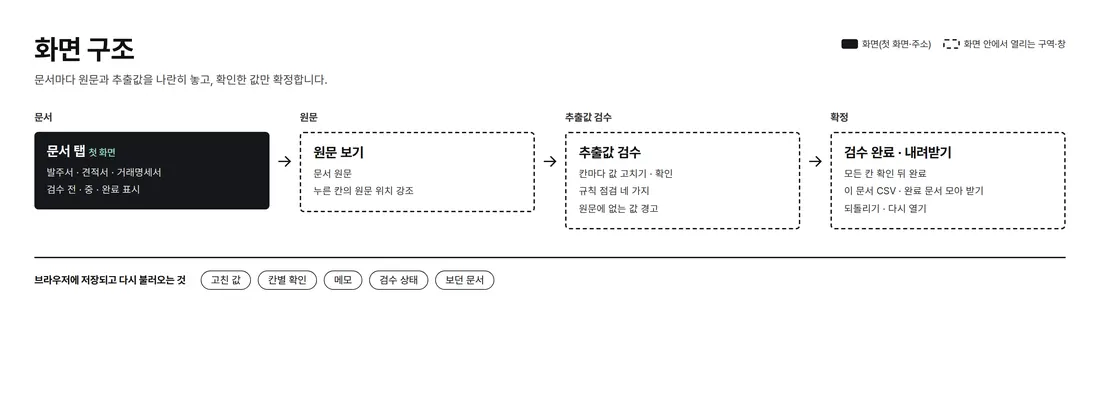
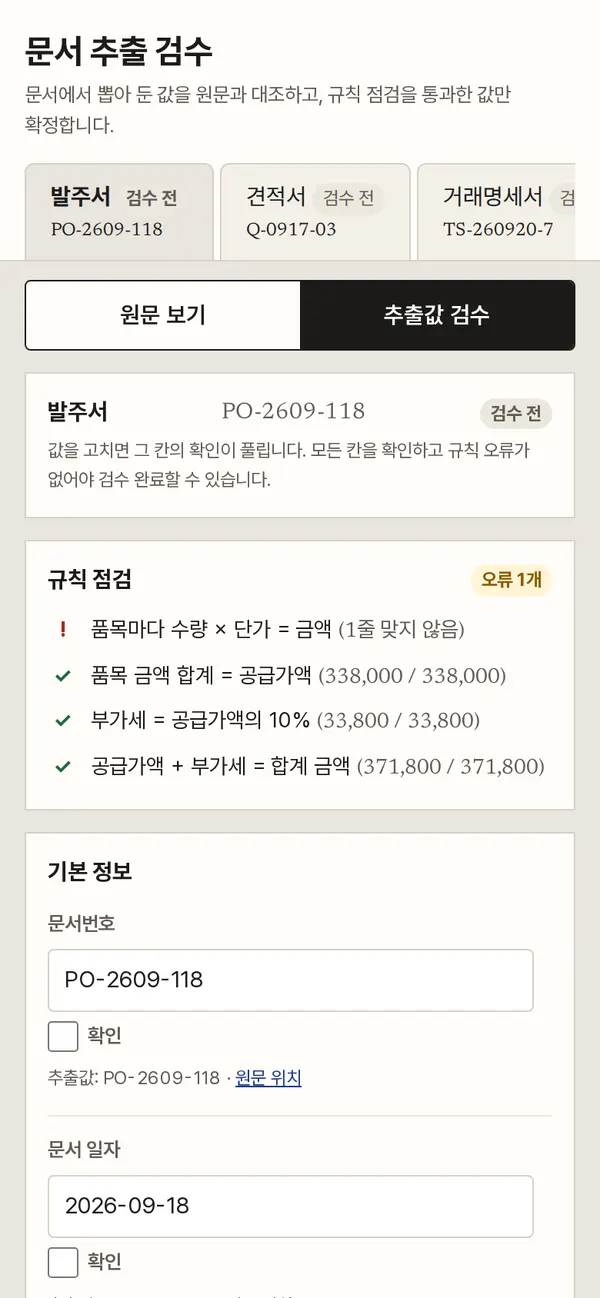
Source and extracted values sit side by side on one screen. Pick a document from the tabs at the top; the source on the left and the review fields on the right are linked. On mobile, "View source / Review values" buttons switch between the two.
4. Key Features
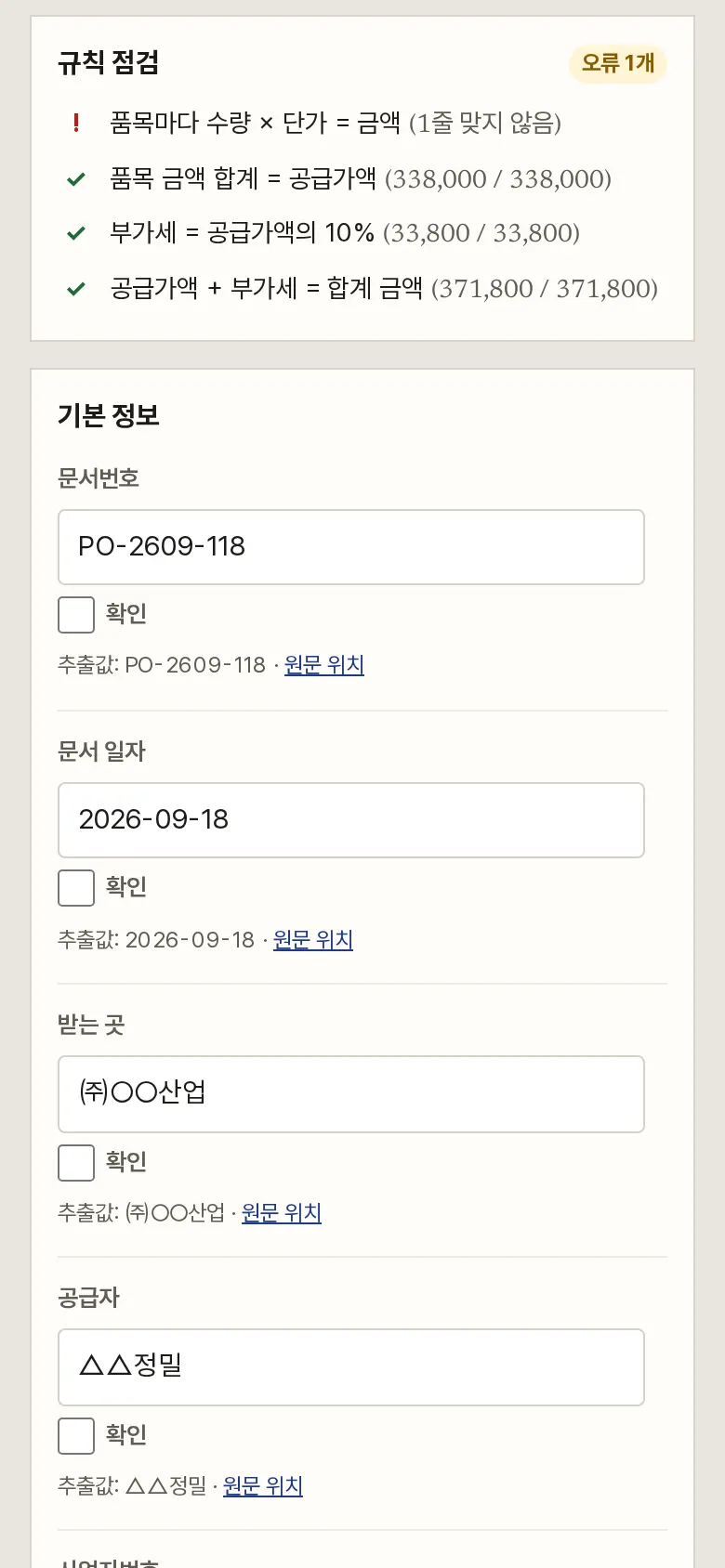
Rule Checks
It calculates and marks whether quantity × unit price = amount for each item, item total = supply amount, VAT = 10% of supply amount, and supply amount + VAT = total amount. On the purchase order, it flags the line where quantity was read as 120: "quantity × unit price = 1,140,000, but the amount is 114,000".
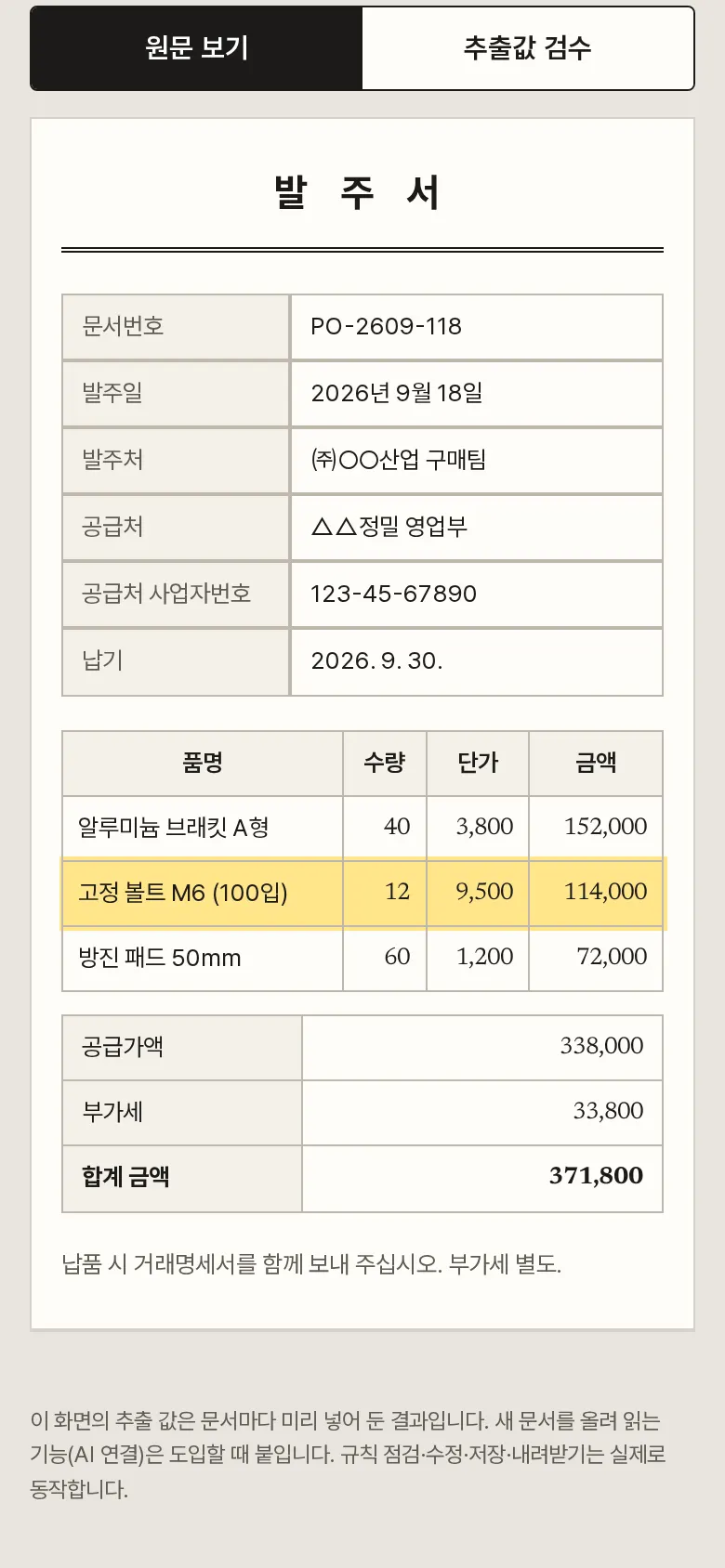
Source Location Highlight
Tap "Source location" on any field and the spot in the source where that value appears is highlighted in yellow. If an edited value can't be found in the source, it says "The same value was not found in the source."
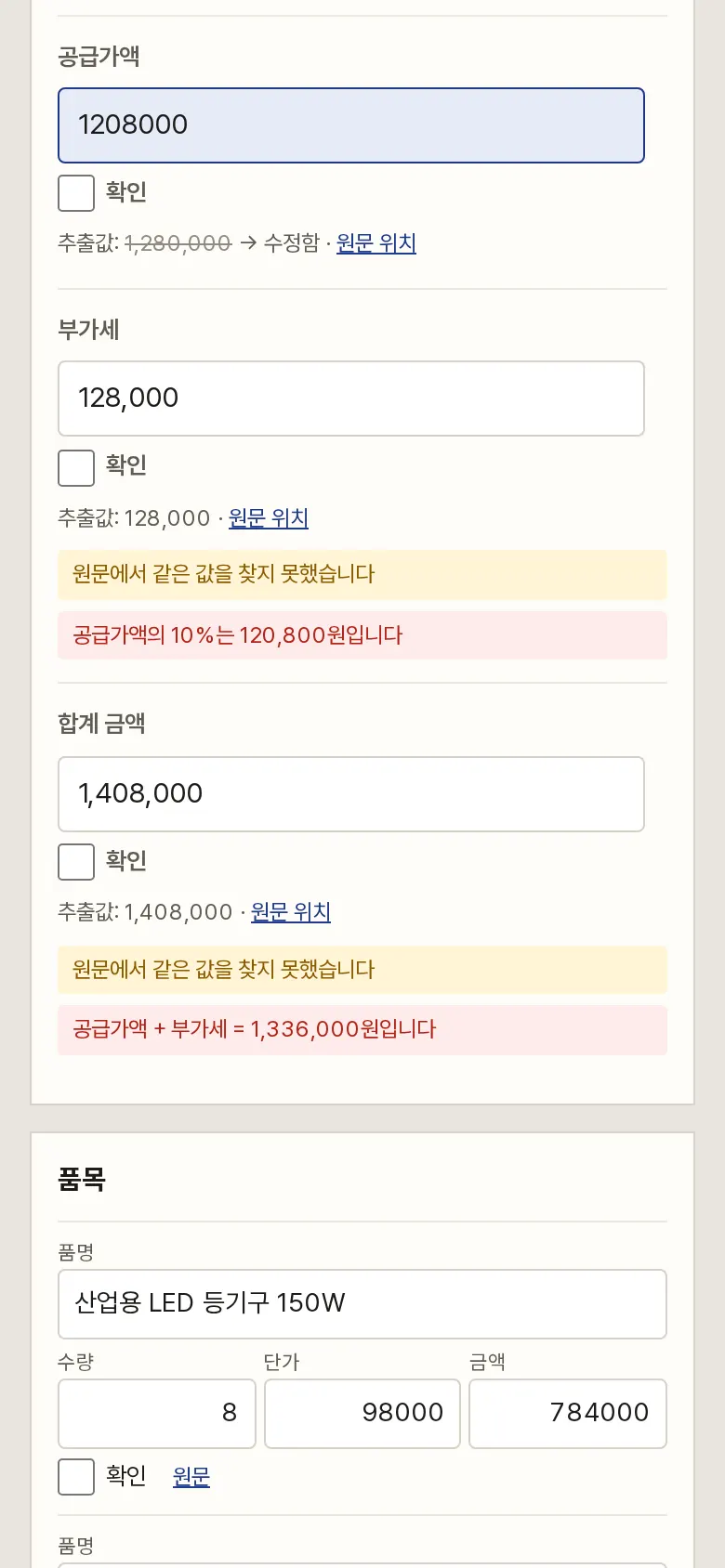
Checks That Follow Your Edits
Edit a quote's supply amount and the expected VAT and total update at once. A validity period not in the source is marked "Not found"; if a person enters a date, that mark stays.
Completing Review and Downloading
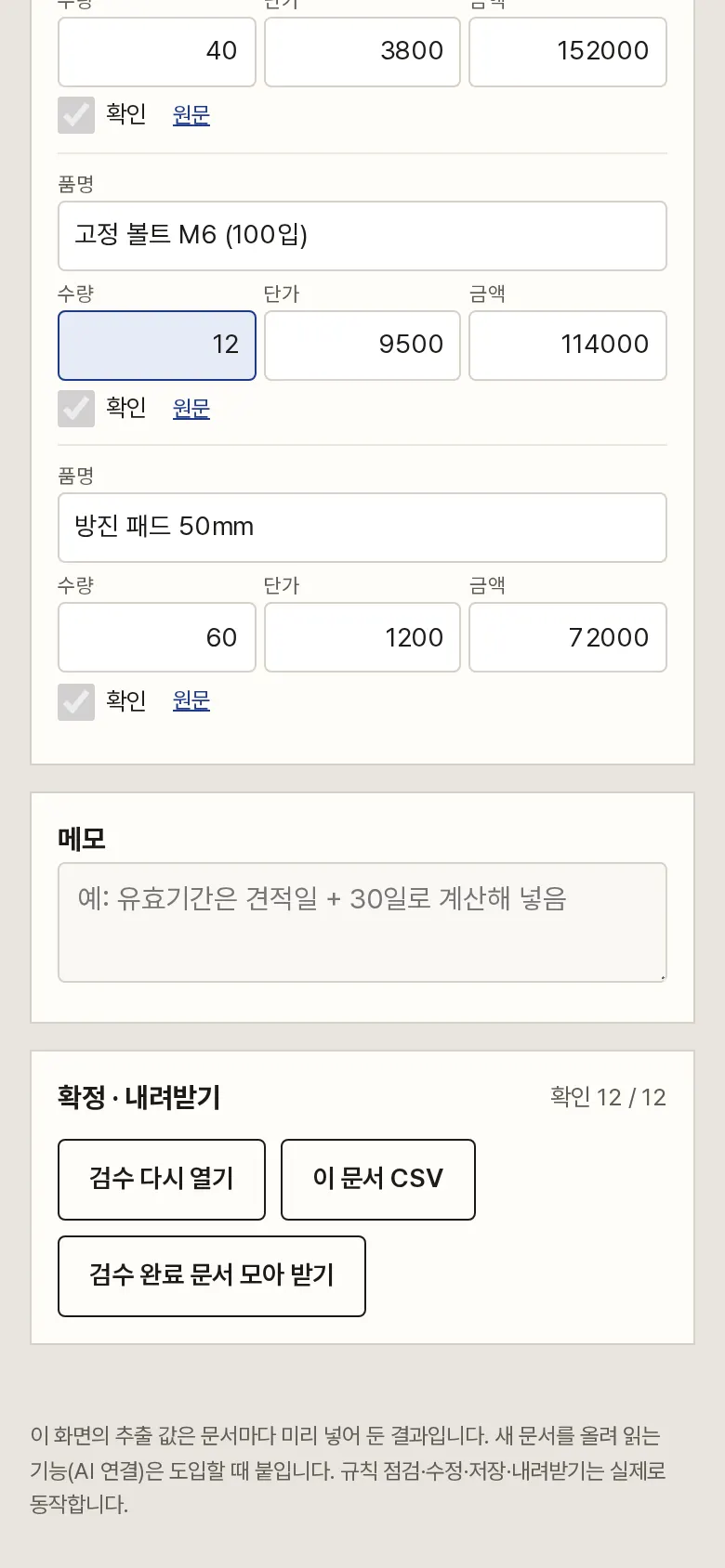
The Complete Review button opens only after every field is confirmed, and completed documents lock their fields. Editing a confirmed field clears its confirmation. Download one document at a time or all completed documents as CSV, and reset to the original values or reopen a review.
5. Build Notes
Show details
| Responsive | Layout changes at 980 · 560px. On PC, source and review fields sit side by side; below 980px, View source / Review values buttons show one side at a time; below 560px, item lines become cards with field names, and the source table folds into two columns. |
| Fonts | Nanum Myeongjo for both screen and source — a proof-sheet feel (a free open font). Trimmed to only the characters used on this screen, 185KB in total. |
| Images | Source documents are drawn as text and tables, not images, so value locations can be highlighted. |
| Motion | No motion except a smooth scroll to the source location and notification text. Stops when the device's reduce-motion setting is on. |
| Accessibility | Every value field and checkbox has a label, and errors and warnings are shown with both color and a sentence. Accessibility score 100. |
| Tech | HTML, CSS, JavaScript (no external libraries). Rule checks are calculated inside the browser. Edited values, confirmations, and status are stored in browser storage (localStorage), and CSVs are saved so Korean text doesn't break in Excel. |
6. QA
Results from running the pages on PC 1440 and mobile 390 screens and clicking through in the order a real user would. We also checked that data is still there after saving and refreshing. (2026-09-23)
| Item | PC 1440 | Mobile 390 |
|---|---|---|
| Screen errors | 0 | 0 |
| Broken files | 0 | 0 |
| Horizontal overflow · clipped text | 0 | 0 |
| Function tests (Chrome) | 13 / 13 passed | 13 / 13 passed |
| Function tests (Safari engine) | 13 / 13 passed | 13 / 13 passed |
The 13 function tests: first screen display · rule check — finding a quantity × unit price mismatch · source location highlight · editing a value and clearing the error · completion locked until every field is confirmed → review complete after confirming · review results kept after refresh · quote — chained total and VAT checks · saving a memo · editing clears that field's confirmation · this document's CSV · downloading all completed documents · resetting to the original extracted values · reopening a review
Speed and quality scores (out of 100; mobile measured three times on a slow connection, same result each time)
| Performance | Accessibility | Best Practices | SEO | |
|---|---|---|---|---|
| Mobile | 98 | 100 | 100 | 100 |
| PC | 100 | 100 | 100 | 100 |
Mobile: First Contentful Paint 1.7s · Largest Contentful Paint 2.0s · Layout Shift 0.000 · Blocking Time 0ms PC: First Contentful Paint 0.4s · Largest Contentful Paint 0.4s · Layout Shift 0.000 · Blocking Time 0ms
7. Result
Try it live ↗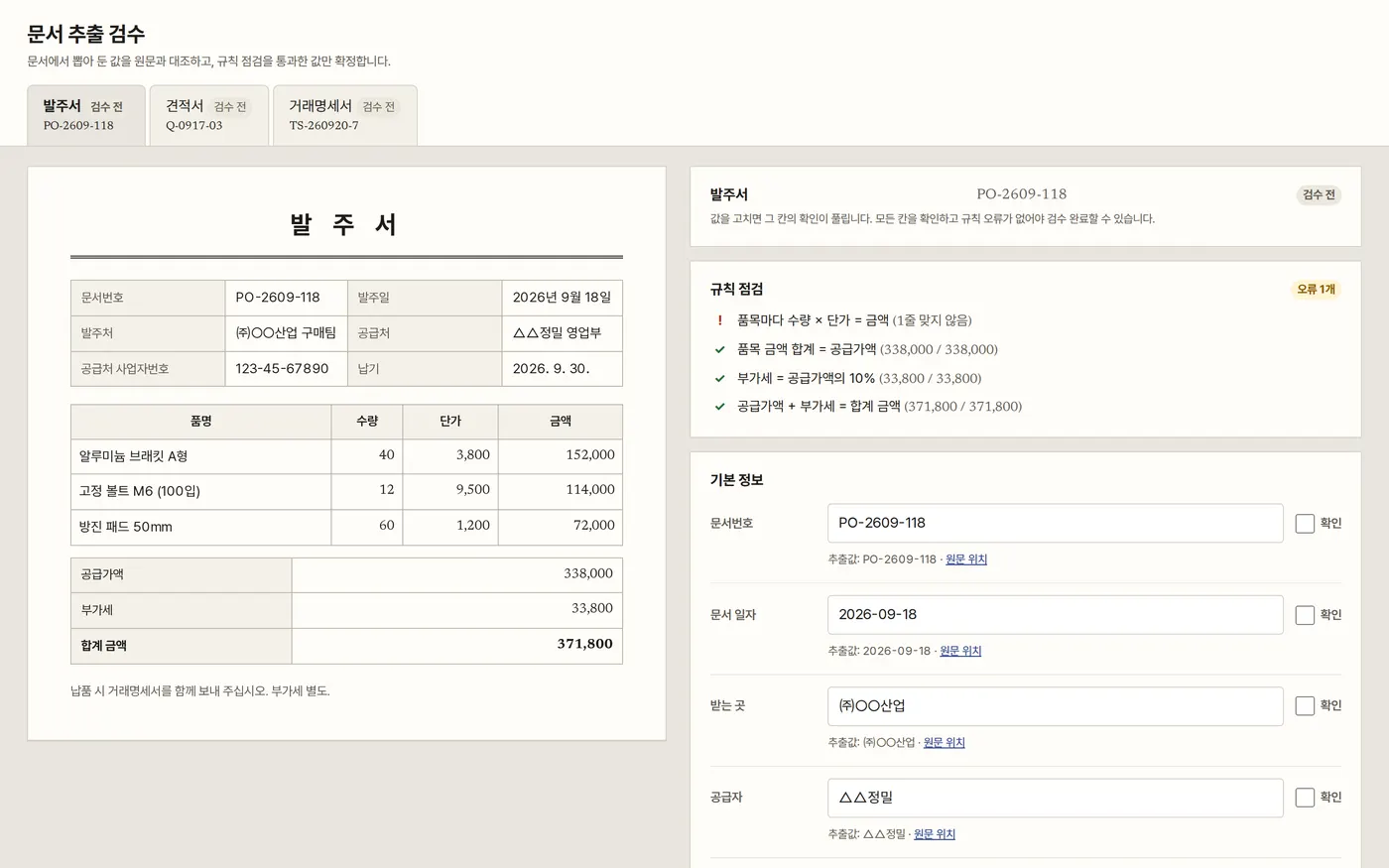
Privacy Policy