1. Overview
| Industry | Online sales and service teams with frequent weekly and planning meetings |
| Purpose | A screen that places the meeting transcript beside its summarized decisions and action items, fills in missing owners and due dates, tracks progress, and exports an action-item list |
| Scope | 1 main screen · 3 meetings (7–16 transcript lines) · decision / proposal / on-hold labels · action item owner, due date, and status |
| Main flow | Pick meeting → check summary → view source lines → fill owner and due date → progress status → add action items from transcript lines → action-item CSV · meeting notes TXT |
Decision labels, action item owners, due dates, and status, added or deleted action items, and the meeting you were viewing are saved in the browser. They stay in place after a refresh or a later visit.
Connected at rollout: transcribing recordings and real AI — no real AI is connected; the decisions and action items for the 3 meetings are results entered in advance, and finding candidate lines, owners, and due dates works by keyword rules. Real AI is connected at rollout. Adding to calendar software, sending notifications, and server storage for sharing records across devices are also connected at rollout.
2. Challenges
1. After a meeting, who agreed to do what gets fuzzy.
Even if "I'll put it together and share it" is in the notes, it is forgotten when the owner and due date are blank. The number of items with no owner or no due date should be visible at once.
2. A summary alone doesn't show the basis.
Whether something was really a decision or just a proposal is clear only from the transcript. Each summarized line should link straight to the transcript line it came from.
3. Action items are managed outside the meeting notes.
Summarized action items have to be moved into per-owner lists or shared documents. They need to export as a file along with their progress status.
3. Structure
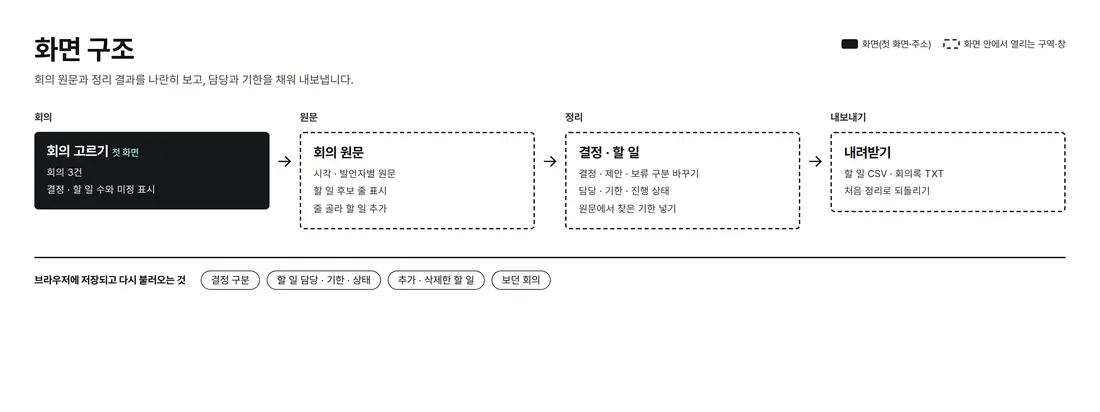
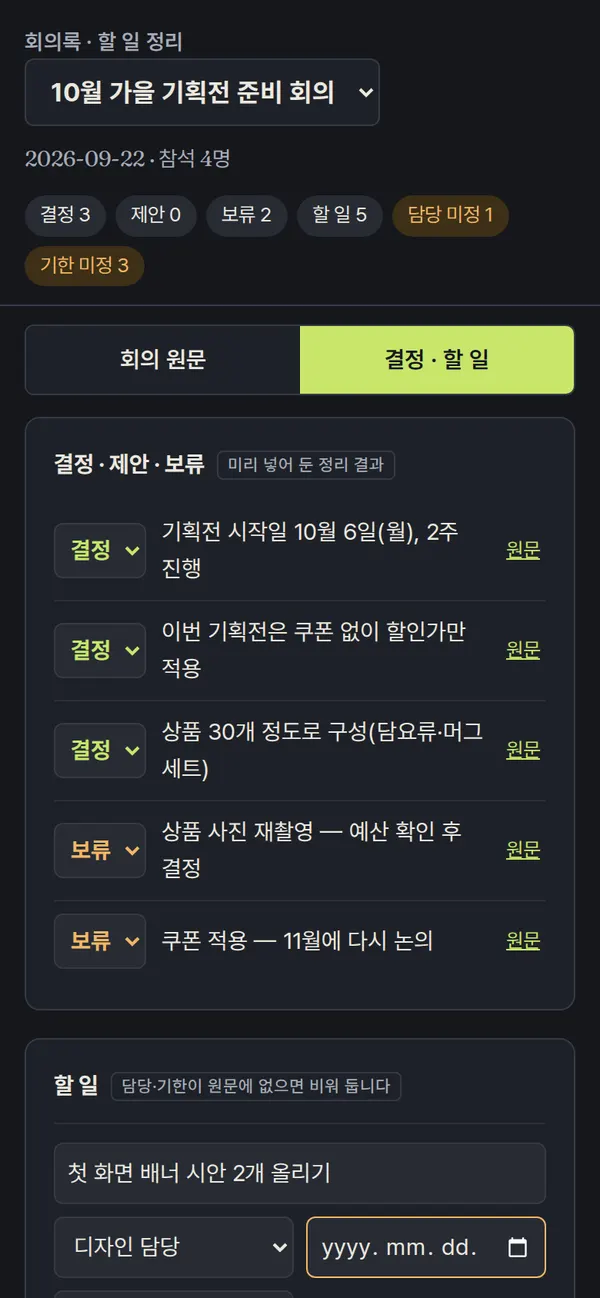
The meeting transcript and decisions and action items sit side by side on one screen. Pick a meeting at the top and the summary (counts of decisions, on-hold, action items, and unassigned) updates; on mobile, "Transcript / Decisions & actions" buttons switch between the two.
4. Key Features
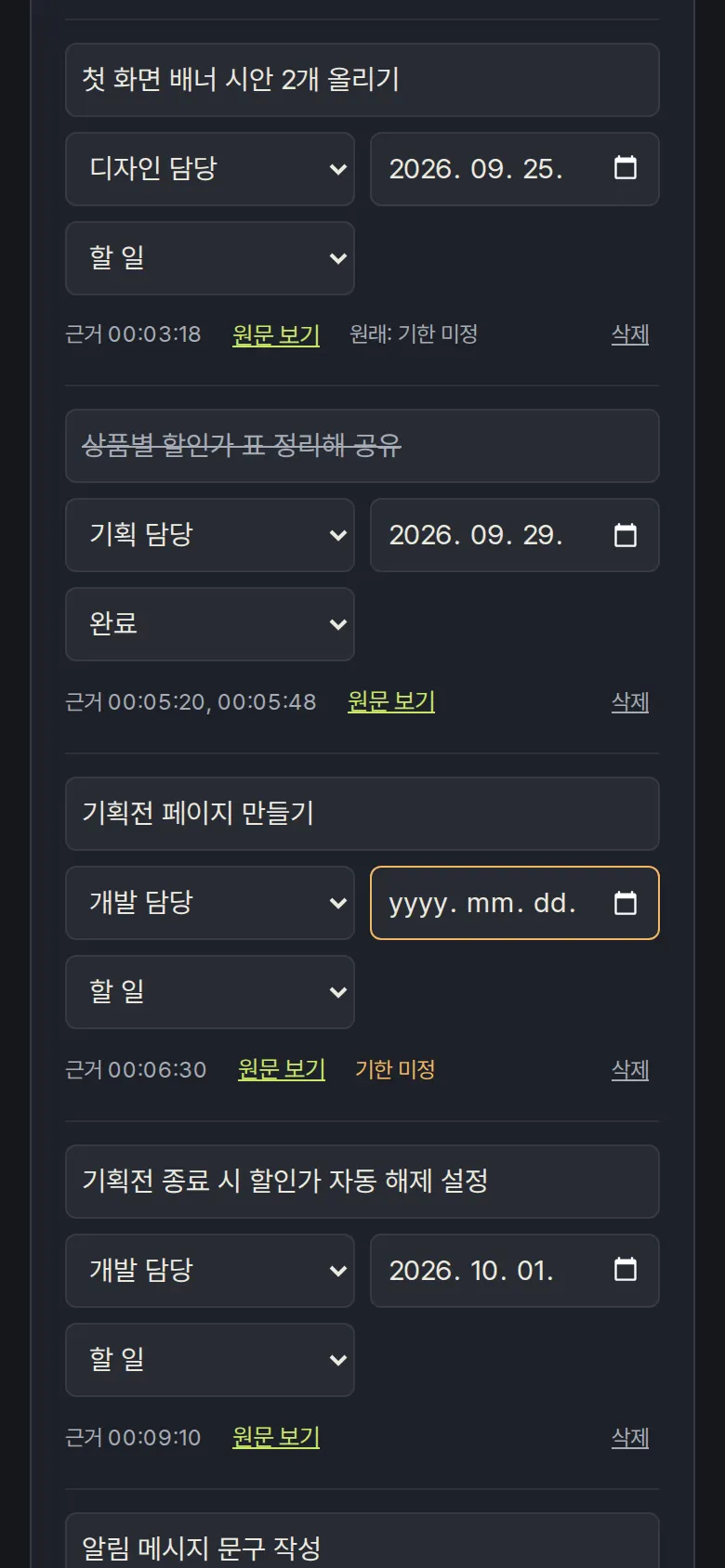
Action Items — Owner, Due Date, Status
Choose an owner, due date, and status (To do · In progress · Done) for each action item. Items with no owner or due date are counted in the top summary, such as "No owner 1 · No due date 3".
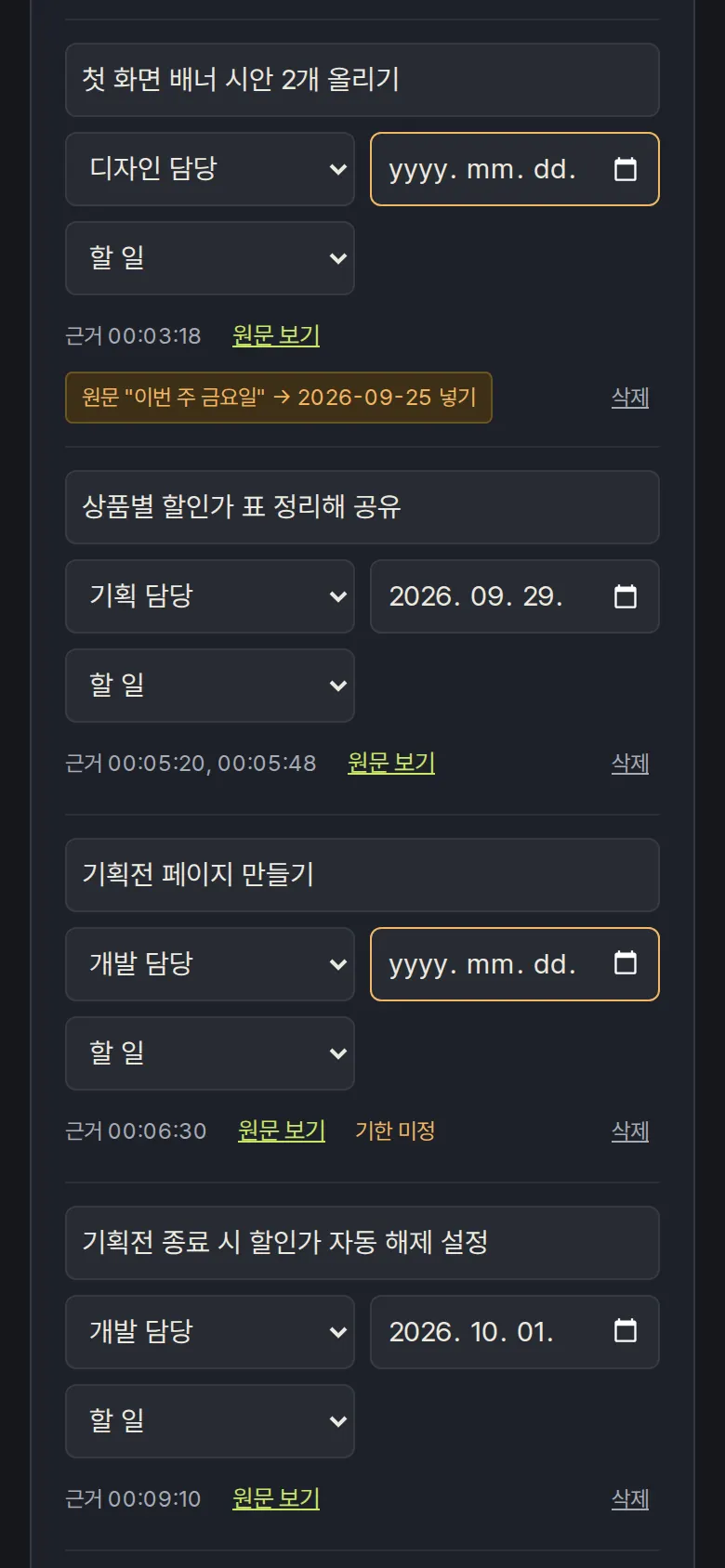
Due Dates Found in the Transcript
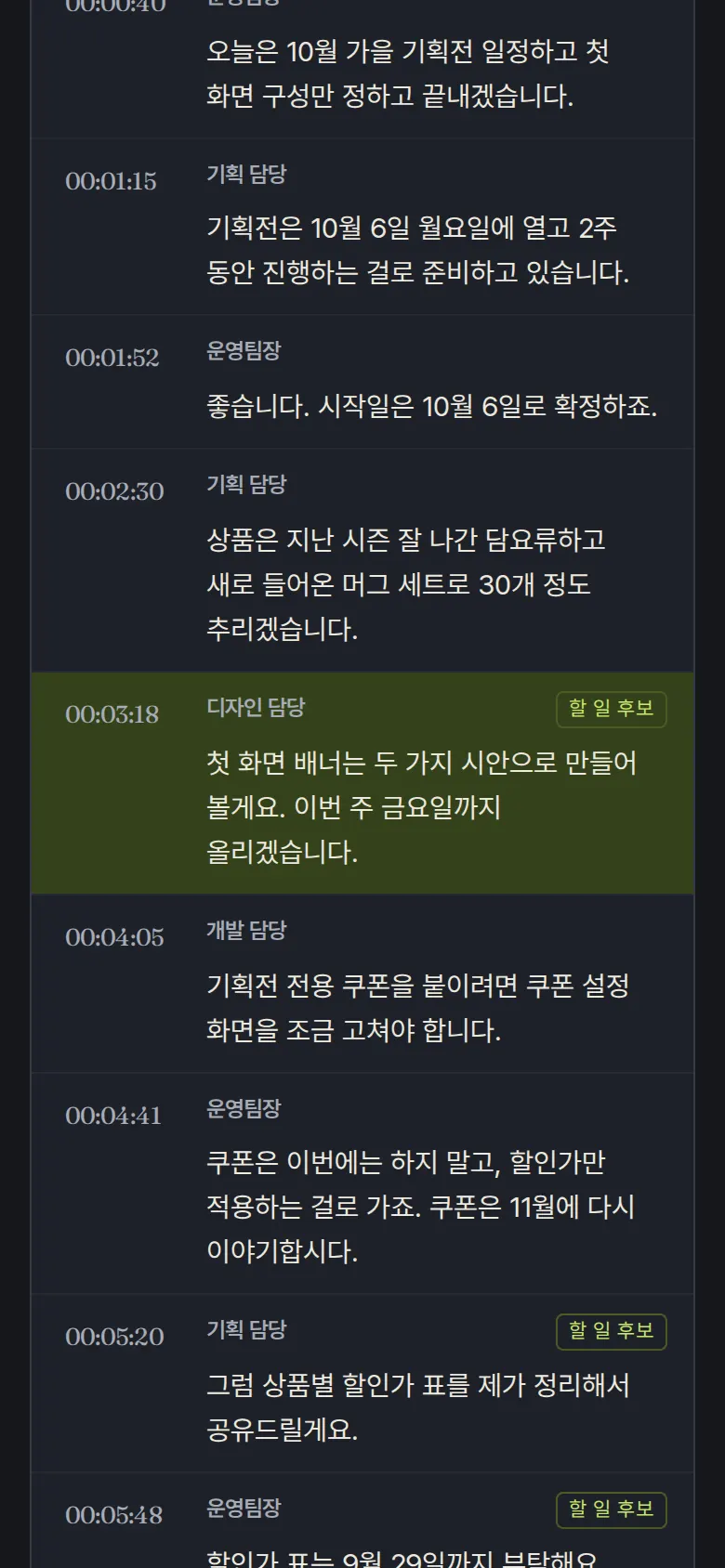
View Source Lines
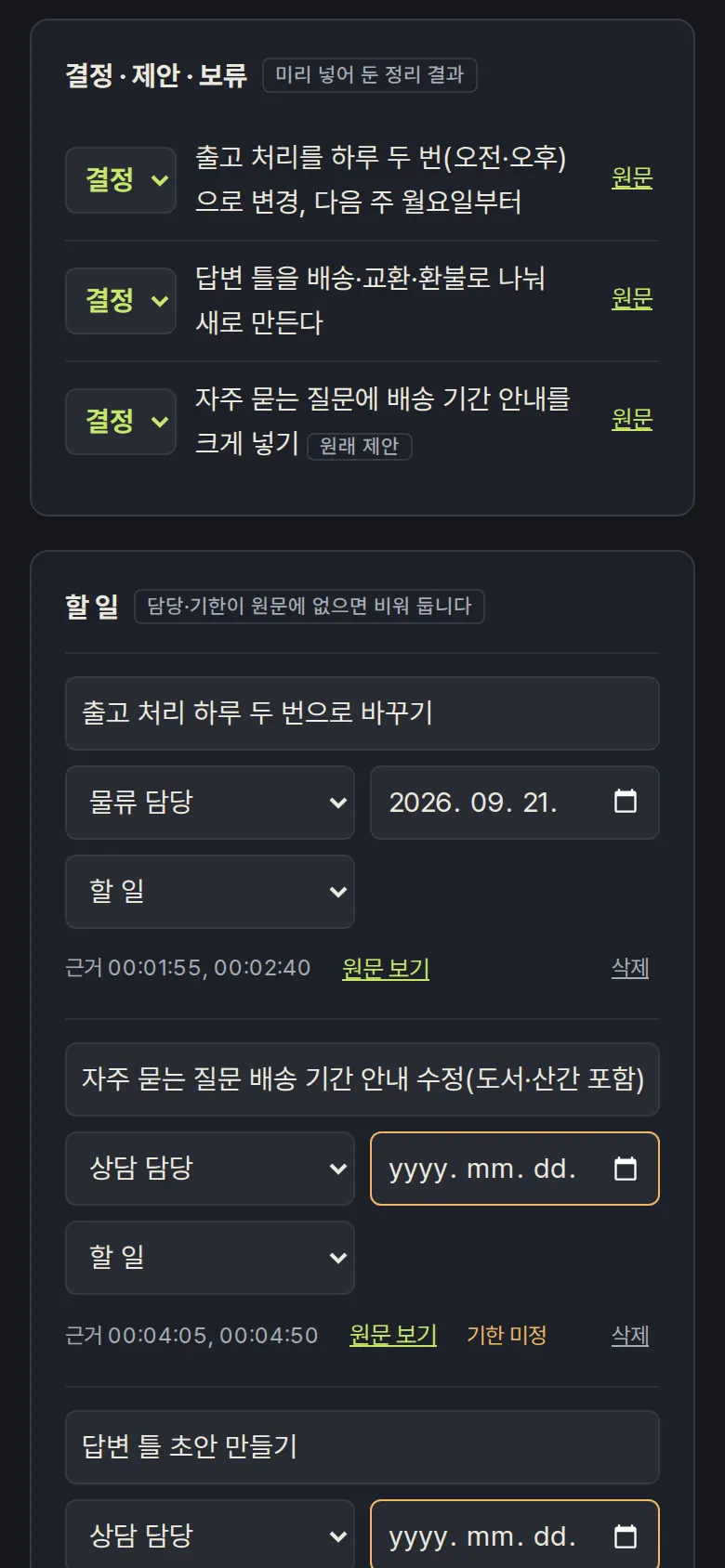
Changing Decision / Proposal / On-hold Labels
Change the label of a summarized line and the original label stays noted, such as "Originally: proposal", while the summary counts update.
- Adding Action Items from Transcript Lines
Pick a transcript line to add as an action item, and the owner is filled from expressions like "○○ 담당이 맡아" (○○ will take it) or "하겠습니다" (I'll do it), and the due date from date expressions. Manually added items are marked and can be deleted. Action items download as CSV, and meeting notes as TXT labeled with [결정] (decision) and [할 일] (action item).
5. Build Notes
Show details
| Responsive | Layout changes at 1100 · 900px. On PC, transcript and summary sit side by side; below 1100px the action-item row narrows and status moves below; below 900px Transcript/Summary buttons show one side at a time and action-item fields stack one per line. |
| Fonts | Nanum Pen Script for titles, Nanum Gothic for body text (all free open fonts). Trimmed to only the characters used on this screen, 217KB in total. |
| Images | A business screen with no photos. The dark background was chosen so long transcripts are comfortable to read. |
| Motion | No motion except a smooth scroll to the source line and notification text. Stops when the device's reduce-motion setting is on. |
| Accessibility | Every select field has a label, and transcript lines are buttons, so they can be chosen by keyboard. Summary counts are announced when they change. Accessibility score 100. |
| Tech | HTML, CSS, JavaScript (no external libraries). Finding due dates and owners works by keyword rules inside the browser. Results are stored in browser storage (localStorage) and download as an action-item CSV and meeting notes TXT. |
6. QA
Results from running the pages on PC 1440 and mobile 390 screens and clicking through in the order a real user would. We also checked that data is still there after saving and refreshing. (2026-09-23)
| Item | PC 1440 | Mobile 390 |
|---|---|---|
| Screen errors | 0 | 0 |
| Broken files | 0 | 0 |
| Horizontal overflow · clipped text | 0 | 0 |
| Function tests (Chrome) | 14 / 14 passed | 14 / 14 passed |
| Function tests (Safari engine) | 14 / 14 passed | 14 / 14 passed |
The 14 function tests: first screen display · summary and unassigned counts · marking action item candidate lines · viewing source lines · applying a due date found in the transcript · assigning an owner · action item status · changing decision / proposal / on-hold labels · adding an action item from a transcript line · deleting an action item · kept after refresh · action-item CSV · meeting notes TXT · resetting to the original summary
Speed and quality scores (out of 100; mobile measured three times on a slow connection, same result each time)
| Performance | Accessibility | Best Practices | SEO | |
|---|---|---|---|---|
| Mobile | 96 | 100 | 100 | 100 |
| PC | 100 | 100 | 100 | 100 |
Mobile: First Contentful Paint 1.7s · Largest Contentful Paint 2.0s · Layout Shift 0.099 · Blocking Time 0ms PC: First Contentful Paint 0.4s · Largest Contentful Paint 0.4s · Layout Shift 0.000 · Blocking Time 0ms
7. Result
Try it live ↗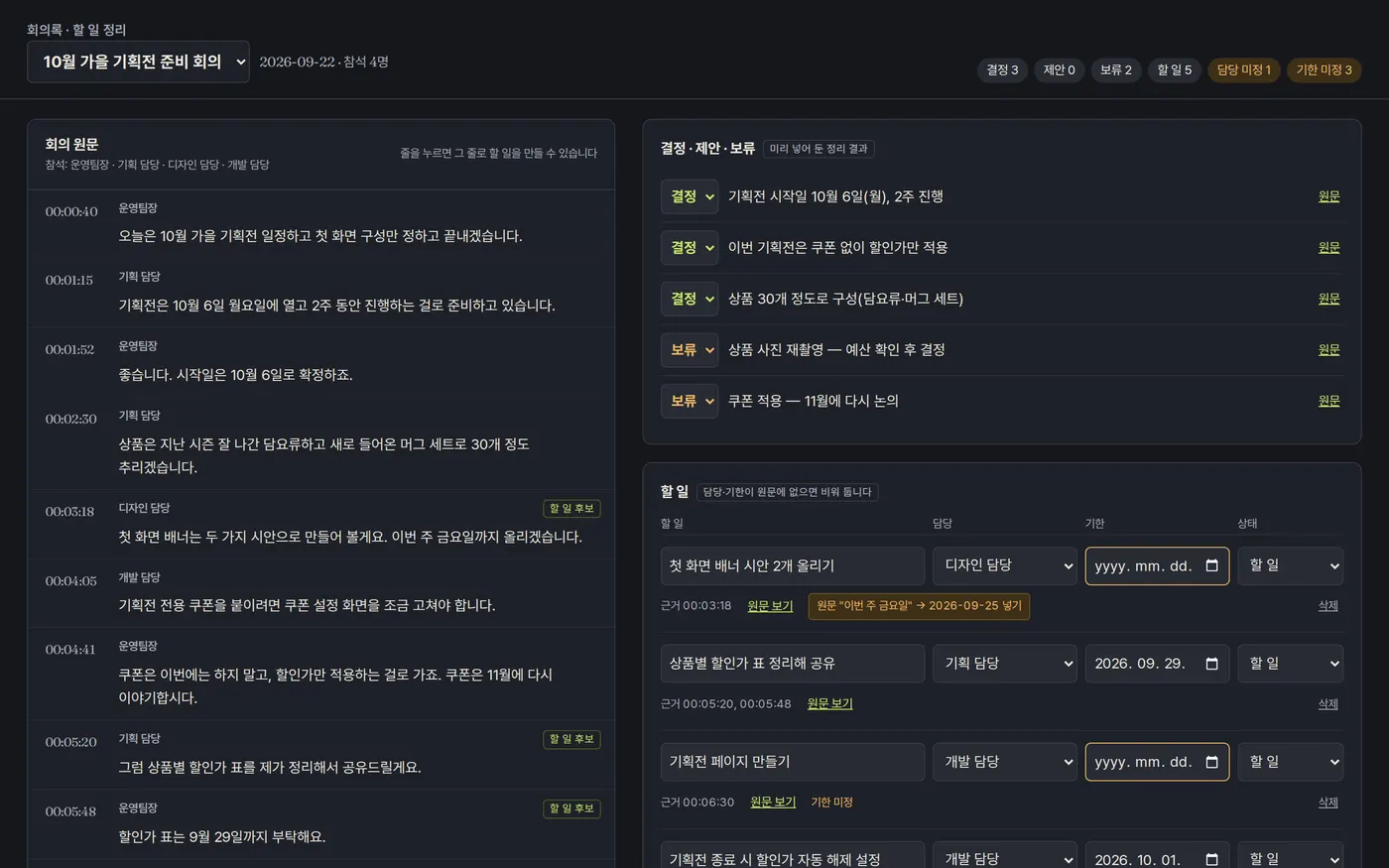
Privacy Policy