1. Overview
| Industry | Online sellers who often write product pages and descriptions |
| Purpose | A screen that places the product fact sheet beside the draft copy, filters out exaggeration, health claims, unsupported numbers, and unverified facts with rules, previews the product page, and saves the reviewed version |
| Scope | 1 main screen · 4 products · three areas: product facts, copy review, and preview · 7 check rules |
| Main flow | Pick product → check rule results → view the basis for each sentence → edit copy → preview → mark reviewed → original and edited TXT · reviewed CSV |
Fact sheet values and their verification marks, edited copy, review status, and the product you were viewing are saved in the browser. They stay in place after a refresh or a later visit.
Connected at rollout: writing new copy — the starting copy for the 4 products is a draft entered in advance, and no real AI is connected; it is connected at rollout. Listing products on a store, image editing, and server storage for sharing records across devices are also connected at rollout.
2. Challenges
1. Drafts exaggerate convincingly.
2. Numbers in the copy differ from the product data.
If capacity, size, or heat retention time differ from the fact sheet, they become grounds for exchanges and returns. Every number in the copy must be checked against the fact sheet.
3. Unverified facts must not be stated.
Copy must not state facts that haven't been verified yet, such as country of origin or certifications. When the fact sheet changes, copy that was already reviewed must be checked again.
3. Structure
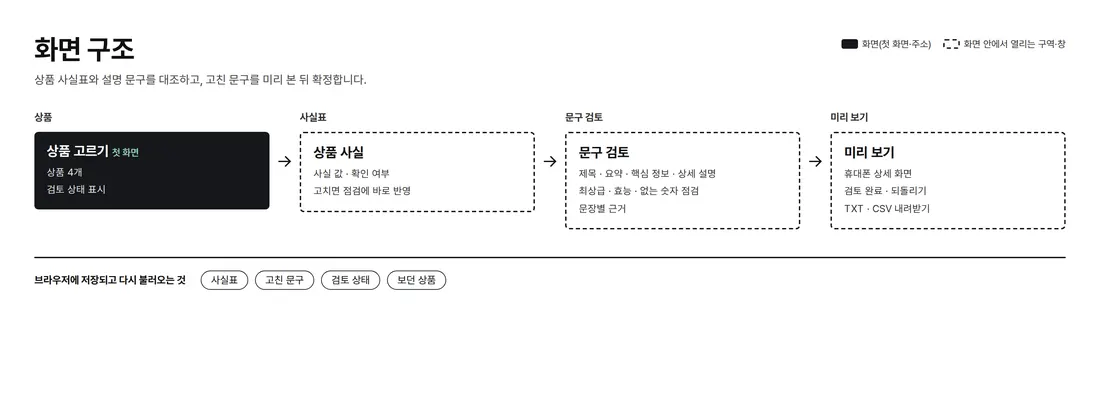
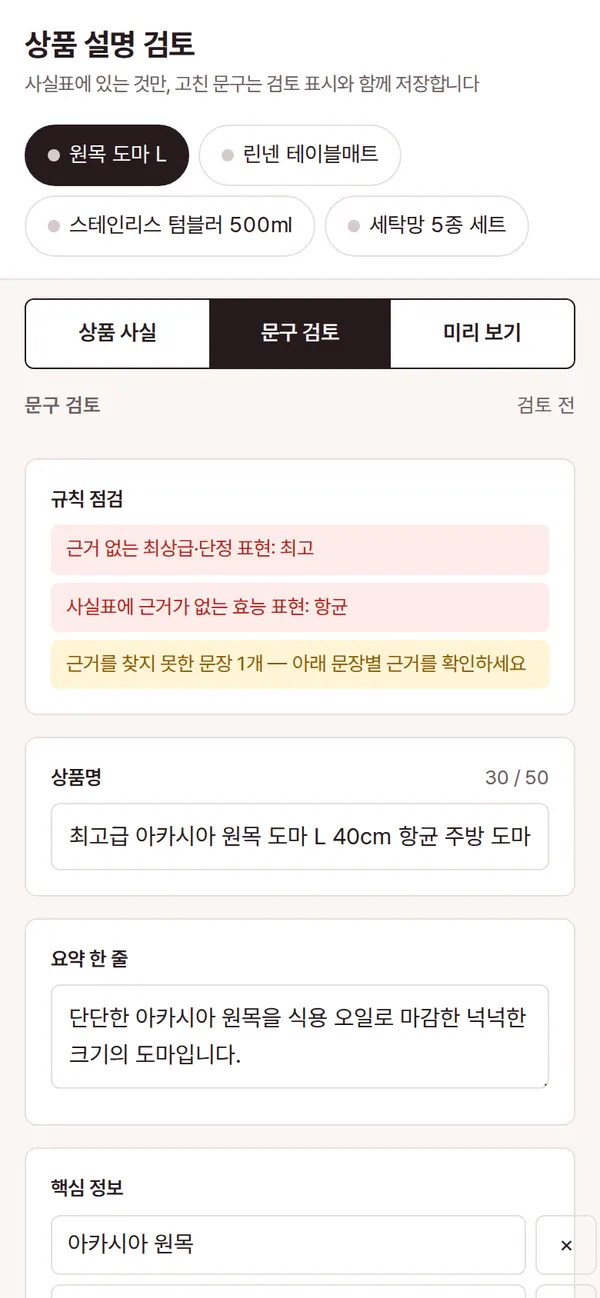
One screen holds three areas side by side like a magazine page — the fact sheet in the left margin, the product page in the middle, and copy review on the right. Pick a product at the top and all three areas change together; on mobile, three buttons show one area at a time.
4. Key Features
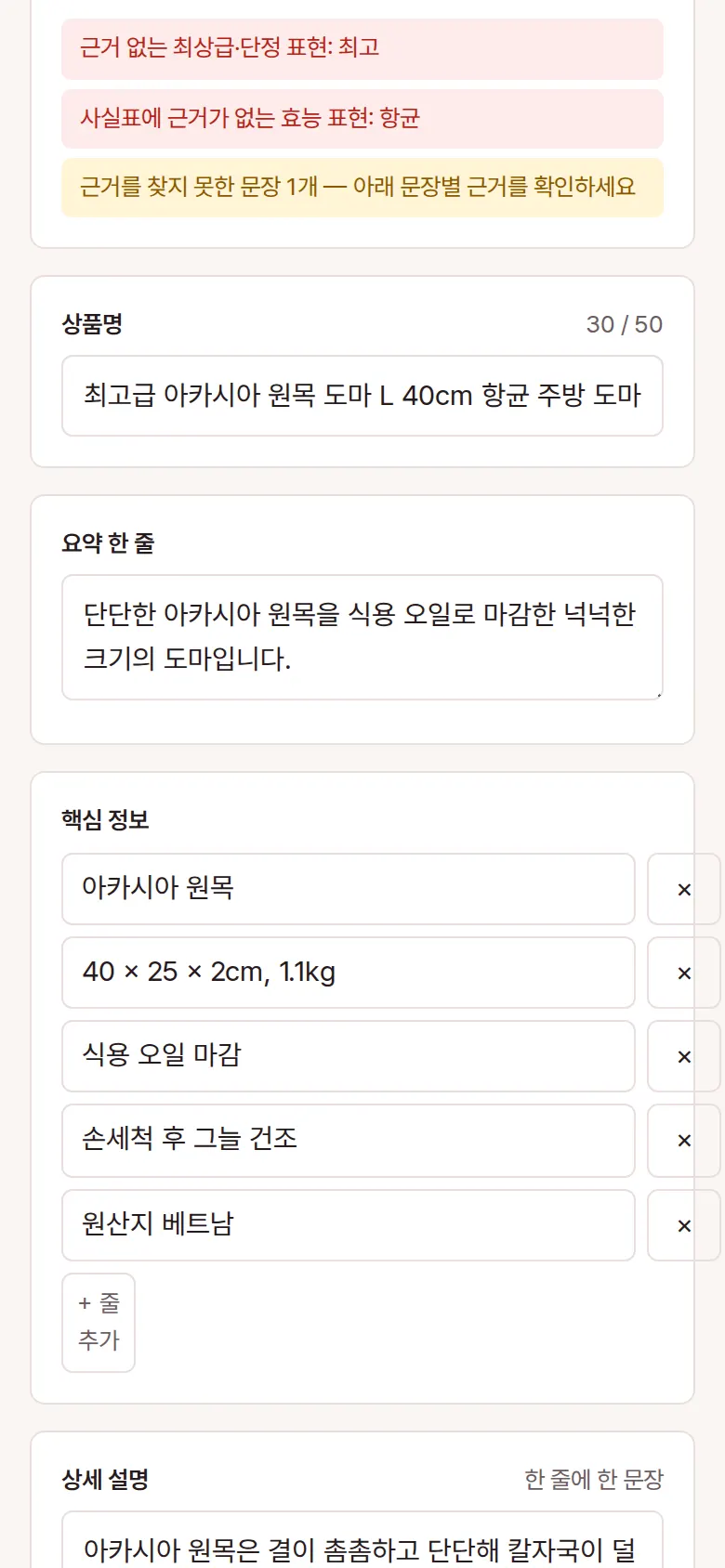
Rule Checks
It checks a 50-character title limit, unsupported superlatives and absolute claims (best, perfect, guaranteed, and so on), health claims not backed by the fact sheet (antibacterial, sterilizing, and so on), numbers not in the fact sheet, unverified facts, an empty summary, and the number of key-info lines. Mark Reviewed stays locked while errors remain.

Basis for Each Sentence
The description is split into sentences, each tagged with the fact it is based on (material, size, care, and so on). Sentences with no basis found are marked separately.

Product Page Preview
The edited title, price, summary, key info, and description appear at once in the shape of a product page. When marked reviewed, both the original and edited copy are kept, and they download as TXT.

Product Fact Sheet
Edit fact values such as material, size, weight, and country of origin, and their "Verified" marks. Changed values apply to the checks at once, and a reviewed product goes back to review status when its facts change. Only reviewed products download together as CSV.
5. Build Notes
Show details
| Responsive | Layout changes at 1240 · 820px. On PC, the fact sheet sits in the left margin, the product page preview in the middle, and copy review on the right. Below 1240px, the preview page moves below the fact sheet and copy columns; below 820px, Product facts / Copy review / Preview buttons show one area at a time. |
| Fonts | Gowun Batang for titles and body — a magazine-page feel (a free open font). Trimmed to only the characters used on this screen, 93KB in total. |
| Images | Product photo spots are CSS boxes filled with category text. Real photos go in at rollout. |
| Motion | No motion except notification text that briefly appears and fades. Even that stops when the device's reduce-motion setting is on. |
| Accessibility | Every copy and fact field has a label, and product buttons announce their selected and review status. Check results are shown with both color and a sentence. Accessibility score 100. |
| Tech | HTML, CSS, JavaScript (no external libraries). Check rules run inside the browser. Review results are stored in browser storage (localStorage) and download as original and edited TXT and a reviewed CSV. |
6. QA
Results from running the pages on PC 1440 and mobile 390 screens and clicking through in the order a real user would. We also checked that data is still there after saving and refreshing. (2026-09-23)
| Item | PC 1440 | Mobile 390 |
|---|---|---|
| Screen errors | 0 | 0 |
| Broken files | 0 | 0 |
| Horizontal overflow · clipped text | 0 | 0 |
| Function tests (Chrome) | 14 / 14 passed | 14 / 14 passed |
| Function tests (Safari engine) | 14 / 14 passed | 14 / 14 passed |
The 14 function tests: first screen display · finding exaggeration and health claims · basis for each sentence · adding and deleting key-info lines · blocking numbers not in the fact sheet · blocking titles over 50 characters · editing copy and marking reviewed · preview reflects edits · kept after refresh · original and edited TXT · reviewed products CSV · review again when facts change after review · blocking unverified facts · resetting to the original copy
Speed and quality scores (out of 100; mobile measured three times on a slow connection, same result each time)
| Performance | Accessibility | Best Practices | SEO | |
|---|---|---|---|---|
| Mobile | 100 | 100 | 100 | 100 |
| PC | 100 | 100 | 100 | 100 |
Mobile: First Contentful Paint 1.1s · Largest Contentful Paint 1.5s · Layout Shift 0.000 · Blocking Time 50ms PC: First Contentful Paint 0.4s · Largest Contentful Paint 0.4s · Layout Shift 0.000 · Blocking Time 0ms
7. Result
Try it live ↗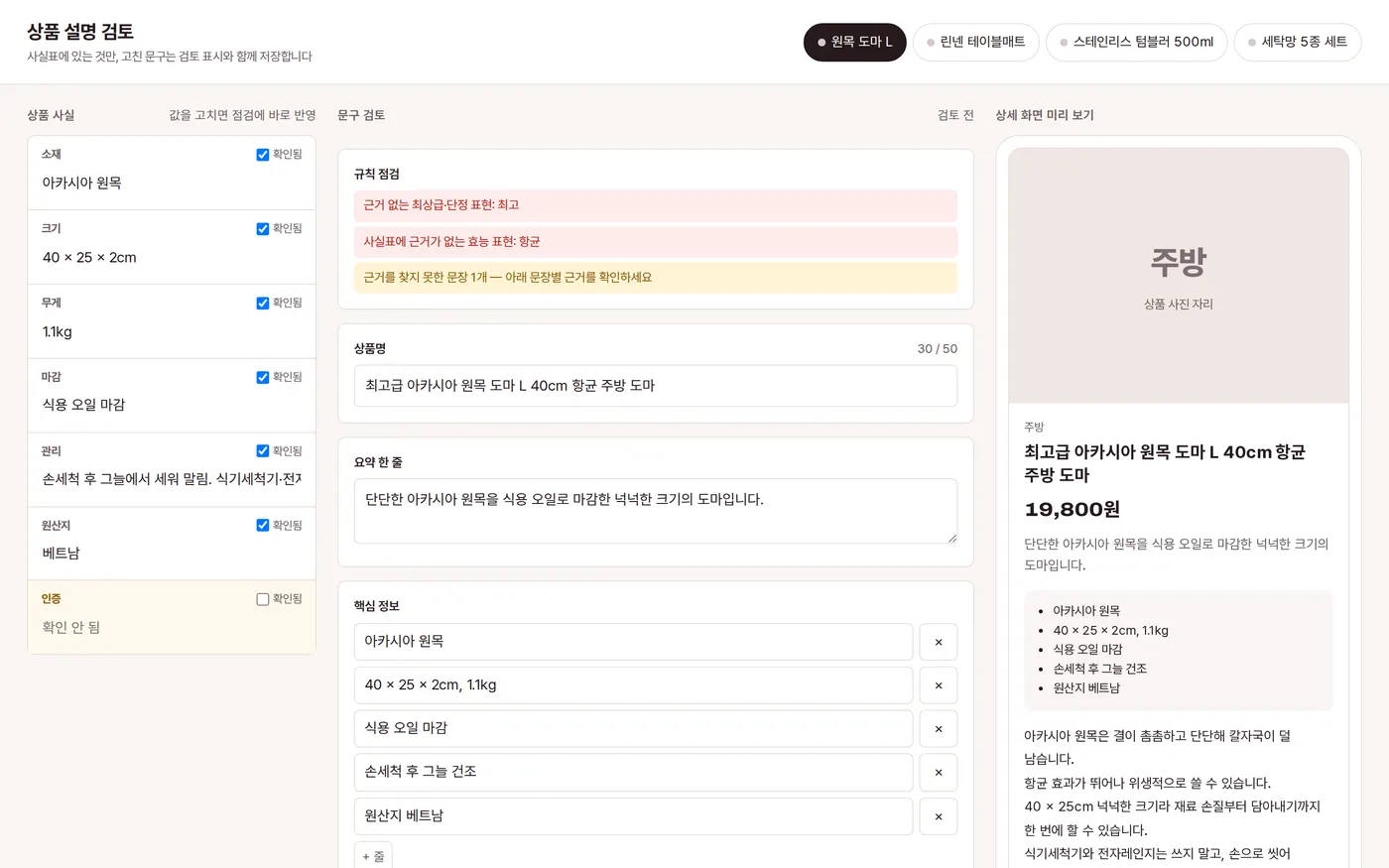
Privacy Policy