1. Overview
| Industry | A neighborhood bagel shop that bakes bagels and brews coffee every morning |
| Purpose | Show the shop's atmosphere while letting customers order ahead without queuing and get quotes for group orders |
| Scope | One page (6 sections) · 6 bottom sheets (about, catering, menu, gift, directions, order history) · an always-visible pill menu |
| Main flow | Add items → pickup time, name and contact → order number issued → order history and cancellation / catering headcount and date → quote request → order history |
The cart, pickup orders and their status, quote requests, and name and contact are saved in the browser. They stay in place after a refresh or a return visit.
Connected at rollout: payments, order alerts (text messages, kitchen printer), a shop admin screen, gift card payment and delivery, sign-up (contact details used instead), and server storage to see the same order on several devices.
2. Challenges
1. Long morning queues send customers away.
Commuters have no time to wait. They should be able to add items ahead, set a pickup time and collect without queuing.
2. Group orders slow down over phone calls.
Entering just the headcount and date should show an estimate right away, and the request should be recorded. That works better for both the shop and the customer.
3. There is nowhere to check an order afterwards.
Customers order with confidence when they can see again what they ordered, for what time, and whether their quote request went through.
3. Structure
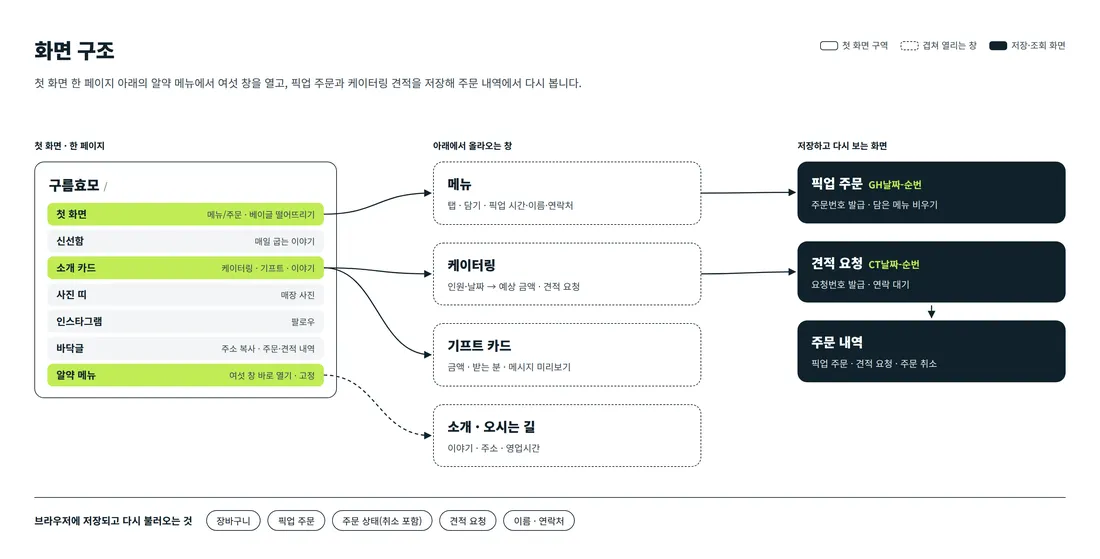
The shop introduction is one page that visitors scroll from the first screen. Tasks such as menu, catering, gifts and order history are handled in windows that open straight from the pill menu at the bottom of the screen. The windows slide up without leaving the page, and closing one returns visitors to where they were.
4. Key Features
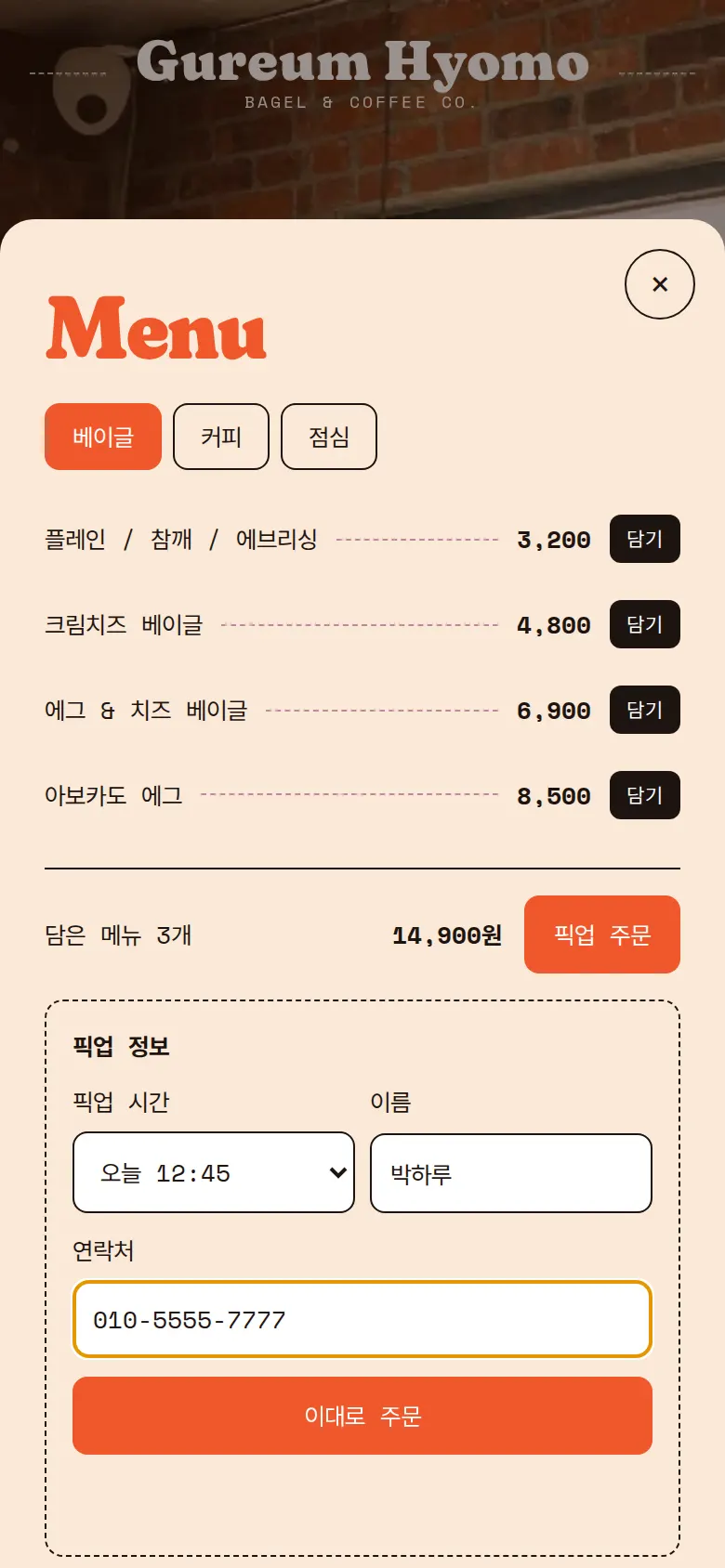
Adding items and pickup orders
Adding items from the bagel, coffee and lunch tabs updates quantity and total right away. Pickup times are chosen in 15-minute steps within opening hours (07:00–15:00), and after closing the next day's times appear. Once confirmed, an order number (BG + date + sequence) is issued.
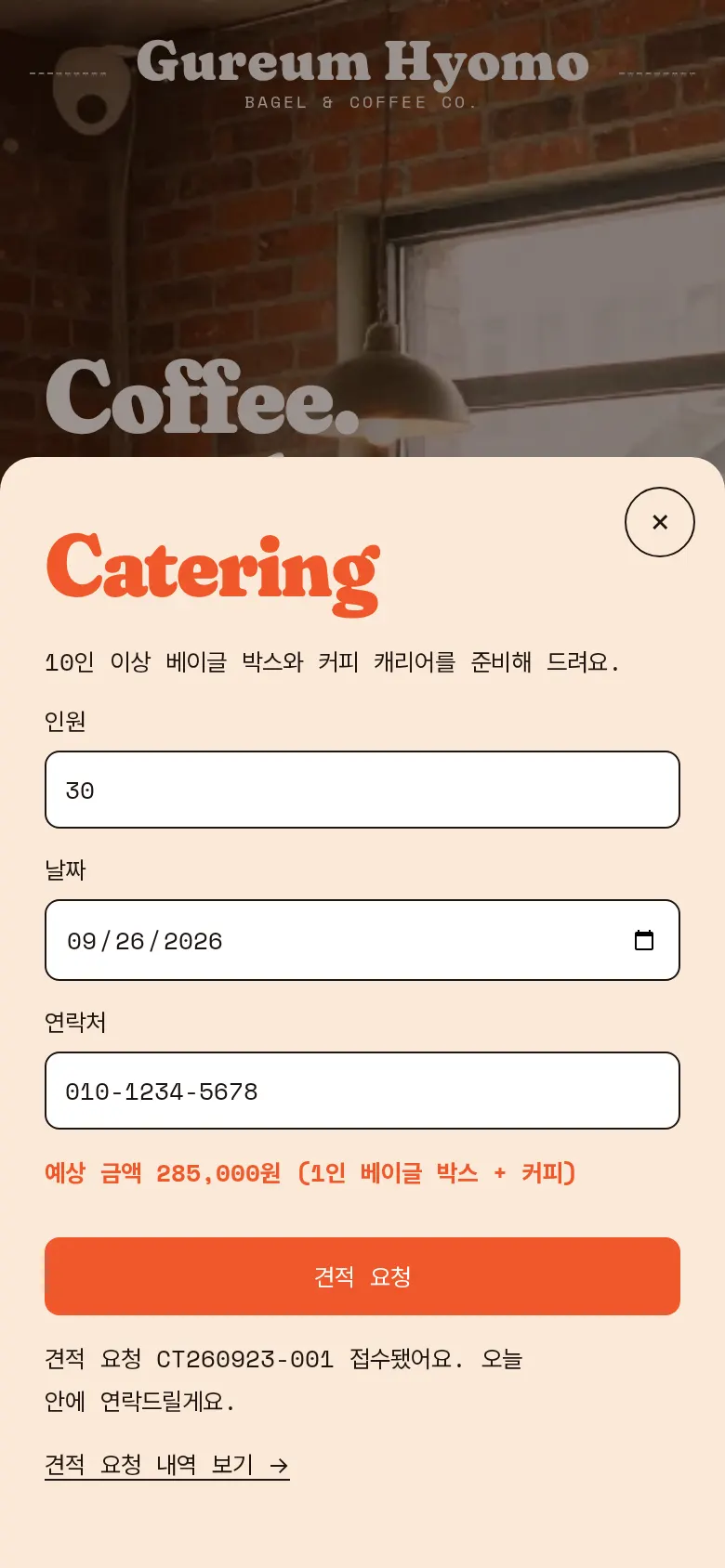
Catering quote requests
Entering a headcount of 10 or more calculates an estimate right away. After the date and contact are checked, the request is saved with a quote request number (CT + date + sequence).
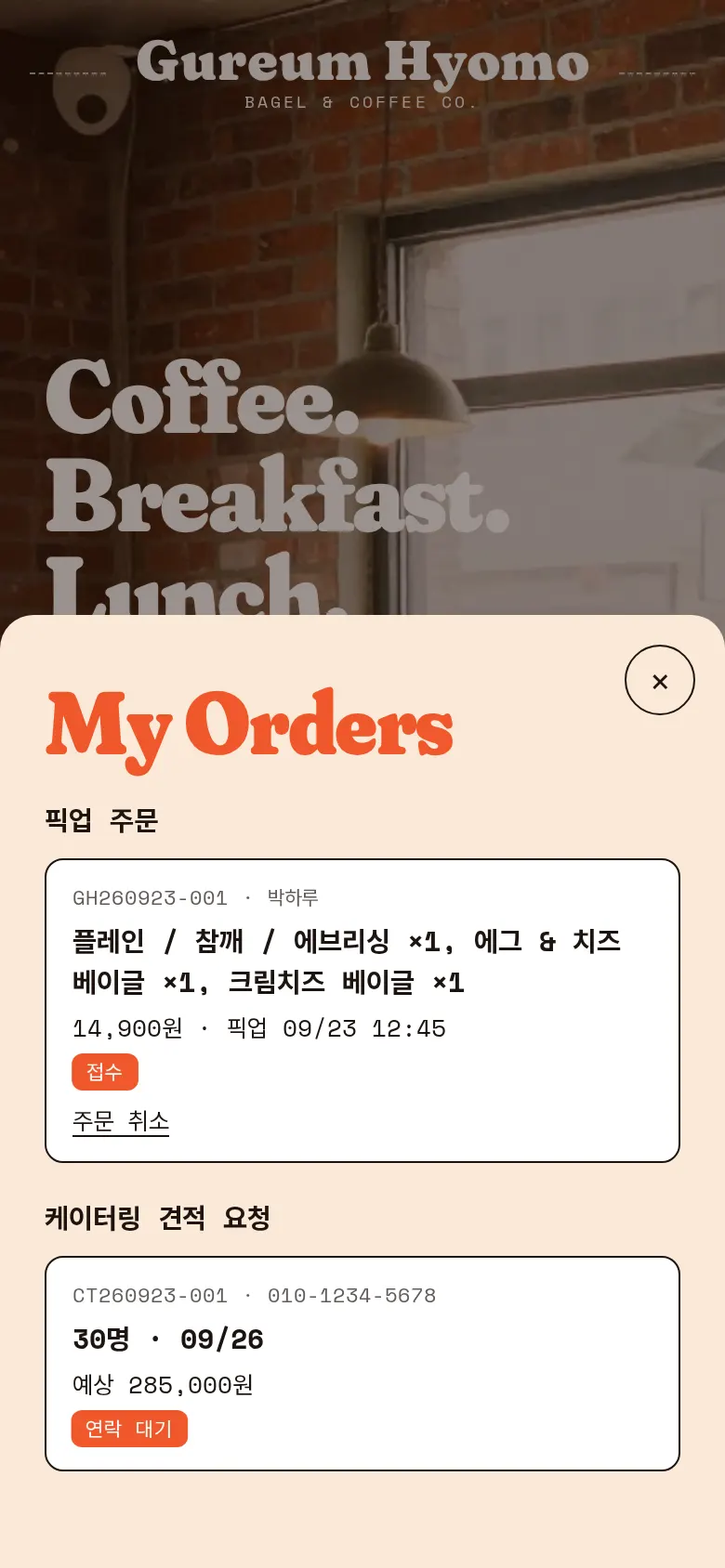
Order history and cancellation
Pickup orders and catering quote requests are shown separately in one window. A cancelled pickup order changes to "Cancelled" and keeps that status after a refresh.
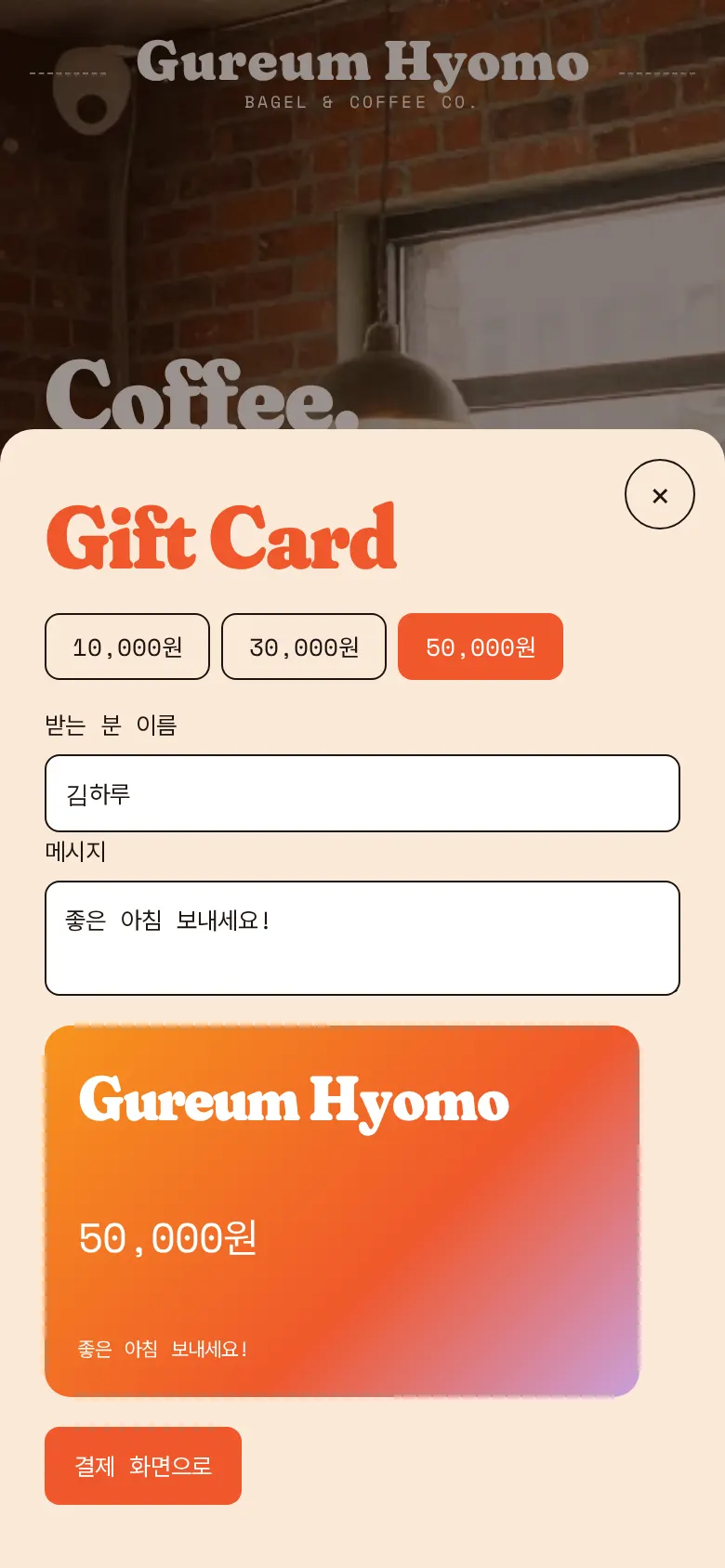
Gift card preview
Choosing an amount and writing the recipient's name and a message updates the card design on the spot.
- DirectionsAddress, opening hours and a map are gathered in one window. In the footer, tapping the address copies it.
- Bagel dropA button on the first screen makes bagels pour down from the top of the screen and counts the taps. Turning on the "Listen" switch next to it plays a short humming sound.
5. Build Notes
Show details
| Responsive | The layout changes at 900px and 520px. On PC, intro cards sit in 3 columns. Below 900px they stack in one column, and below 520px text size and spacing are reset for phones. The pill menu floats at the bottom on every screen. |
| Fonts | Body text in Pretendard, English headings in Fraunces, large Korean text in Black Han Sans, prices and notes in Space Mono, handwriting in Yellowtail (all free open fonts). They are bundled with the site and load without external requests. Every font keeps only the characters used on this site, and the body font was cut from 2,010KB to 85KB. |
| Images | 16 webp files, 805KB in total. Widths range from 700 to 1,344px depending on use. The first-screen photo loads first, and the rest load as they come into view. |
| Motion | Built with CSS animation and scroll position calculations, no library. As visitors scroll, the latte photo turns and the background moves slowly, the shop name band flows, and bagels fall. Animations stop when the device's reduce-motion setting is on. |
| Accessibility | Every icon button has a label, and Esc closes windows. Every input has a label, and input errors are explained in a sentence. Accessibility score: 95. |
| Stack | HTML, CSS and JavaScript (no external libraries). The cart, pickup orders, order status, quote requests, and name and contact are saved to and read from browser storage (localStorage). If a browser blocks storage, the site says it cannot save. |
6. QA
These results come from running the site on PC 1440 and phone 390 screens and tapping through in the order a real person would. We also checked that a saved order can be looked up again after a refresh. (2026-09-23)
| Item | PC 1440 | Phone 390 |
|---|---|---|
| Screen errors | 0 | 0 |
| Broken files | 0 | 0 |
| Horizontal overflow or clipped text | 0 | 0 |
| Function tests | 10 / 10 passed | 10 / 10 passed |
The 10 function tests: open the menu window · add two items from the coffee tab · keep the cart after refresh · block orders with missing details · save a pickup order · save a catering quote · view order history after refresh · cancel an order and keep the status · gift card preview · bagel drop
Speed and quality scores (out of 100; phone measured on a slow connection, PC on PC settings, three runs each with the same result)
| Performance | Accessibility | Best Practices | SEO | |
|---|---|---|---|---|
| Phone | 88 | 95 | 100 | 91 |
| PC | 100 | 95 | 100 | 91 |
Phone: first content 1.5s · largest content 3.9s · layout shift 0 · input blocking 0ms PC: first content 0.4s · largest content 0.8s · layout shift 0–0.002 · input blocking 0ms
7. Result
Try it live ↗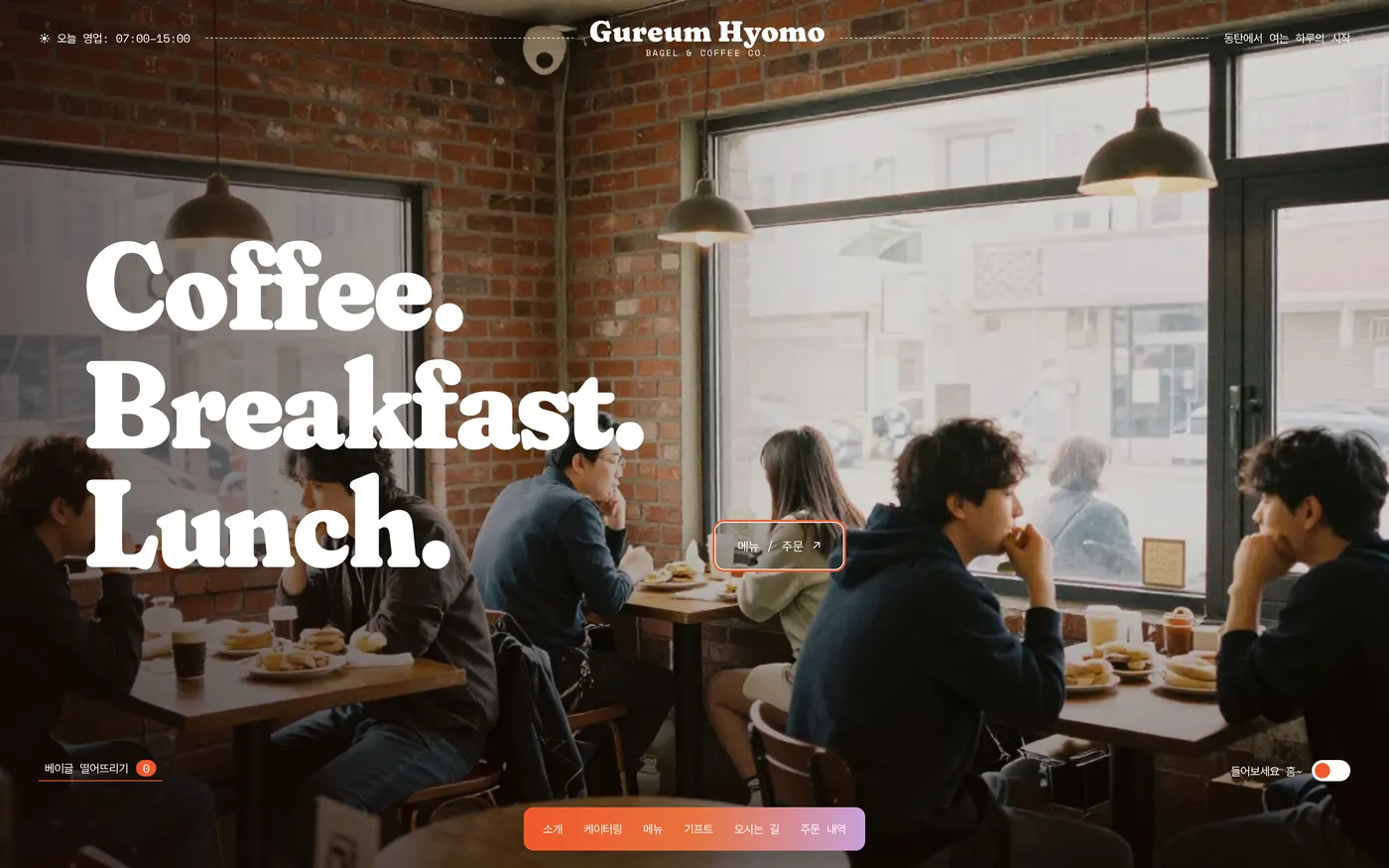
Privacy Policy