1. Overview
| Industry | A men's barbershop with three locations |
| Purpose | Show locations, prices and styles in one place, and let customers book, check and cancel without a phone call |
| Scope | One page (9 sections) · 3 overlay windows (full menu, booking, style viewer) · 4-step booking + confirmation + booking lookup |
| Main flow | Location → barber → service → date, time and contact → booking number issued / look up by mobile number → cancel |
Bookings, booking status and the last mobile number used are saved in the browser. They stay in place after a refresh or a return visit.
Connected at rollout: text and KakaoTalk notifications, a shop admin screen, barber schedule sync, payments and deposits, sign-up and login (booking lookup uses the mobile number instead), and server storage to see the same booking on several devices.
2. Challenges
1. Several locations confuse customers.
Which location, which barber and what price must be visible on one screen before people move on to book.
2. Phone and message bookings overlap and clash.
To keep bookings off closed days, past times and taken slots, only available times should be selectable.
3. Checking a booking means contacting the shop.
When customers forget their time or want to cancel, they should be able to find and handle it themselves.
3. Structure
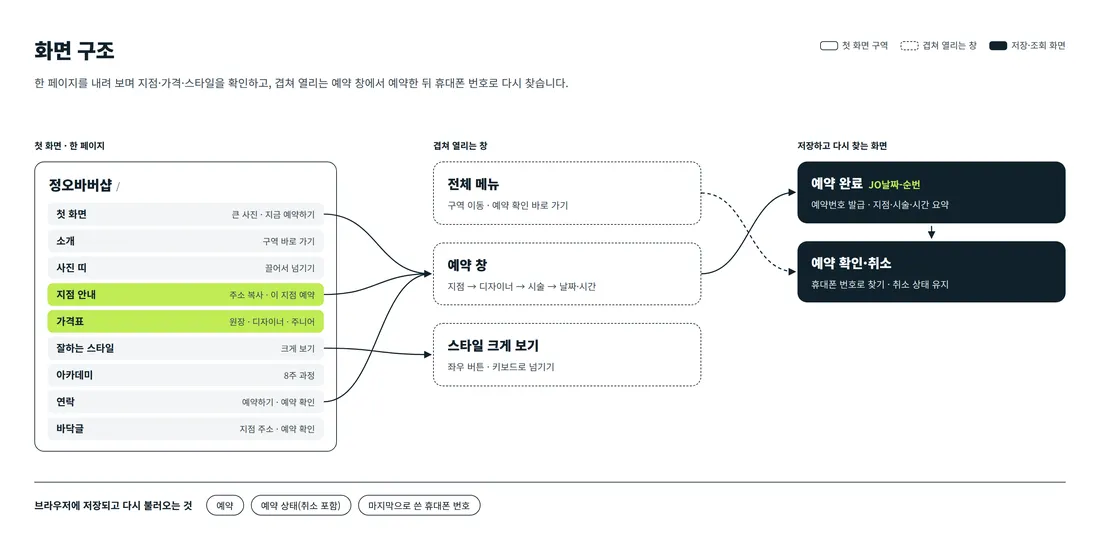
Visitors scroll one page, from the introduction down to the academy. Booking runs in four steps in a window that opens over the page, without leaving it. Tapping "Book this location" on a location card starts at step two with that location already chosen. Booking lookup opens directly from the full menu, the contact section or the footer.
4. Key Features
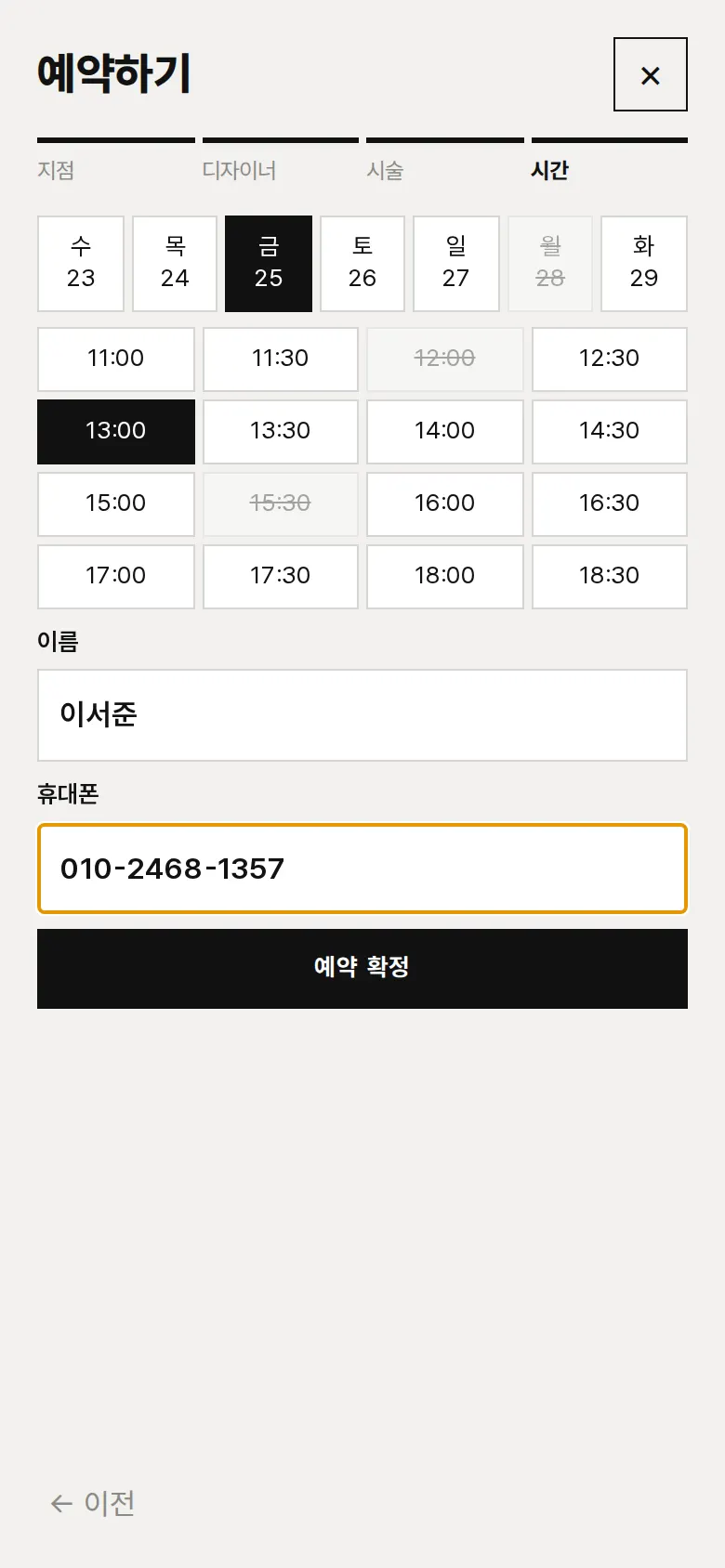
4-step booking and booking number
Customers choose location → barber → service → date and time, in that order. Mondays (closed), past times and slots already taken at the same location cannot be selected. After checking the name and mobile number, the site issues and saves a booking number (BB + date + sequence).
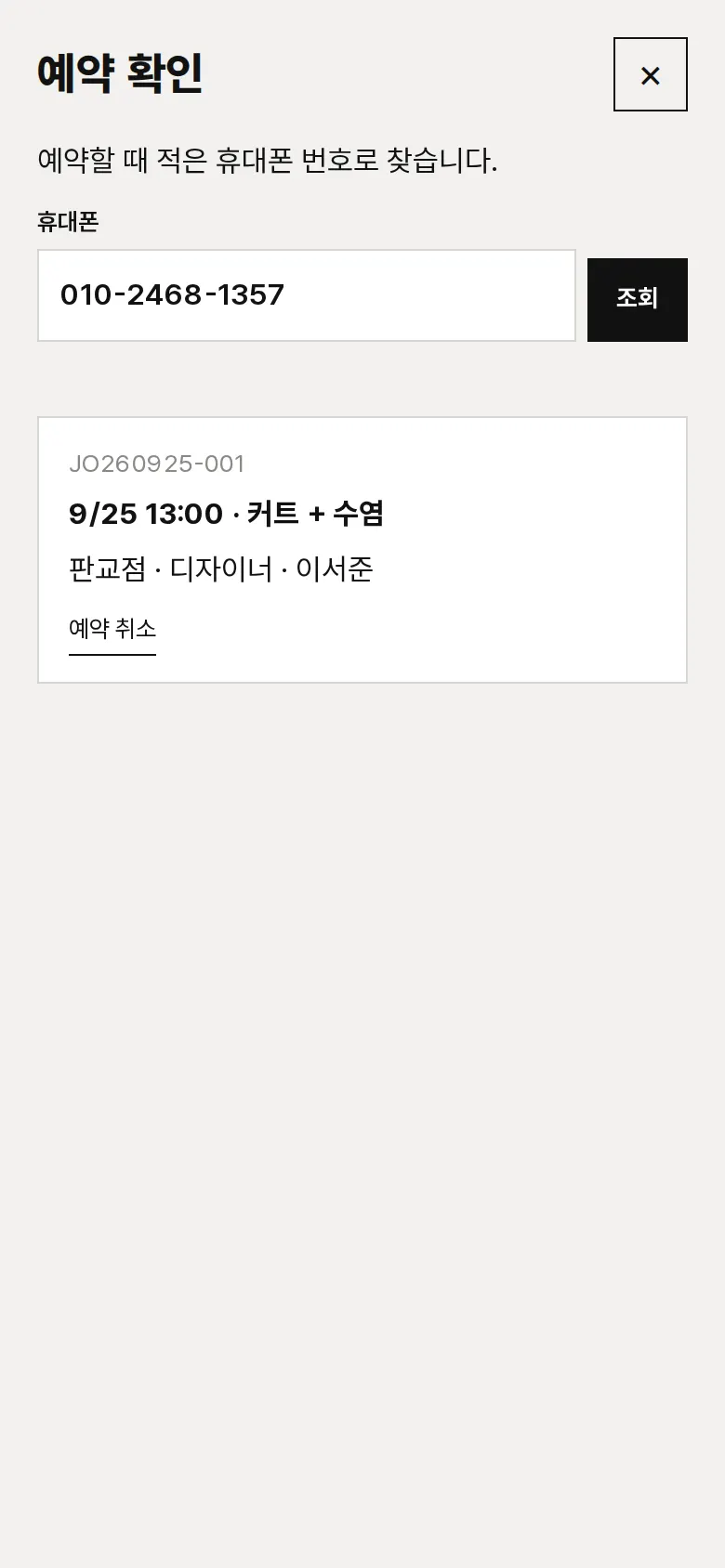
Booking lookup and cancellation
Saved bookings are found by mobile number, showing date, service, location and barber. A cancelled booking changes to "Cancelled" and keeps that status after a refresh. The last number used is filled in on the next visit.
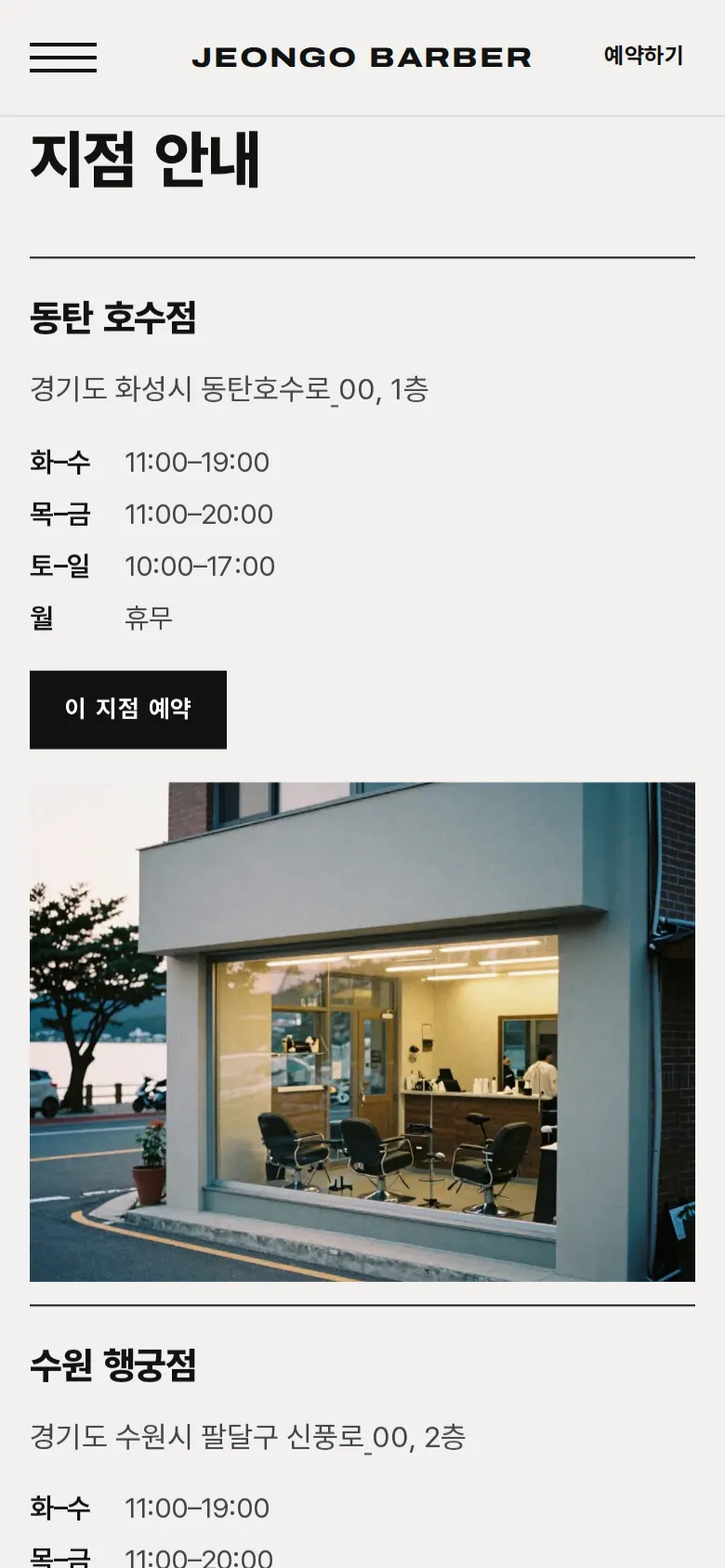
Location guide and direct booking
Cards show the address and daily opening hours of all three locations side by side. Tapping an address copies it. Tapping "Book this location" opens the booking window with that location selected.
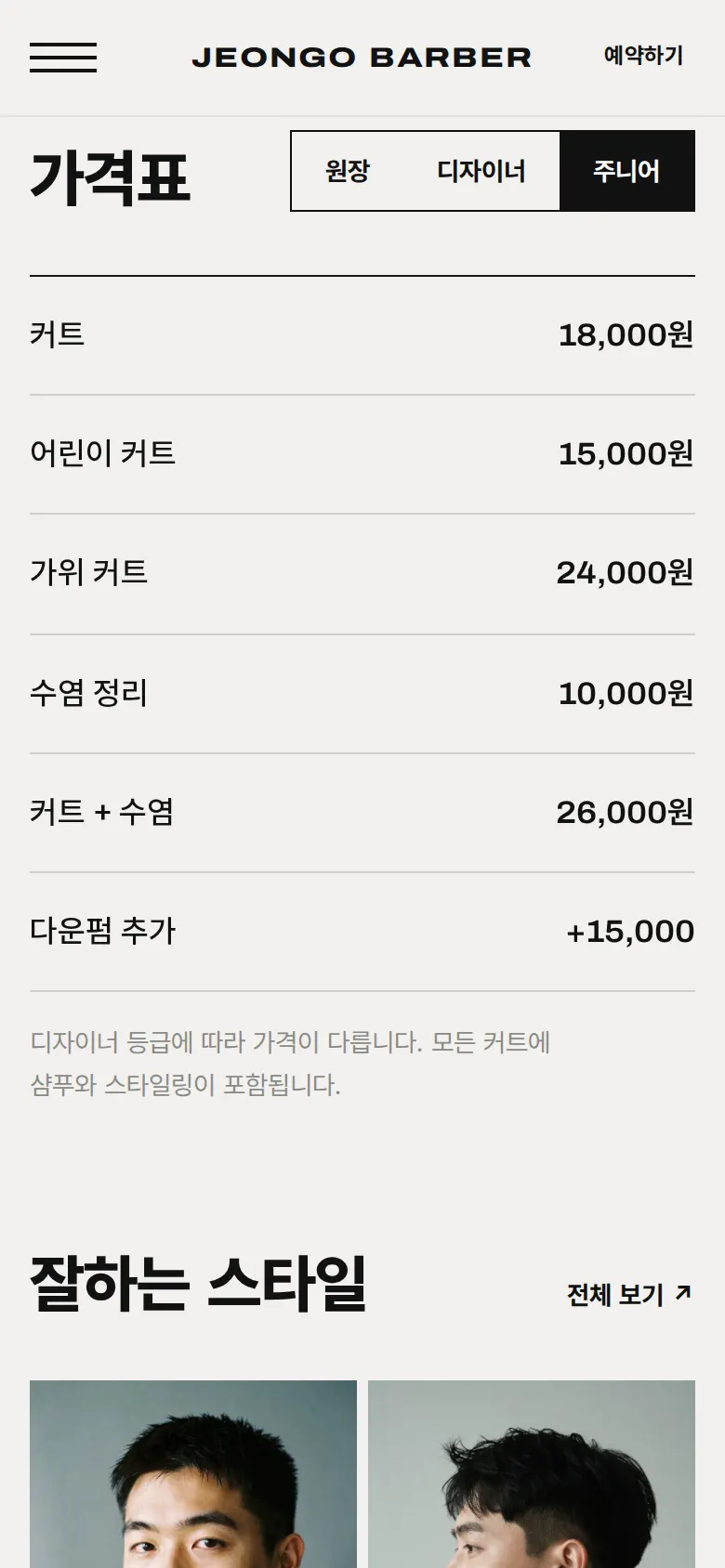
Price list by barber level
Tabs for owner, barber and junior switch the price list in place. Each service and price sits on one line, so they are easy to compare on a phone.
- Style viewerTapping a style photo opens it full screen. Left and right buttons or the keyboard arrows move between photos, and each photo shows the style name.
- Full menuThe full-screen menu jumps straight to the introduction, locations, price list, styles and academy sections, and to booking lookup.
5. Build Notes
Show details
| Responsive | The layout changes at 900px and 520px. On PC, location cards sit in 3 columns and styles in 3 columns. Below 900px they stack in one column, and below 520px text size and spacing are reset for phones. |
| Fonts | Body text in Pretendard, English headings in Archivo (both free open fonts). They are bundled with the site and load without external requests. The body font keeps only the characters used on this site, cut from 2,010KB to 79KB. |
| Images | 17 webp files, 1,056KB in total. Widths range from 800 to 1,920px depending on use. The first-screen photo loads first, and the rest load as they come into view. Photo boxes have fixed ratios, so the page does not shift while images load. |
| Motion | Built with CSS transitions and scroll detection, no library. The intro text, location cards, price list and style photos rise into place as they come into view, and the header changes color after the first screen. The photo strip can be dragged. Animations stop when the device's reduce-motion setting is on. |
| Accessibility | Every icon button has a label. Esc closes windows and arrow keys move between photos. Every input has a label, and input errors are explained in a sentence. Accessibility score: 94. |
| Stack | HTML, CSS and JavaScript (no external libraries). Bookings, booking status and the last mobile number are saved to and read from browser storage (localStorage). If a browser blocks storage, the site says it cannot save. |
6. QA
These results come from running the site on PC 1440 and phone 390 screens and tapping through in the order a real person would. We also checked that a saved booking can be looked up again after a refresh. (2026-09-23)
| Item | PC 1440 | Phone 390 |
|---|---|---|
| Screen errors | 0 | 0 |
| Broken files | 0 | 0 |
| Horizontal overflow or clipped text | 0 | 0 |
| Function tests | 10 / 10 passed | 10 / 10 passed |
The 10 function tests: open and close the full menu · switch price list tabs · open and browse the style viewer · hide the lookup box during booking · block confirmation without a date · save a 4-step booking · block re-selecting a taken slot · look up a booking after refresh · cancel a booking and keep the status after refresh · message for a number with no booking
Speed and quality scores (out of 100; phone measured on a slow connection, PC on PC settings, three runs each with the same result)
| Performance | Accessibility | Best Practices | SEO | |
|---|---|---|---|---|
| Phone | 89 | 94 | 100 | 91 |
| PC | 100 | 94 | 100 | 91 |
Phone: first content 1.1s · largest content 3.8s · layout shift 0 · input blocking 0ms PC: first content 0.3s · largest content 0.8s · layout shift 0 · input blocking 0ms
7. Result
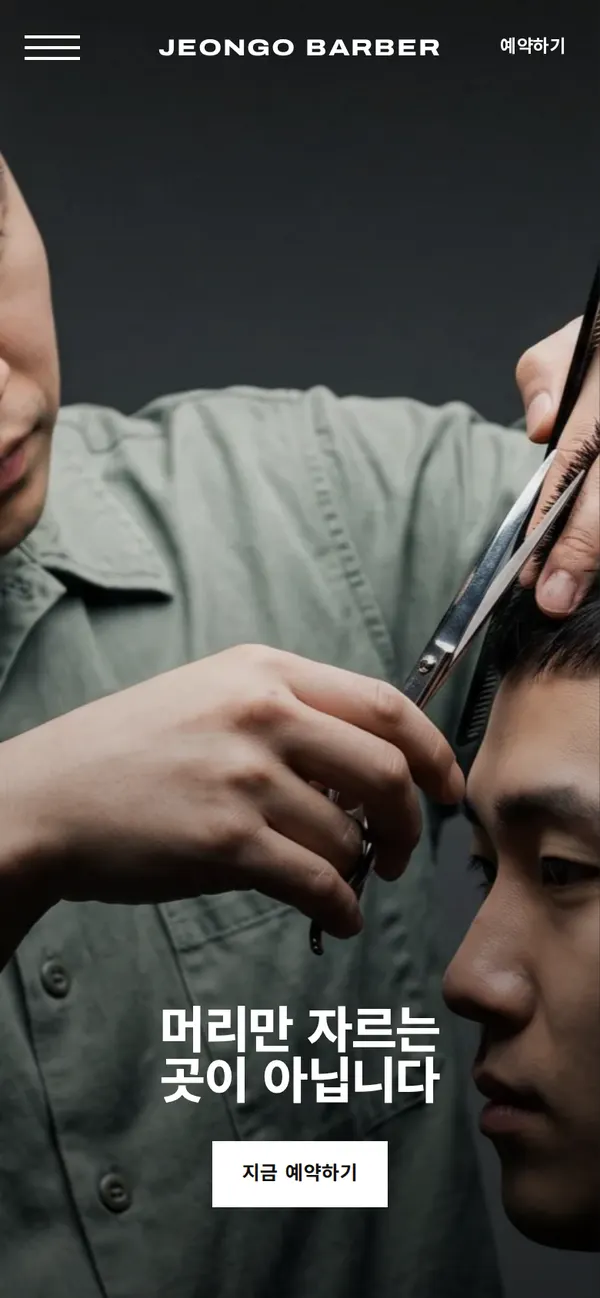
Try it live ↗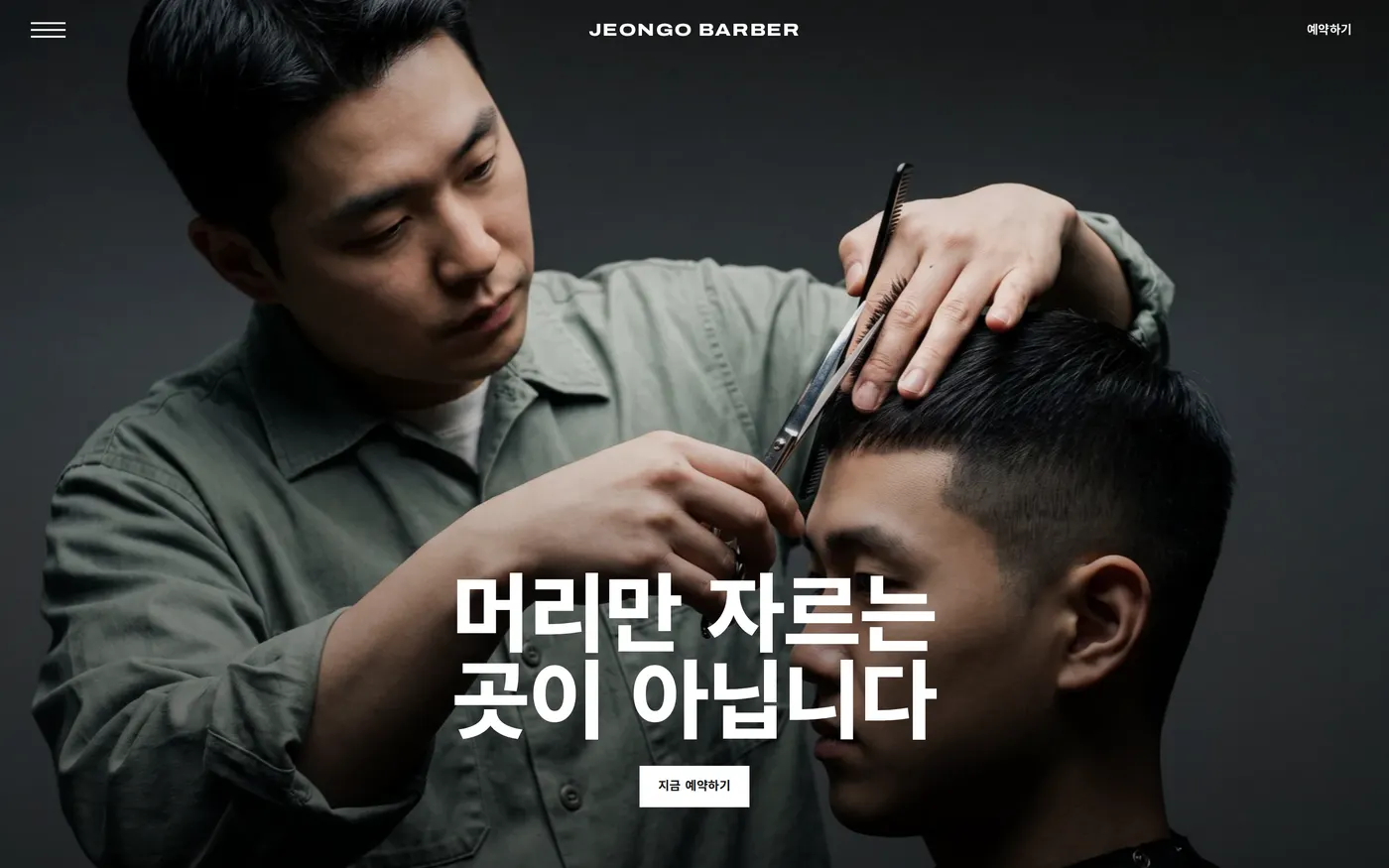
Privacy Policy