1. Overview
| Industry | A small roastery that sells freshly roasted beans every week |
| Purpose | Pick the right beans for first-time visitors, and remember returning visitors so they can order quickly |
| Scope | One page (8 sections) · 5 overlay windows (first-visit question, menu drawer, bean details, cart and checkout, order history) · 4 coffees |
| Main flow | Choose a taste → recommended beans and discount code → filters and details (size, grind) → cart (code) → checkout → order number → order history and cancellation |
Taste choice, cart, discount code, orders and their status, and recipient details are saved in the browser. They stay in place after a refresh or a return visit.
Connected at rollout: payments and subscription billing, inventory management, an admin screen, sign-up and login (remembered recipient details used instead), and server storage to see the same order on several devices.
2. Challenges
1. Bean names alone don't tell customers if they'll like the taste.
First-time visitors should be asked "what flavor do you like" instead of technical terms, and the answer should pick the beans for them.
2. Customers leave while working out discounts and shipping.
How much the code takes off, and from what amount shipping is free, should be shown as numbers before ordering.
3. Returning customers get asked the same things again.
A chosen taste, beans in the cart and recipient details should still be there on the next visit, so the second order is easy.
3. Structure
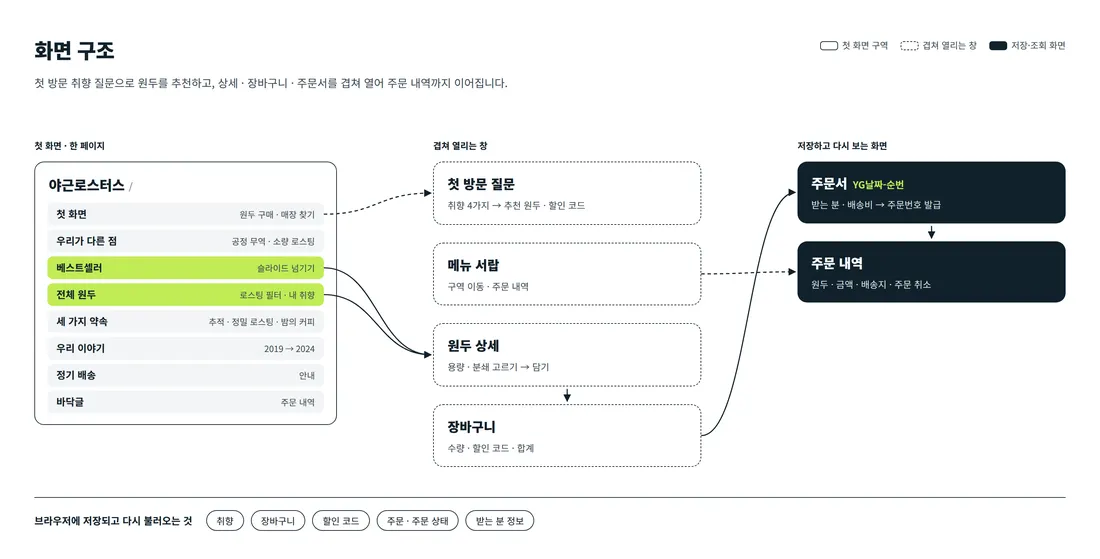
Visitors scroll one page, from the bean introduction down to the subscription section. On a first visit the taste question opens first, and the answer sets the filter on the bean list. Bean details, cart, checkout and order history open over the page without leaving it.
4. Key Features
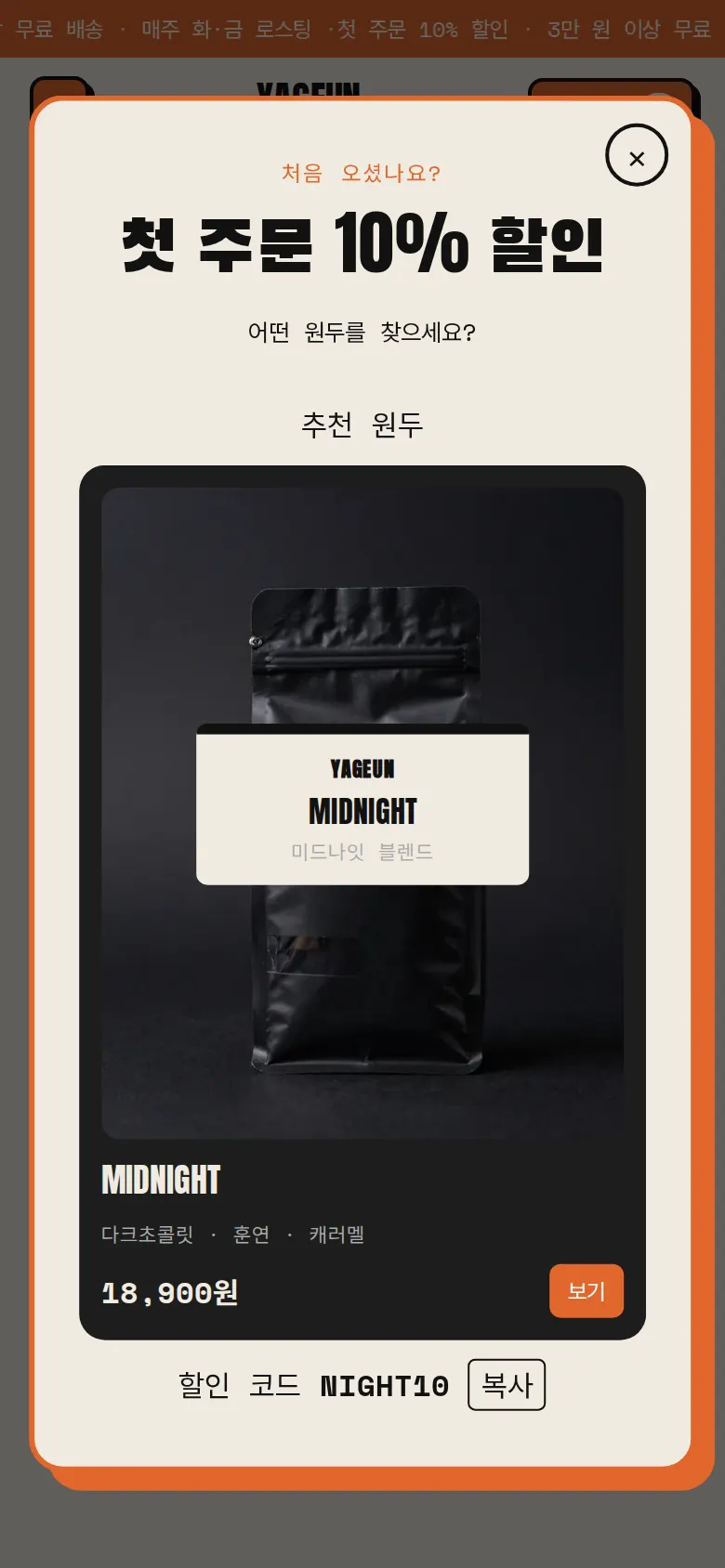
First-visit taste recommendation
On a first visit the site asks "What kind of coffee are you looking for?" and offers four answers: light and bright, balanced, dark and bitter, or not sure. It then shows matching beans and a first-order discount code, which can be copied with a tap.
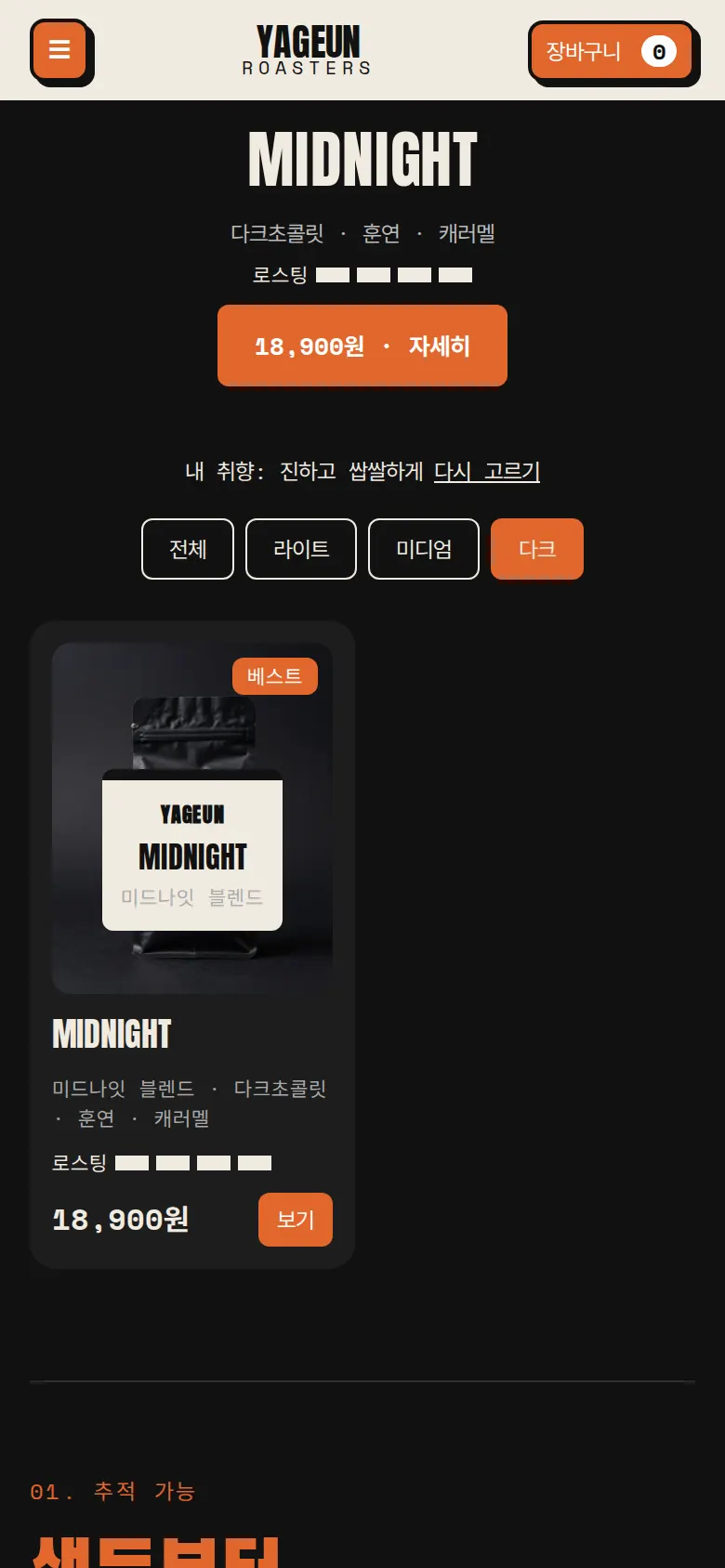
Remembered taste
The chosen taste is saved, so the question does not appear again on later visits. The bean list opens with that taste's filter, with a "My taste" label and an option to choose again.
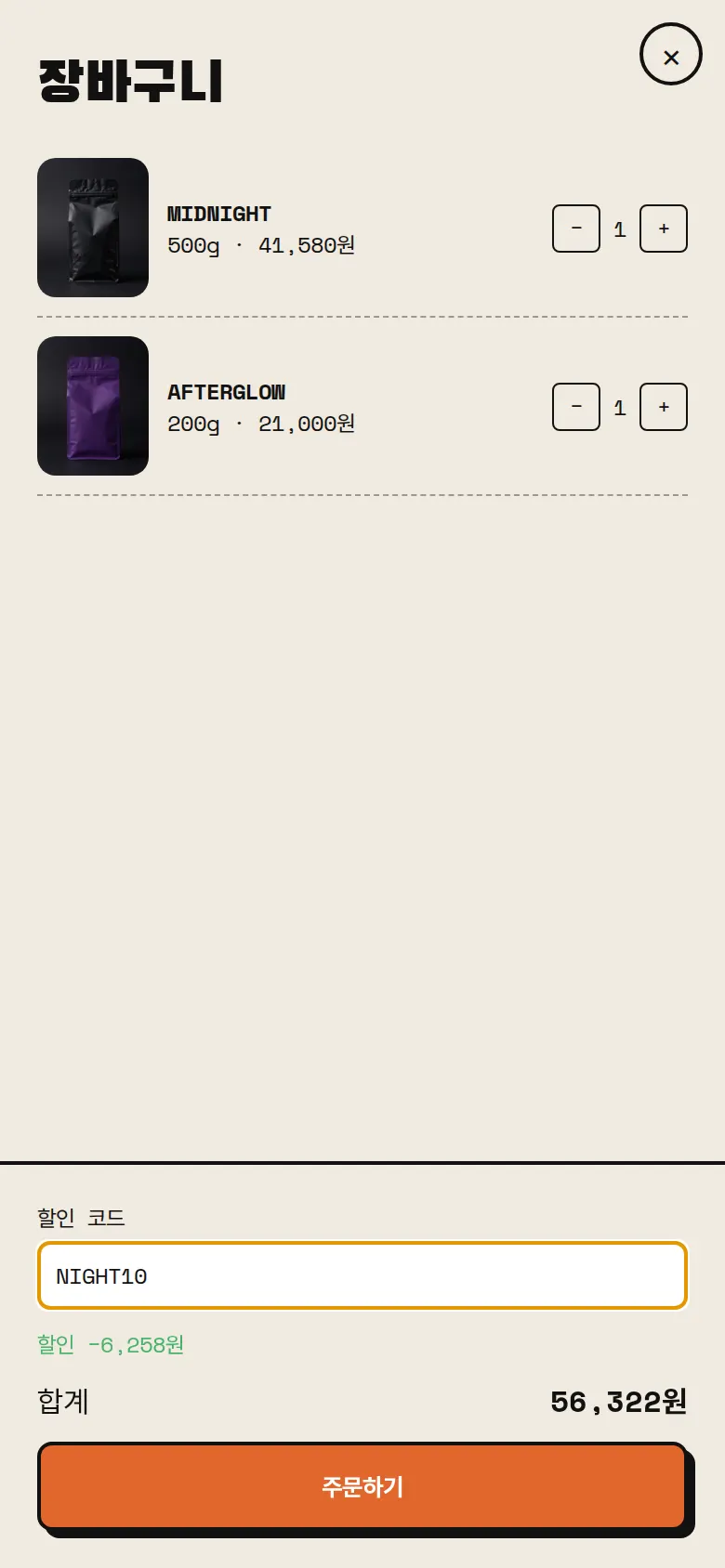
Cart and discount code
Customers change the quantity of beans added by size, or remove them. Entering a discount code shows the price with 10% off right away, and the cart and code stay after a refresh.
Checkout and order number
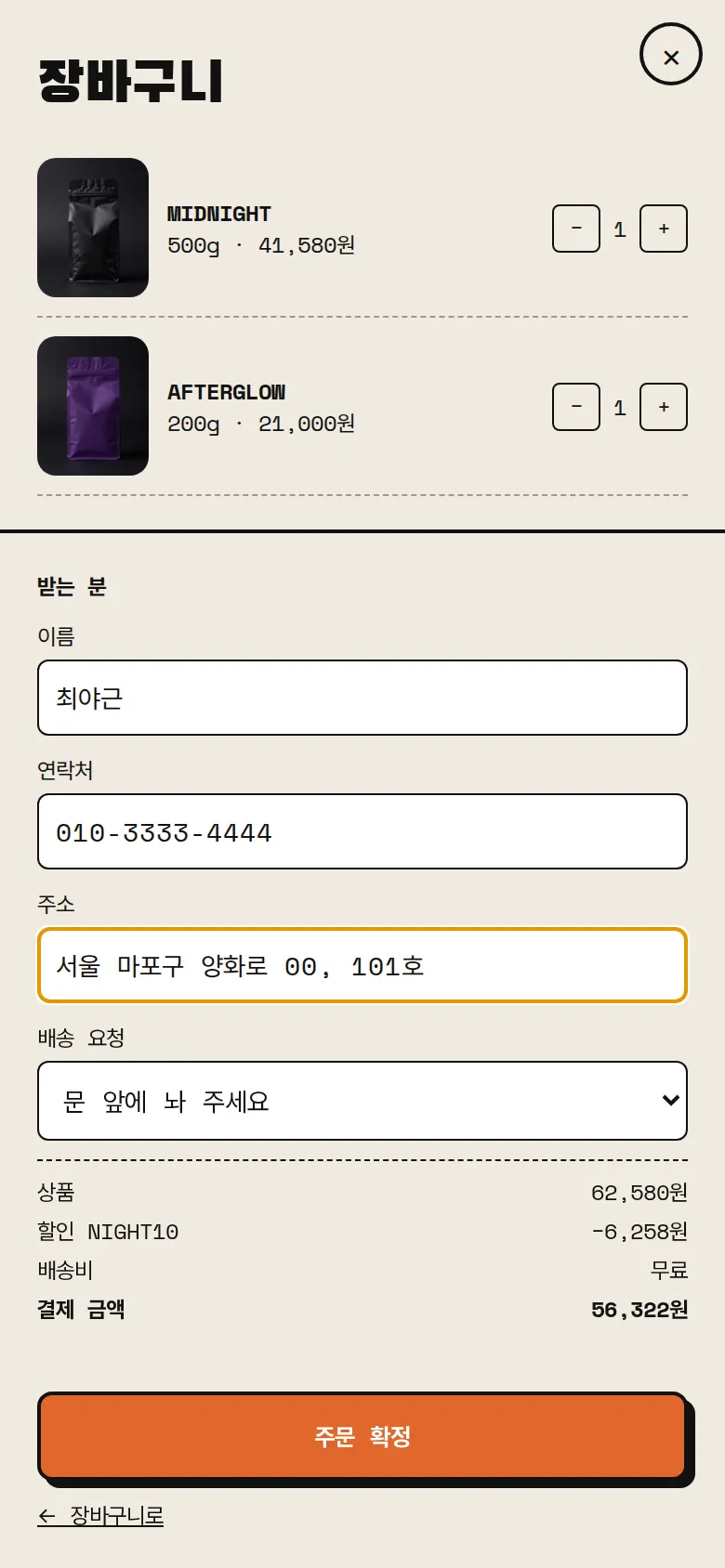
Checkout collects recipient, contact, address and delivery notes, and shows items, discount, shipping and total separately. Shipping is free from ₩30,000 (₩ = Korean won). Saving issues an order number (CB + date + sequence), and recipient details are filled in on the next order.
- Order history and cancellationOrder number, date, beans, amount and delivery address are listed newest first. A cancelled order changes to "Cancelled" and keeps that status after a refresh.
- Bean details — choosing size and grindTapping a coffee opens its details with tasting notes and roast level. Choosing a size (200g, 500g, 1kg) and a grind (whole bean, pour-over, espresso) updates the price and adds that option to the cart.
- Bestseller slider and roast filterBestsellers move with arrows on PC and with a swipe on phones. The list below filters by roast level: all, light, medium or dark.
- Menu drawerA side menu jumps straight to the shop, what makes us different, our story and subscription sections, and to order history.
5. Build Notes
Show details
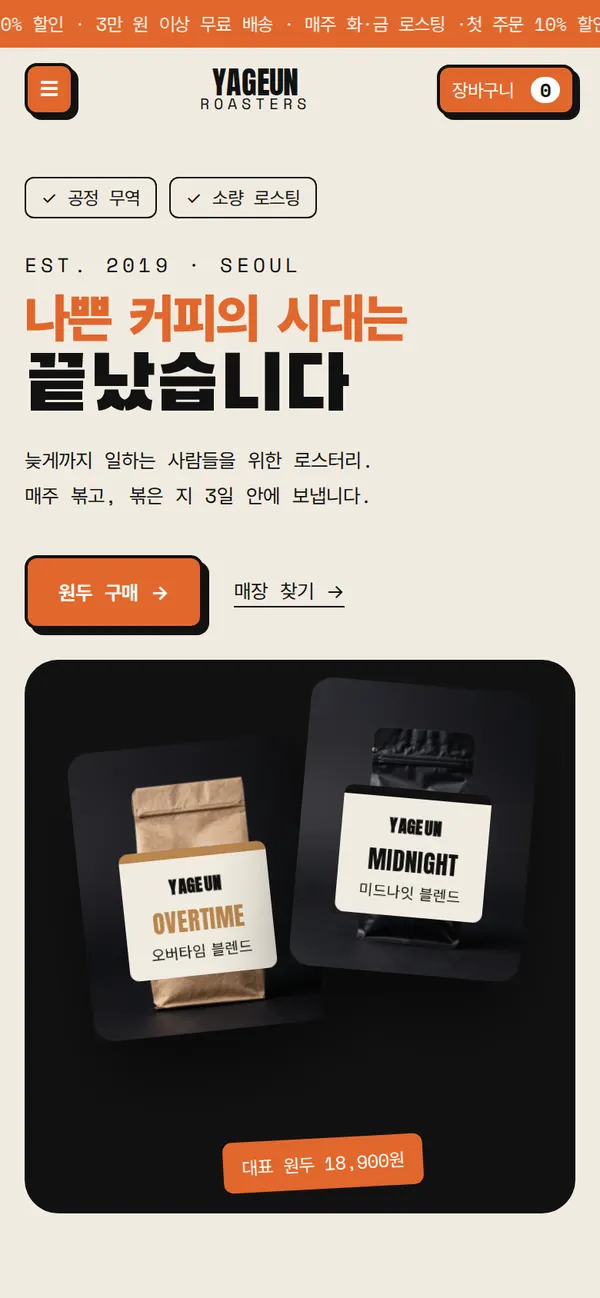
| Responsive | The layout changes at 900px and 520px. On PC, the first screen has 2 columns and the bean list 4. Below 900px they stack in one column, and below 520px text size and spacing are reset for phones. |
| Fonts | Body text in Pretendard, English headings in Anton, Korean headings in Black Han Sans, handwritten accents in Permanent Marker, details in Space Mono (all free open fonts). They are bundled with the site and load without external requests. Every font keeps only the characters used on this site, and the body font was cut from 2,010KB to 99KB. |
| Images | 12 webp files, 435KB in total. Widths range from 700 to 1,344px depending on use. The first-screen photo loads first, and the rest load as they come into view. |
| Motion | Built with CSS animation, no library. The notice band at the top flows, the coffee bag on the first screen floats, and coffee beans drift slowly. The slider is moved with a swipe. Animations stop when the device's reduce-motion setting is on. |
| Accessibility | Every icon button has a label, and Esc closes windows. Every input has a label, and input errors are explained in a sentence. Accessibility score: 94. |
| Stack | HTML, CSS and JavaScript (no external libraries). Taste, cart, discount code, orders and recipient details are saved to and read from browser storage (localStorage). If a browser blocks storage, the site says it cannot save. |
6. QA
These results come from running the site on PC 1440 and phone 390 screens and tapping through in the order a real person would. We also checked that a saved order can be looked up again after a refresh. (2026-09-23)
| Item | PC 1440 | Phone 390 |
|---|---|---|
| Screen errors | 0 | 0 |
| Broken files | 0 | 0 |
| Horizontal overflow or clipped text | 0 | 0 |
| Function tests | 12 / 12 passed | 12 / 12 passed |
The 12 function tests: first-visit question opens · dark roast recommendation · copy discount code · no question after refresh and taste remembered · move the slider (PC arrows, phone swipe) · add 500g from details · keep cart and code after refresh · block orders with missing details · save an order · view order history after refresh · cancel an order and keep the status · light roast filter
Speed and quality scores (out of 100; phone measured on a slow connection, PC on PC settings, three runs each with the same result, first-visit question closed)
| Performance | Accessibility | Best Practices | SEO | |
|---|---|---|---|---|
| Phone | 97 | 94 | 100 | 91 |
| PC | 100 | 94 | 100 | 91 |
Phone: first content 1.2s · largest content 2.5s · layout shift 0.003 · input blocking 0ms PC: first content 0.3s · largest content 0.6s · layout shift 0.003 · input blocking 0ms
7. Result
Try it live ↗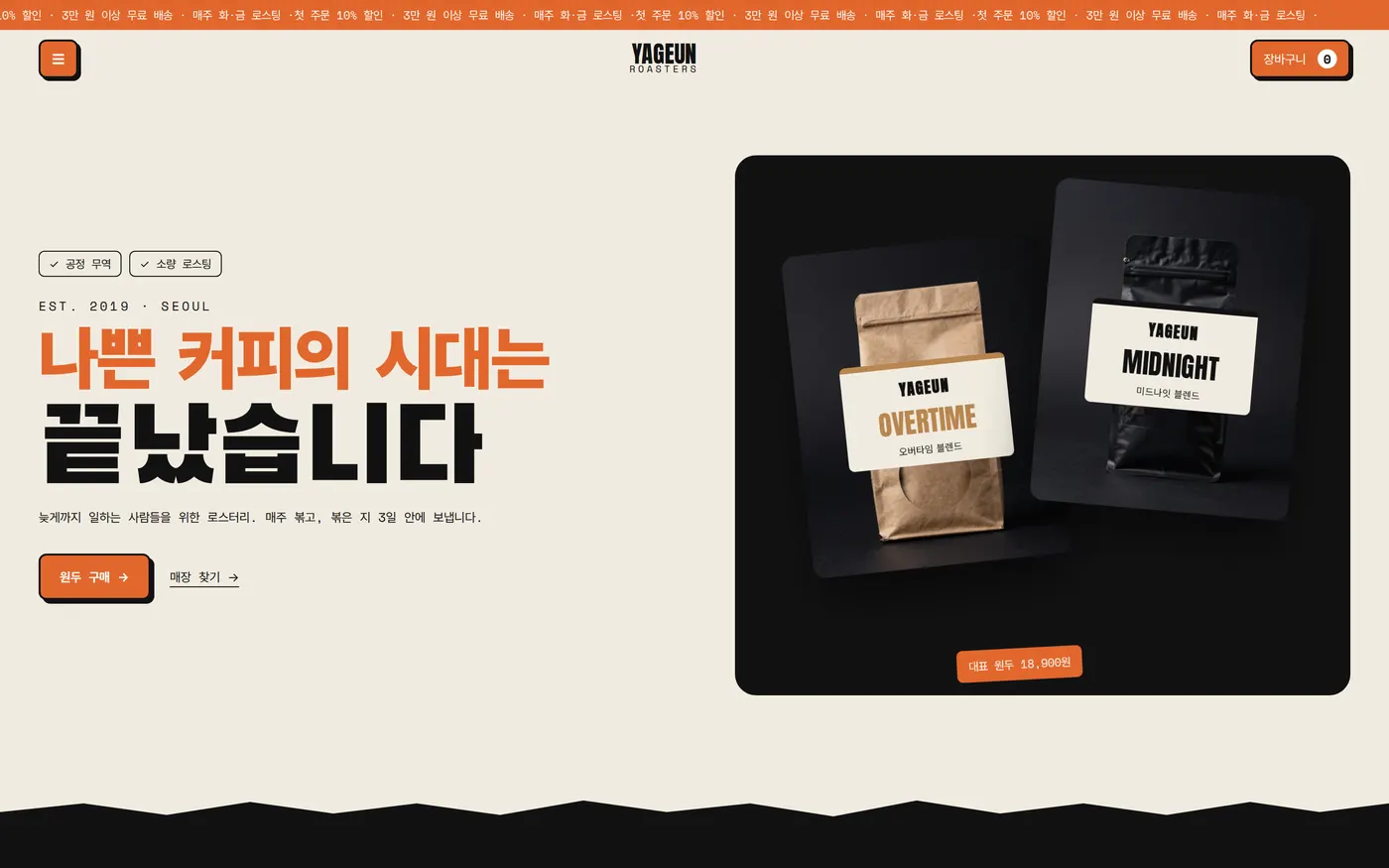
Privacy Policy