1. Overview
| Industry | A dental clinic that has treated patients in one neighborhood for many years |
| Purpose | Present the clinic and its approach in a trustworthy way, take booking requests that fit clinic hours, and let patients check and cancel them on their own |
| Scope | One page (9 sections) · treatment menu · booking section (in-person visit, video consultation) · booking lookup and cancellation |
| Main flow | Tap a treatment → booking section (treatment filled in) → date, time slot, name, contact and consent → booking number issued → look up and cancel by phone number |
Bookings, booking status and the last contact number used are saved in the browser. They stay in place after a refresh or a return visit.
Connected at rollout: confirmation text messages, video consultation connection (sending the link), a clinic booking admin screen and clinic schedule sync, sign-up and login (lookup by phone number), and server storage to see the same booking on several devices.
2. Challenges
1. Patients hesitate to call because they don't know which treatment they need.
Treatments and dentists should be shown first, and patients should be able to go straight from a treatment to booking.
2. Patients book without knowing clinic days and hours.
Requests that break rules such as closed on Sundays, evening hours on Wednesdays and morning hours on Saturdays should be blocked before sending, with the reason given.
3. Patients can't tell if a booking request went through.
Even while waiting for confirmation, patients should be able to find their booking and cancel it.
3. Structure
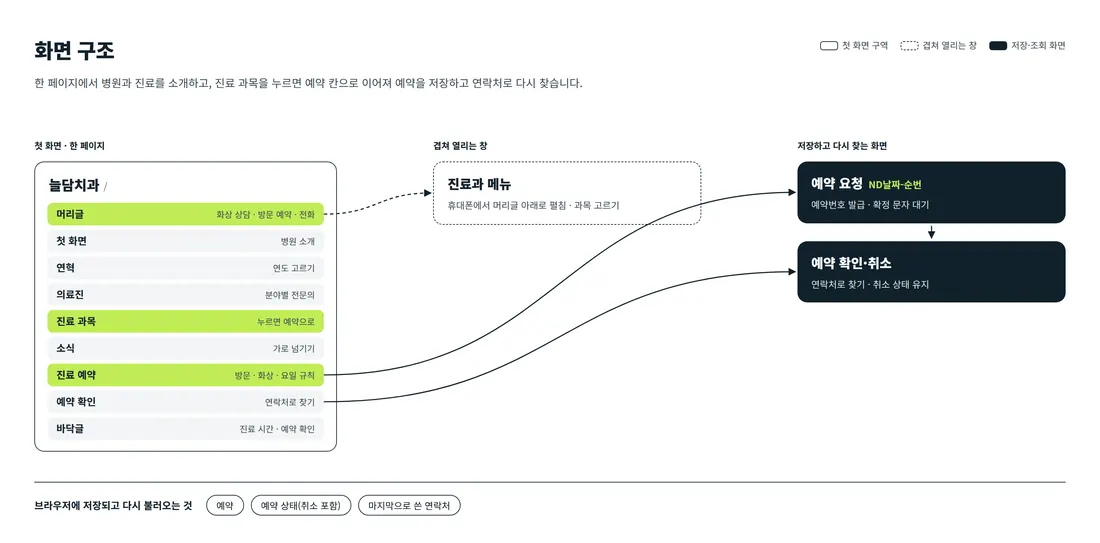
Visitors scroll one page, from the clinic introduction down to booking lookup. Tapping the video consultation or visit booking buttons in the header, or a treatment, moves to the booking section on the same page with that type and treatment filled in. On phones, the treatment menu unfolds below the header.
4. Key Features
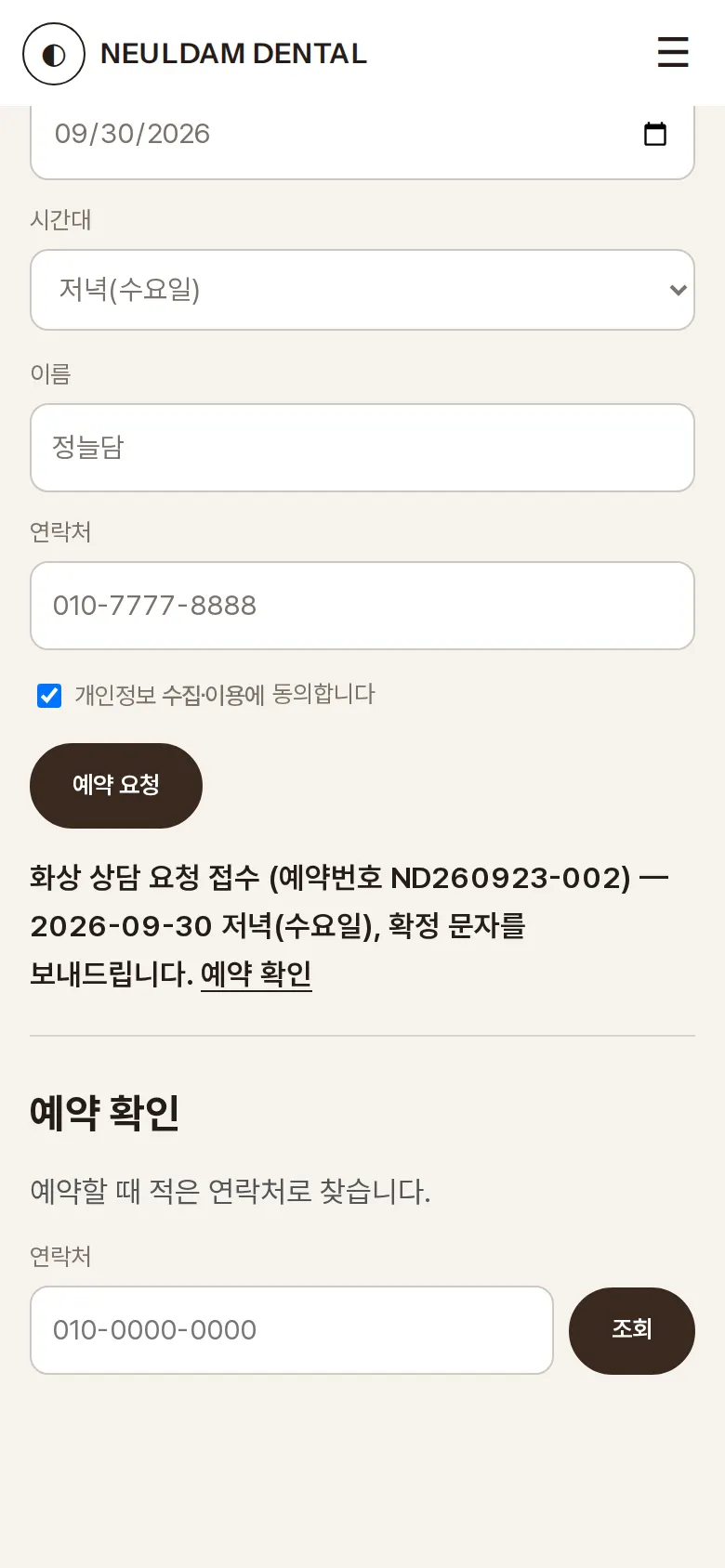
In-person visit and video consultation booking
Patients choose an in-person visit or a video consultation, and the site checks treatment, date, time slot, name, contact and consent. If everything passes, a booking number (DC + date + sequence) is issued and saved with the status "Awaiting confirmation text".
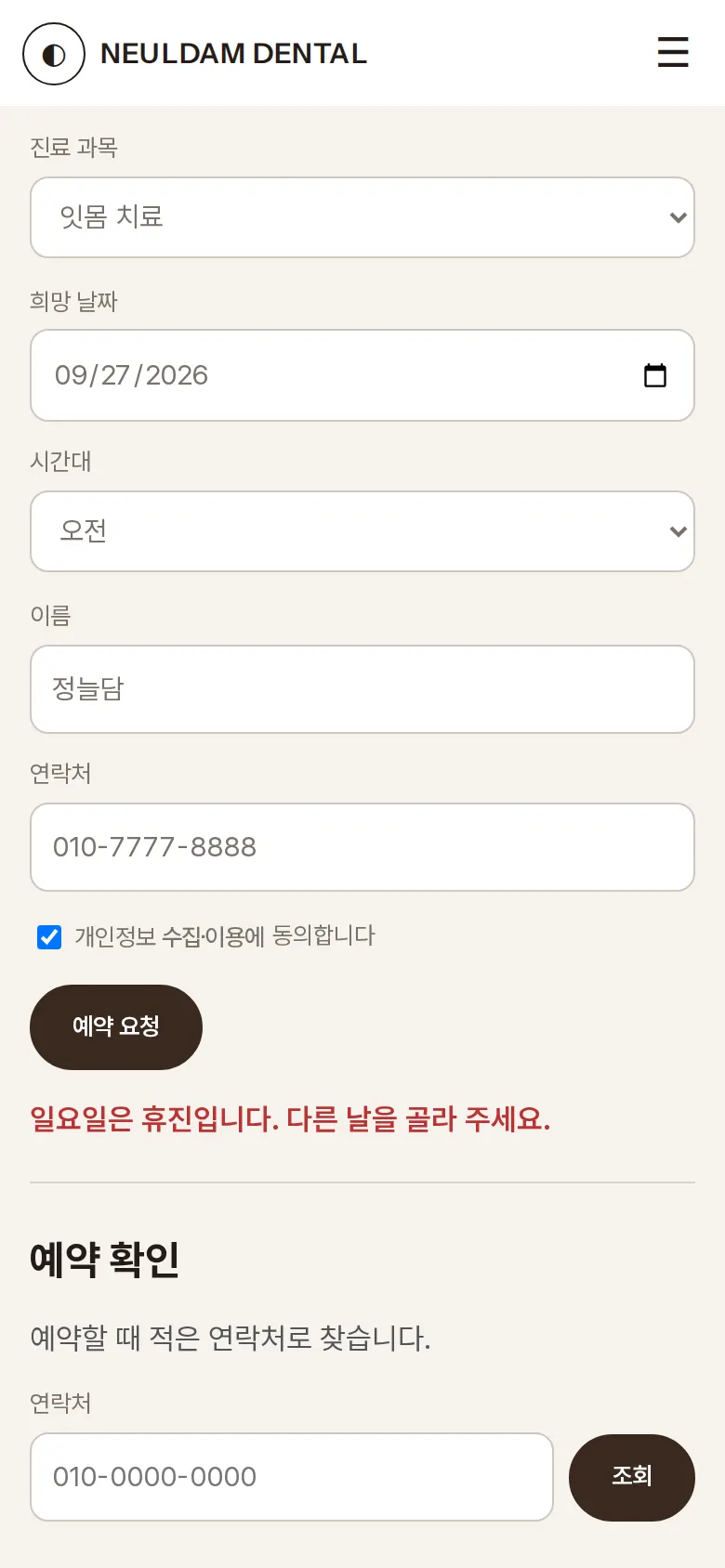
Clinic hours rules
If a patient picks a Sunday, an evening on a day other than Wednesday, or a Saturday afternoon, a sentence below the booking button explains why it is not available, and nothing is saved.
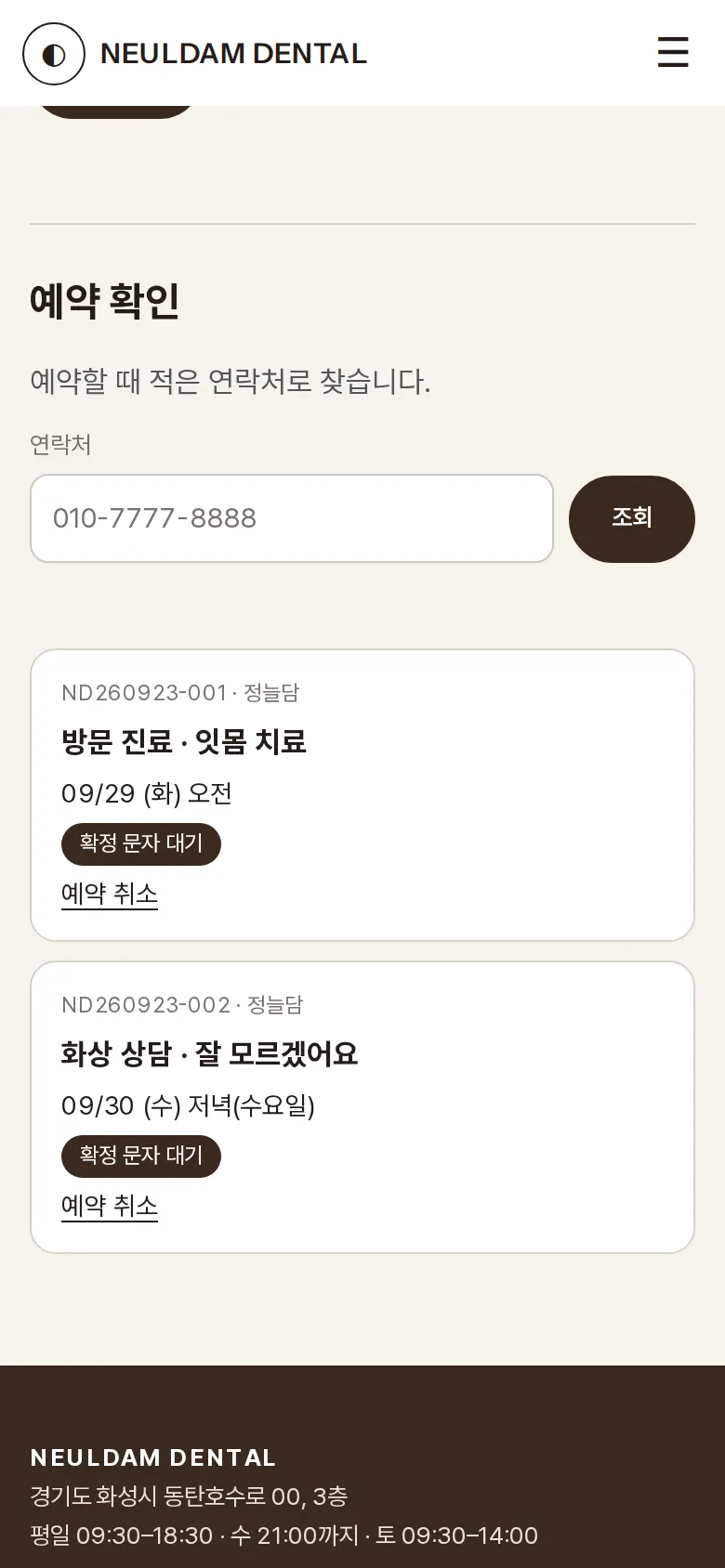
Booking lookup and cancellation
Saved bookings are found by phone number, showing type, treatment, date (with weekday), time slot and status. A cancelled booking changes to "Cancelled" and keeps that status after a refresh.
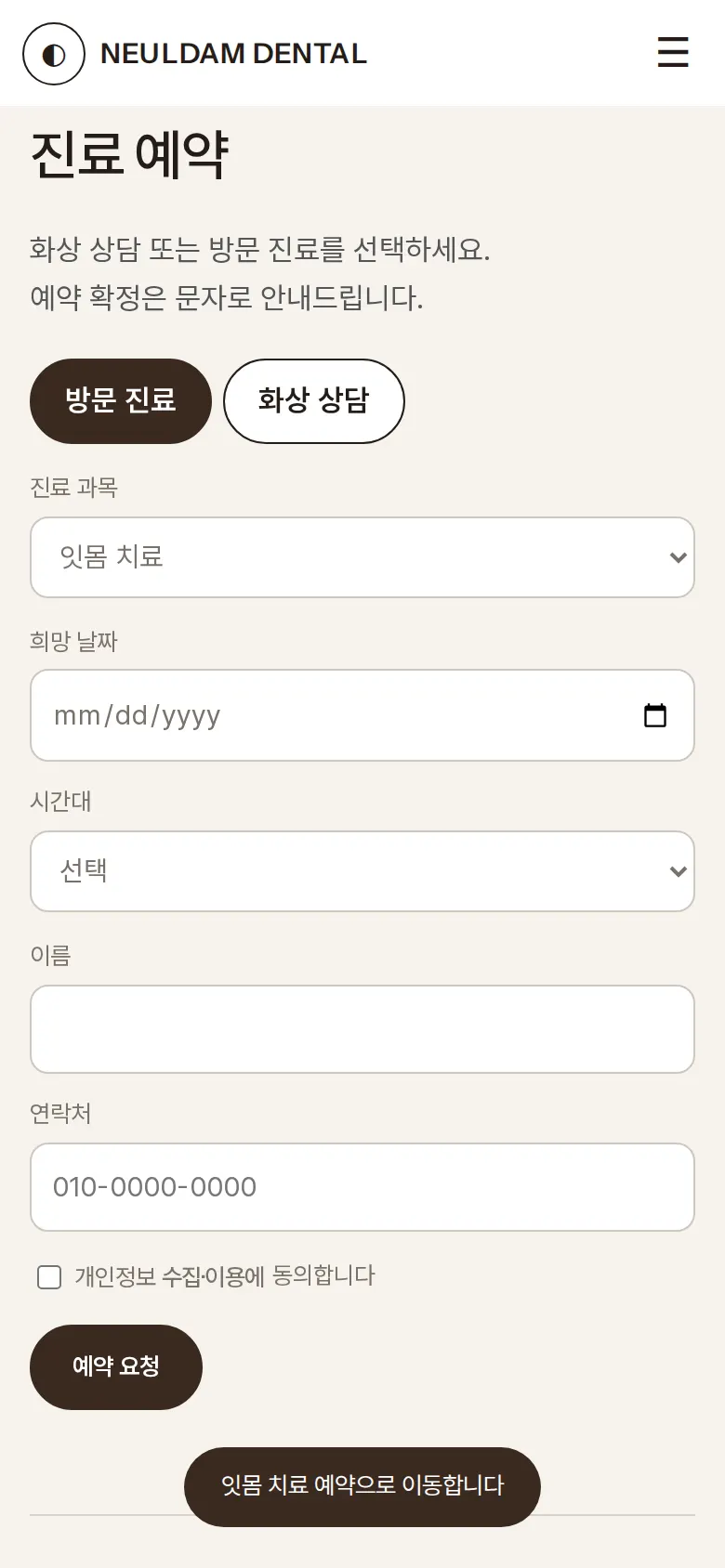
Booking straight from a treatment
Tapping a treatment, or the treatment menu in the header, scrolls down to the booking section with that treatment already selected.
- HistoryTapping a year — 1996, 2008, 2017 or 2026 — redraws the circle and changes the content to that year.
- Treatment menuOn phones, the menu button unfolds the treatment list and jumps straight to the clinic introduction, treatments, directions and booking lookup.
5. Build Notes
Show details
| Responsive | The layout changes at 1100px, 900px and 520px. On PC, the treatment menu is always open below the header. Below 1100px the social media buttons are hidden. Below 900px the treatment menu folds into a button and content stacks in one column, and below 520px text size and spacing are reset for phones. |
| Fonts | Body text in Pretendard, English text in Instrument Sans, English headings in Newsreader (all free open fonts). They are bundled with the site and load without external requests. Every font keeps only the characters used on this site, and the body font was cut from 2,010KB to 90KB. |
| Images | 9 webp files, 226KB in total. Widths range from 600 to 1,344px depending on use. The first-screen photo loads first, and the rest load as they come into view. |
| Motion | Built with CSS animation and scroll detection, no library. Numbers count up from 0 as they come into view, photos in the photo section move at different speeds as visitors scroll, and the history changes by drawing a circle. Animations stop when the device's reduce-motion setting is on. |
| Accessibility | Every icon button has a label, and every input has a label. Input errors are explained in a sentence below the booking button. Accessibility score: PC 92 · phone 90. |
| Stack | HTML, CSS and JavaScript (no external libraries). Bookings, booking status and the last contact number are saved to and read from browser storage (localStorage). If a browser blocks storage, the site says it cannot save. |
6. QA
These results come from running the site on PC 1440 and phone 390 screens and tapping through in the order a real person would. We also checked that a saved booking can be looked up again after a refresh. (2026-09-23)
| Item | PC 1440 | Phone 390 |
|---|---|---|
| Screen errors | 0 | 0 |
| Broken files | 0 | 0 |
| Horizontal overflow or clipped text | 0 | 0 |
| Function tests | 10 / 10 passed | 10 / 10 passed |
The 10 function tests: change the history year · slide through the reviews · move from a treatment to booking · block Sunday bookings · evenings on Wednesdays only · save an in-person visit booking · save a video consultation booking · look up a booking after refresh · cancel a booking and keep the status · message for a contact with no booking
Speed and quality scores (out of 100; phone measured on a slow connection, PC on PC settings, three runs each with the same result)
| Performance | Accessibility | Best Practices | SEO | |
|---|---|---|---|---|
| Phone | 94 | 90 | 100 | 91 |
| PC | 100 | 92 | 100 | 91 |
Phone: first content 1.2s · largest content 3.0s · layout shift 0 · input blocking 0ms PC: first content 0.3s · largest content 0.6s · layout shift 0 · input blocking 0ms
7. Result
Try it live ↗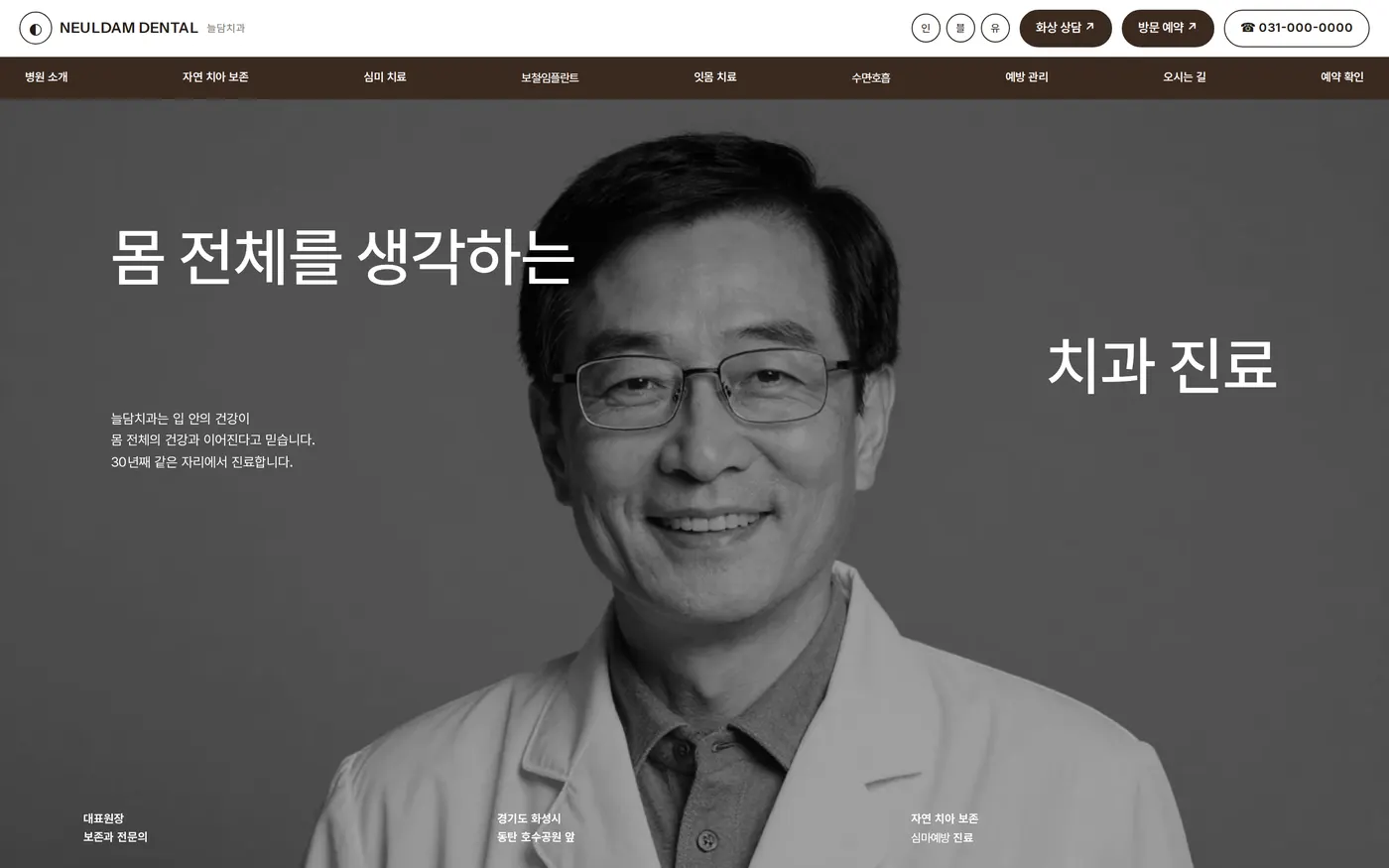

Privacy Policy