1. Overview
| Industry | An event planner that organizes corporate events, galas and private banquets, and runs its own banquet hall in a historic Korean house |
| Purpose | Build trust with atmosphere and past events, and take consultation requests with event type, date, time, headcount and venue |
| Scope | One page · 4 screens · 4 services · 1 dedicated banquet hall |
| Main flow | Event type, venue, date, time and headcount → save consultation request → request number / look up by phone (+ request number) → cancel request / historic house hall introduction → venue booking inquiry (venue selected) |
Consultation requests are saved in the browser. They stay in request lookup after a refresh or a return visit, and a clash at the historic house hall on the same day is flagged in advance.
Connected at rollout: estimates and contracts, payments, text and email sending, an admin screen (reviewing requests, assigning staff, managing the hall schedule), and server storage to see the same request on several devices.
2. Challenges
1. Event consultations start with date, headcount and venue.
A request that only says "I'd like a consultation" means calling back to ask the basics. Taking event type, date, start time, headcount, venue and budget at the request step lets the first call begin with a proposal.
2. Many requests exceed the lead time or capacity.
Rush dates within 2 weeks and requests above the hall's maximum capacity should be filtered at the request step with a reason, which saves time for both sides.
3. The dedicated hall hosts one event a day.
If an event is already being prepared on the same day, clients should be told before requesting and be able to choose another date or their own venue.
3. Structure
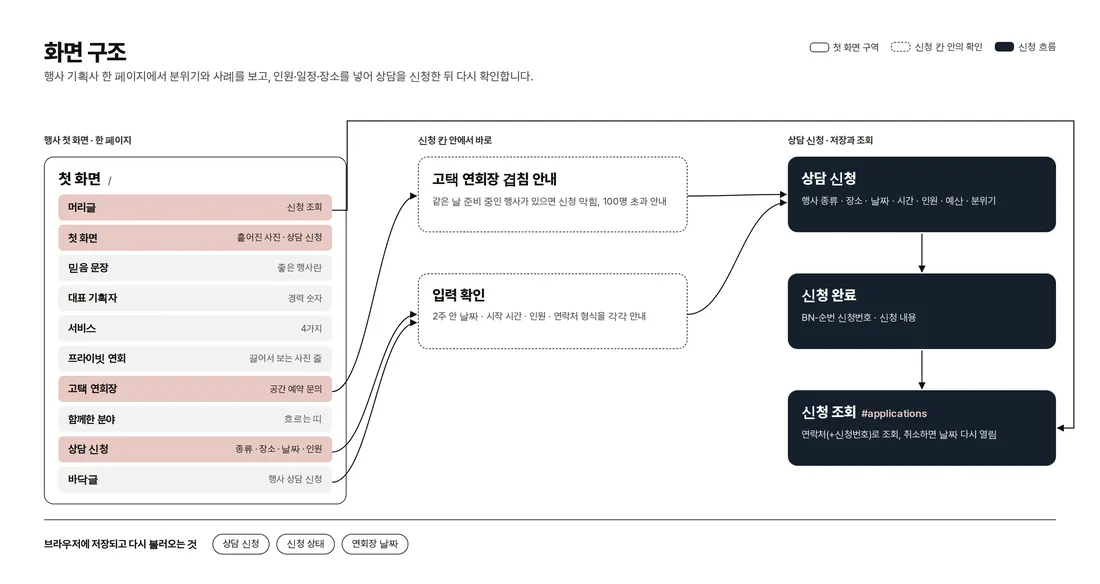
Everything from the introduction to the consultation request runs on one page. Input checks and hall clash notices appear right inside the request form, and request lookup opens over the page without leaving it. Adding `#applications` to the end of the address opens request lookup directly.
4. Key Features
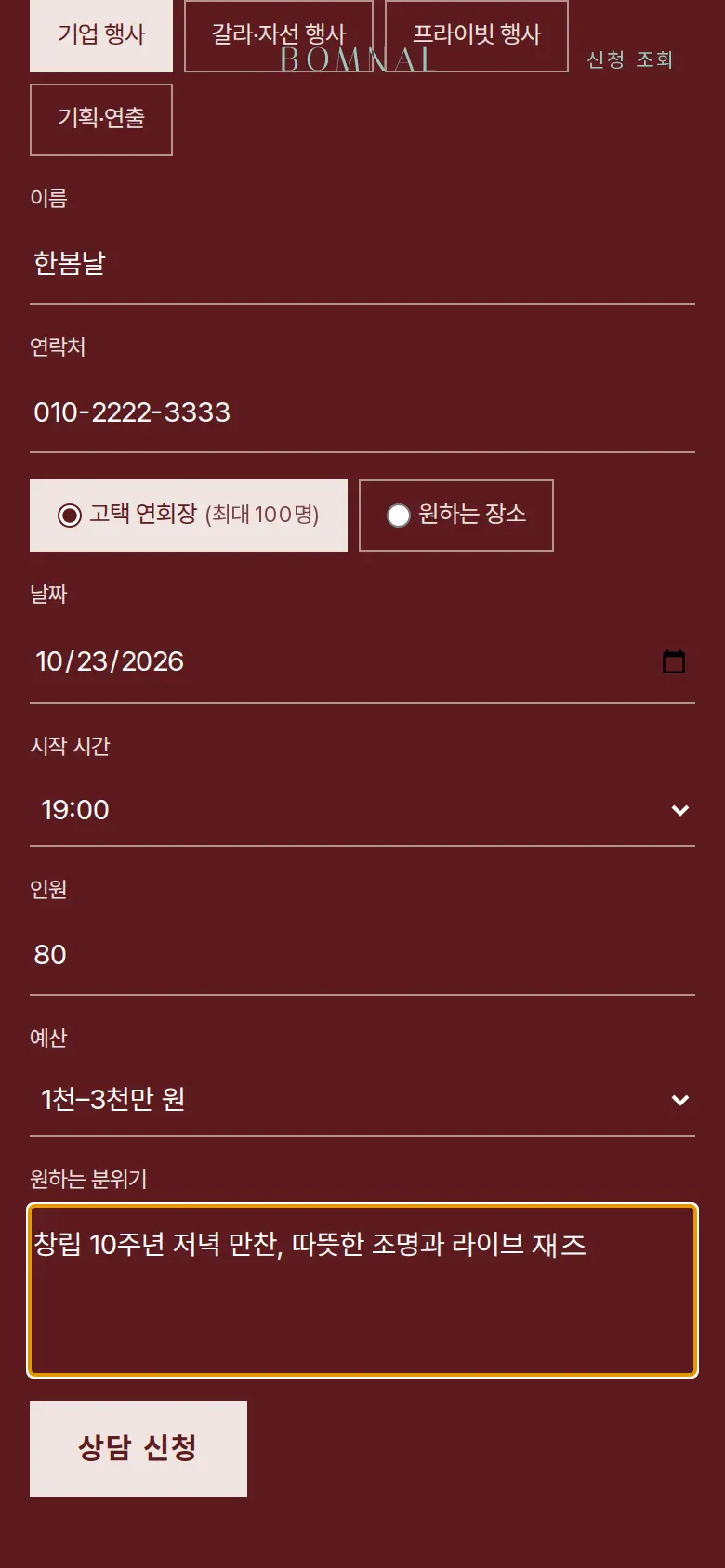
Consultation request with headcount and schedule, and request number
The form takes one of 4 event types, a venue (historic house hall or a venue of your choice), date, start time, headcount, budget and desired mood. Dates can be chosen from 2 weeks ahead. Empty fields, phone format, dates within 2 weeks, start time and headcount are each blocked with a different sentence, and more than 100 guests at the historic house hall prompts "Please switch to a venue of your choice". Saving shows a request number (EV-sequence) and the request details, and clears the form.
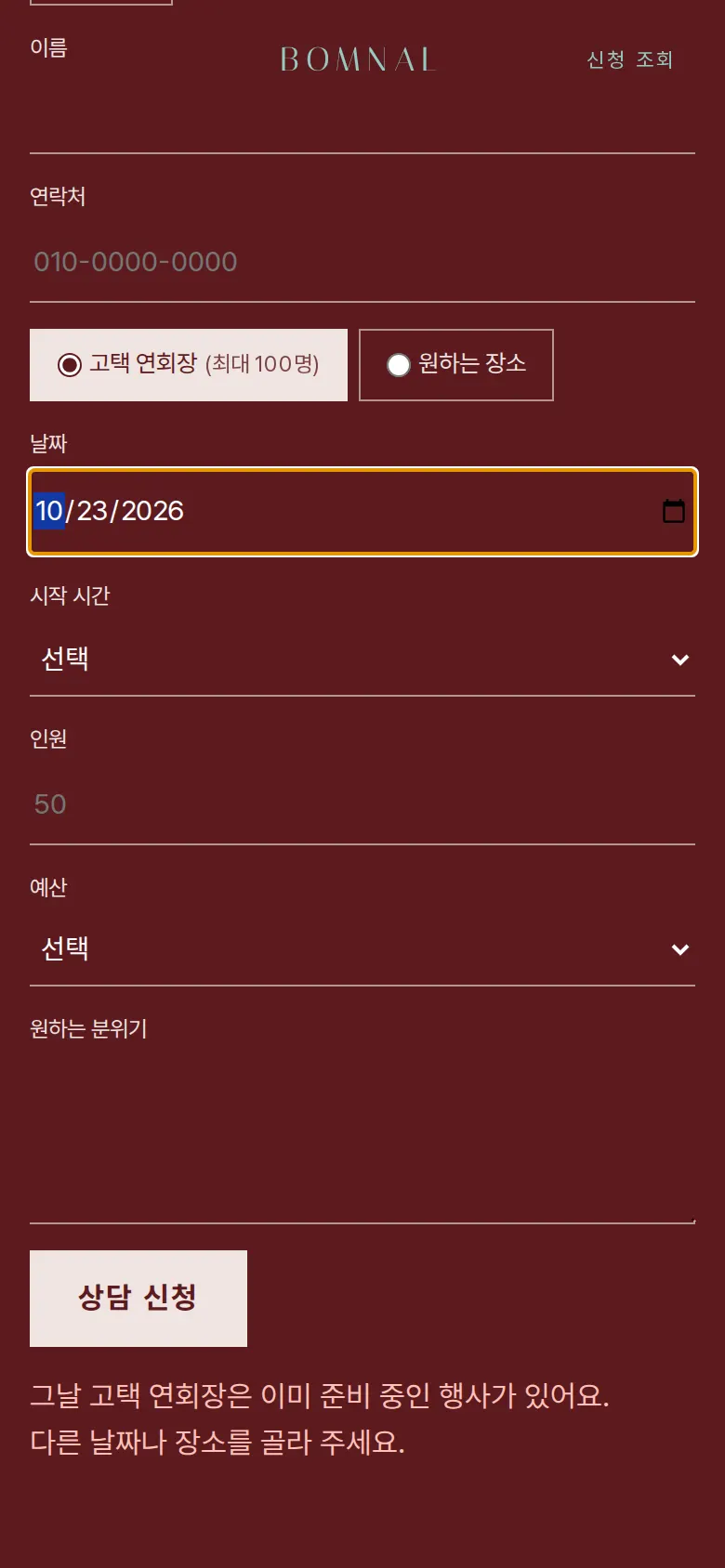
Same-day clash notice for the historic house hall
With the historic house hall selected, choosing a date that already has a request shows "An event is already being prepared at the historic house hall that day" and blocks the request. Switching the venue to "a venue of your choice" removes the notice, and cancelled requests are left out of the clash check.
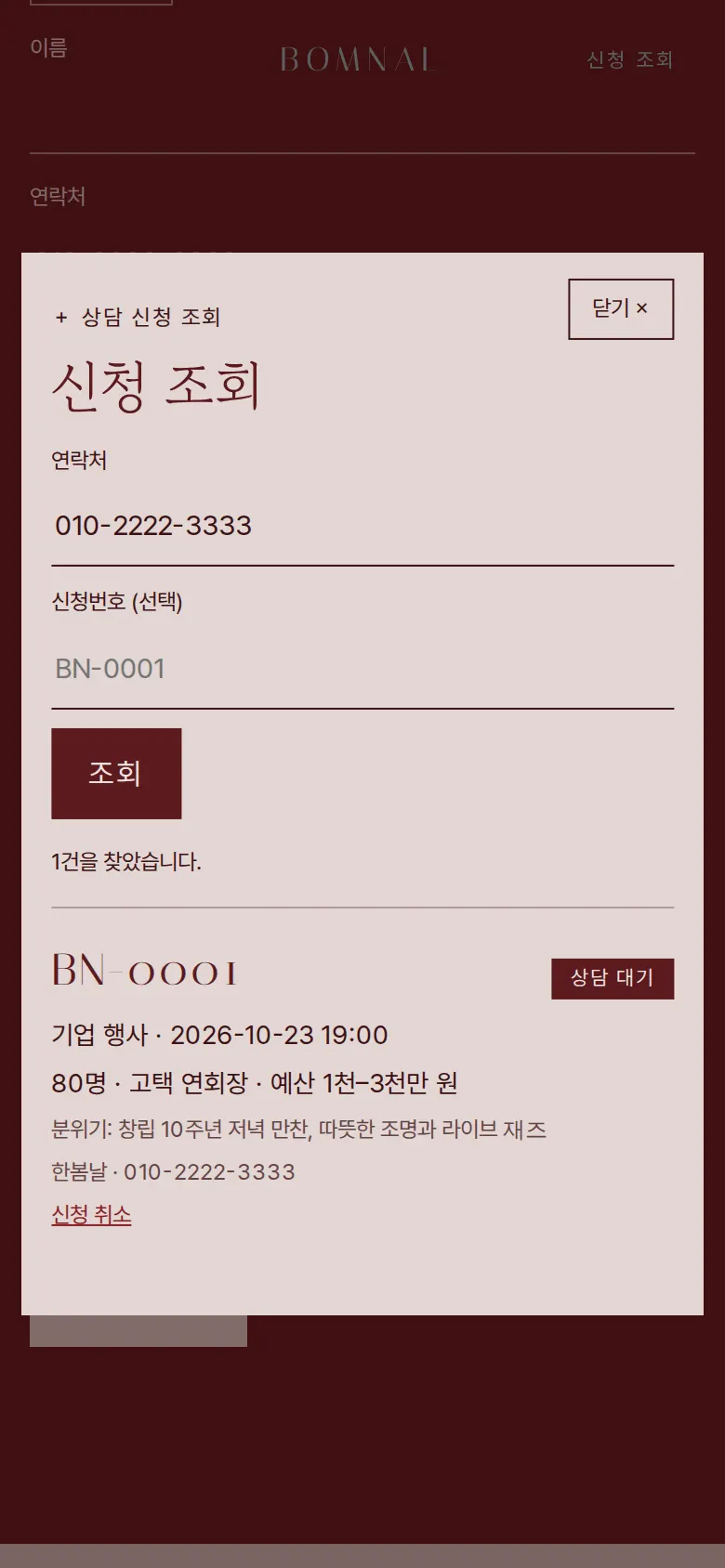
Request lookup and cancellation
"Check request" in the header lists requests newest first, and clients can look up by phone number, or add the request number to find a single request. Event type, date, time, headcount, venue, budget, mood and status are kept together, and cancelling changes the status to "Cancelled" and opens the historic house hall again for that day.
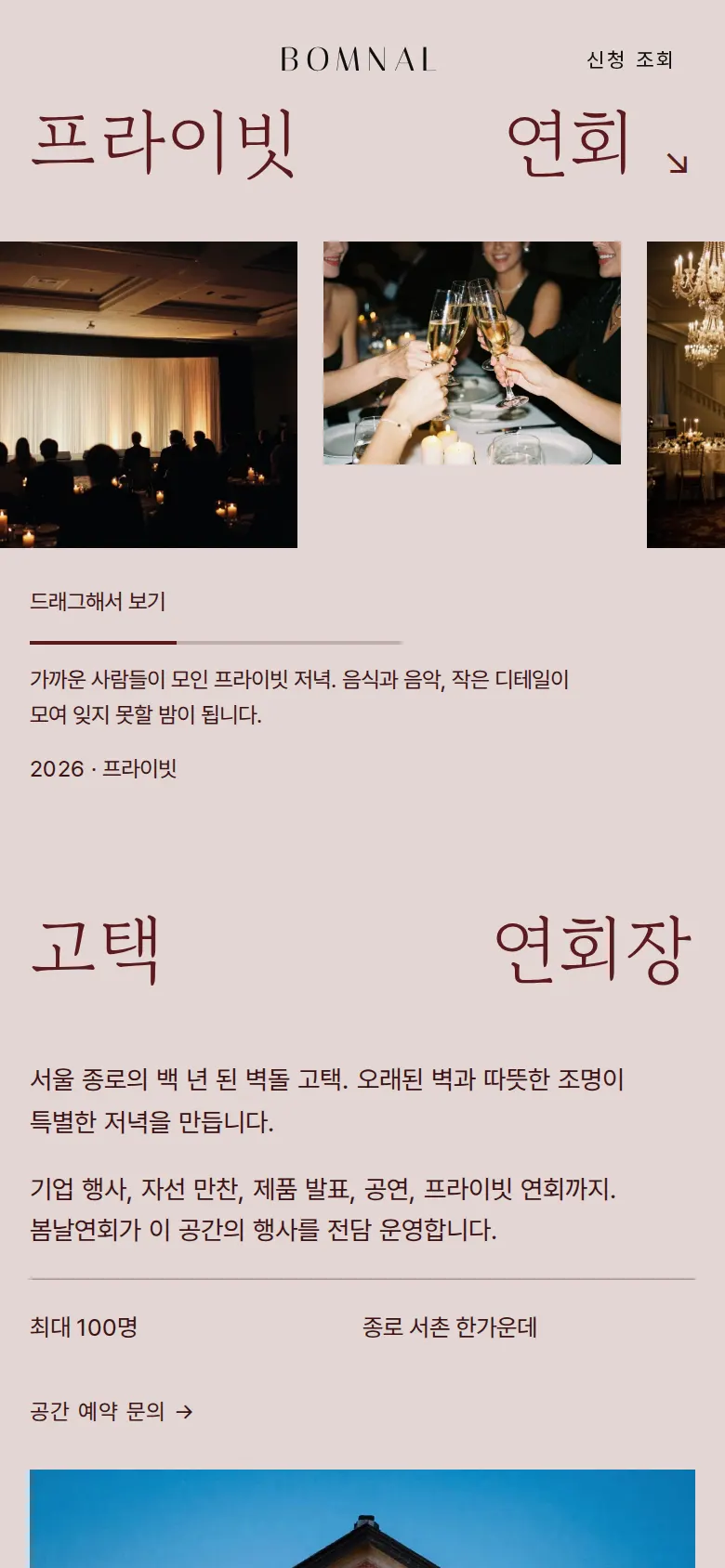
Draggable photo strip
The private banquet photo strip is dragged with a mouse or finger, and a bar below shows how far along the viewer is.
- Venue booking inquiry"Venue booking inquiry" in the historic house hall introduction scrolls down to the consultation request with the venue already selected.
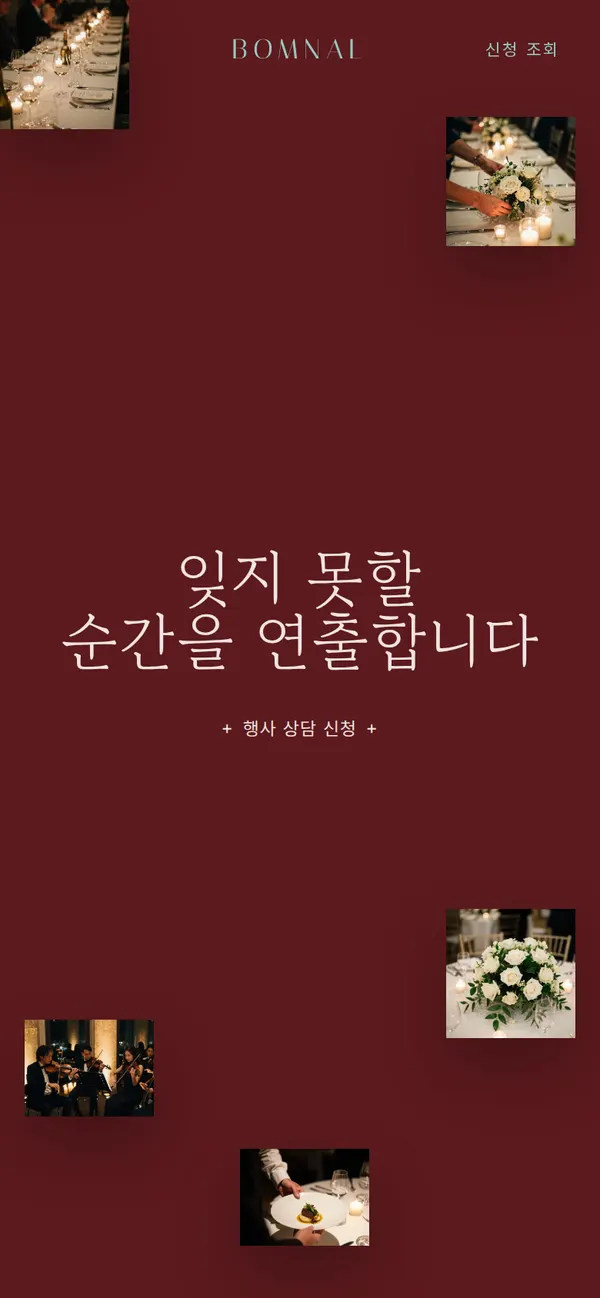
- Scattered first-screen photosThe first-screen photos move at different depths as the mouse moves.
5. Build Notes
Show details
| Responsive | The layout changes at 900px and 520px. On PC, the lead planner, hall and consultation sections use 2 columns, services 4, and date, time and headcount 3. On phones, services and form fields fold to 1 column, and the first-screen photos shrink back toward the edges. |
| Fonts | Body text in Pretendard, English headings in Italiana and Marcellus, Korean headings in Gowun Batang (all free open fonts). They are bundled with the site and load without external requests, and the font declarations sit inside the page so no separate file is waited on. The Korean fonts keep only the characters used on this site: body text from about 2,000KB to 79KB, and Korean headings from 1,800KB (95 pieces) to a single 42KB file. |
| Images | 11 webp files, 576KB in total. Widths are set by use: 600px for first-screen photo pieces, 1024px for events and the hall, 832px for portraits. Photos outside the first screen load as they come into view. |
| Motion | Built with CSS transitions and pointer events, no library: photos that follow the mouse, a title that appears as its letter spacing closes, a draggable photo strip with a progress bar, a flowing band of partner fields, and experience figures that count up. Animations stop when the device's reduce-motion setting is on. |
| Accessibility | Date, time and headcount fields have labels, and the lookup window that opens in the center closes with Esc. Request details are shown only as plain text, so no tags run. Accessibility score: 100. |
| Stack | HTML, CSS and JavaScript (no external libraries). Consultation requests are saved to and read from browser storage (localStorage). |
6. QA
These results come from running the site on PC 1440 and phone 390 screens and tapping through in the order a real person would. We also checked that saved data can be looked up again after a refresh. (2026-09-23)
| Item | PC 1440 | Phone 390 |
|---|---|---|
| Screen errors | 0 | 0 |
| Broken files | 0 | 0 |
| Horizontal overflow or clipped text | 0 | 0 |
| Function tests | 10 / 10 passed | 10 / 10 passed |
The 10 function tests: drag the photo strip · select the historic house via venue booking inquiry · request empty-field check · block dates within 2 weeks · block headcount over the hall's capacity · save a consultation request with headcount and schedule · same-day hall clash notice · look up requests by phone after refresh · look up with the request number · cancel a request and reopen the date
Speed and quality scores (out of 100; phone measured on a slow connection)
| Performance | Accessibility | Best Practices | SEO | |
|---|---|---|---|---|
| Phone | 93 | 100 | 100 | 100 |
| PC | 100 | 100 | 100 | 100 |
Phone: first content 1.4s · largest content 3.2s · layout shift 0 · input blocking 0ms PC: first content 0.4s · largest content 0.7s · layout shift 0.002 · input blocking 0ms
7. Result
Try it live ↗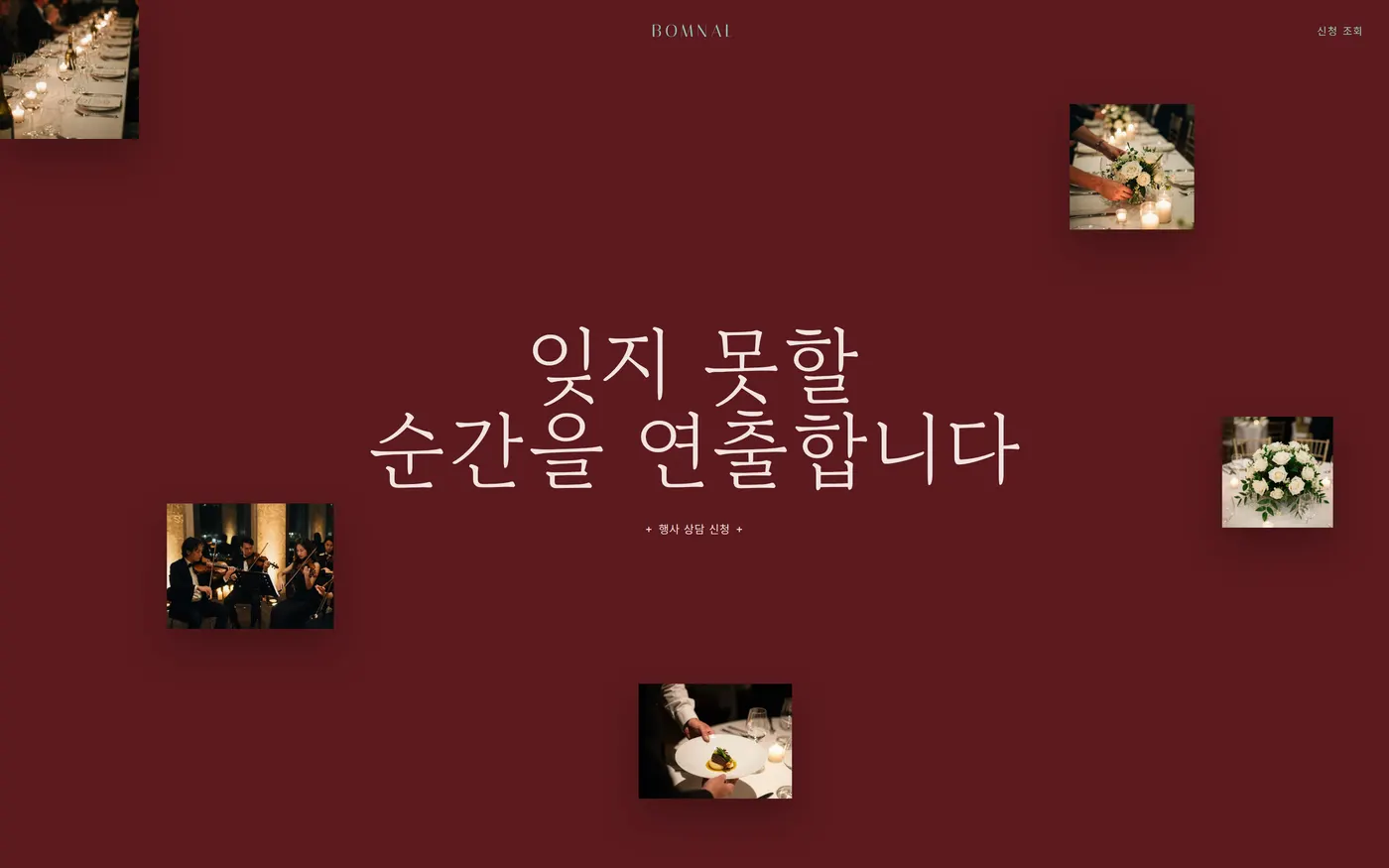
Privacy Policy