1. Overview
| Industry | An interior studio that designs and builds residential, commercial and office spaces |
| Purpose | Show finished projects in large format, and let visitors send inquiries with floor plans or reference photos attached |
| Scope | One page · 5 screens · 6 projects (residential, commercial, office) |
| Main flow | View a project large → "Inquire about a project like this" → inquiry form (type and reference project filled in) / attach files → save inquiry → reference number / My inquiries → look up by email → cancel inquiry |
Inquiries and the list of attached files are saved in the browser. They stay in "My inquiries" after a refresh or a return visit.
Connected at rollout: actual upload and storage of attachments (only names and sizes are saved), email sending and auto-replies, estimate calculation, an admin screen (replies and status changes), and server storage to see the same inquiry on several devices.
2. Challenges
1. Interior work is sold with photos, and explained with photos.
"Make it feel like this" is hard to put into words. Visitors should move straight from a project they like to an inquiry, and attach floor plans or reference photos, so the first consultation moves faster.
2. Visitors give up on inquiries when attachments get in the way.
Which files, how many and how large should be shown up front, and wrong files should be filtered out with a reason.
3. After sending, visitors wonder "Did it go through?"
They should be able to see the reference number, what they sent and the attachment list again, so they don't send the same inquiry twice.
3. Structure
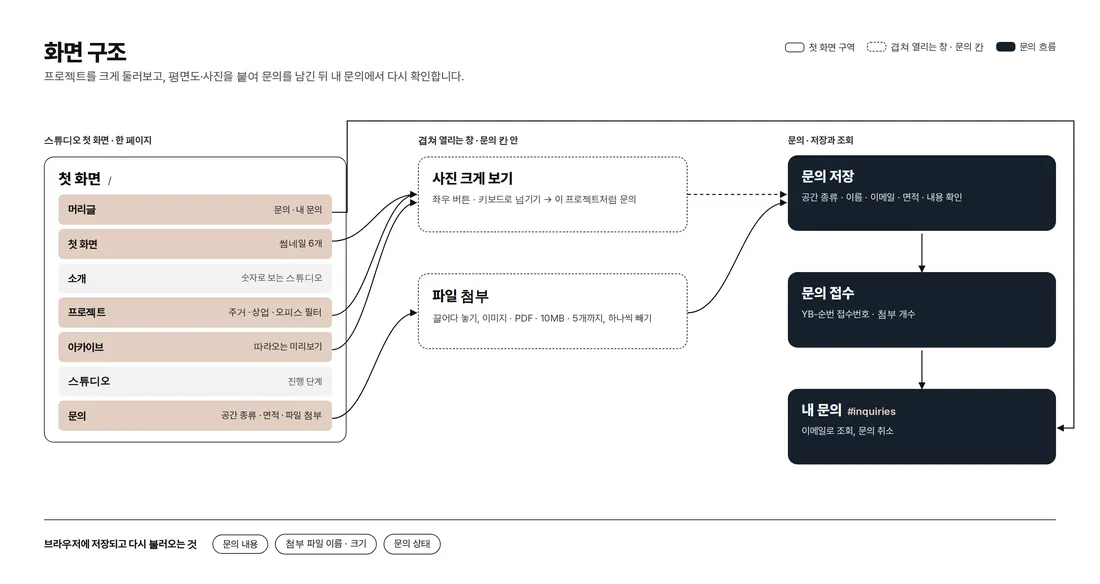
Everything from the project introduction to the inquiry runs on one page. The large photo view and My inquiries open over the page without leaving it, and attached files stack up right inside the inquiry form. Adding `#inquiries` to the end of the address opens My inquiries directly.
4. Key Features
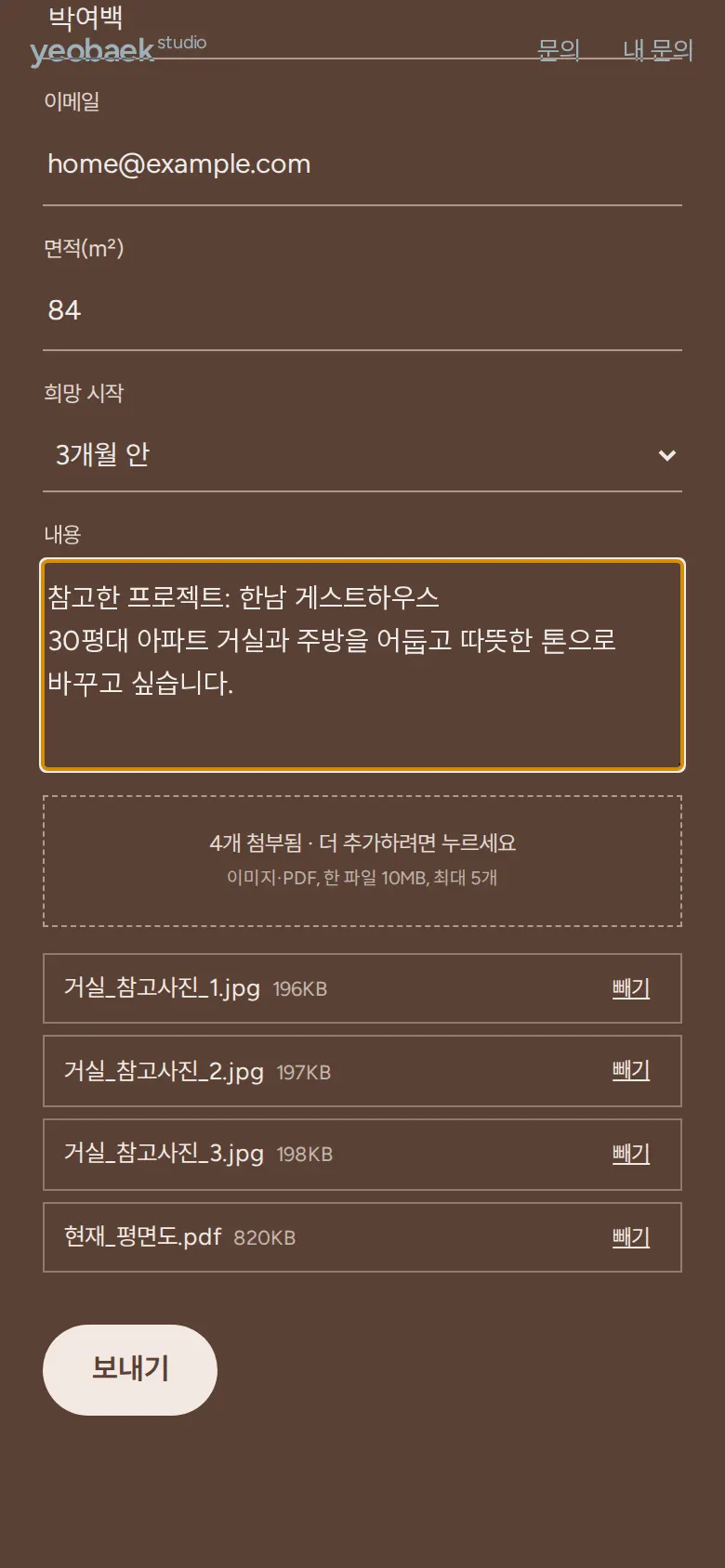
Inquiry with file attachments
Clicking the attachment box or dragging files onto it lists each file's name and size on its own line, and "Remove" on each line takes one out. Choosing files in several rounds adds them to the list. Only images and PDFs are accepted; a file over 10MB, or more than 5 files, is filtered out with the file name and reason. If the same file is chosen twice, only one is kept.
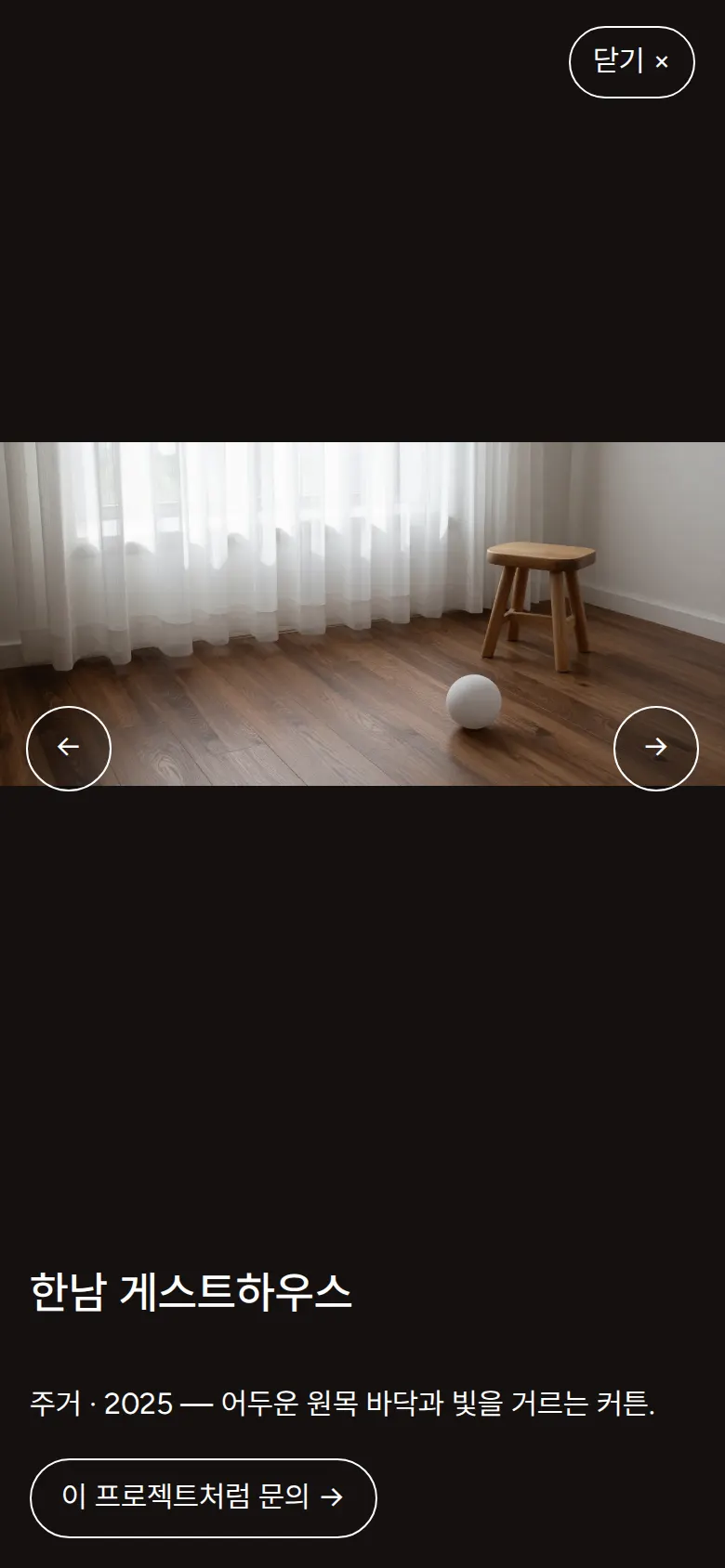
Large photo view → inquire about a project like this
Project photos open full screen and move with left and right buttons or the keyboard arrows. "Inquire about a project like this" scrolls down to the inquiry form, selects the space type and puts the reference project name on the first line of the message.
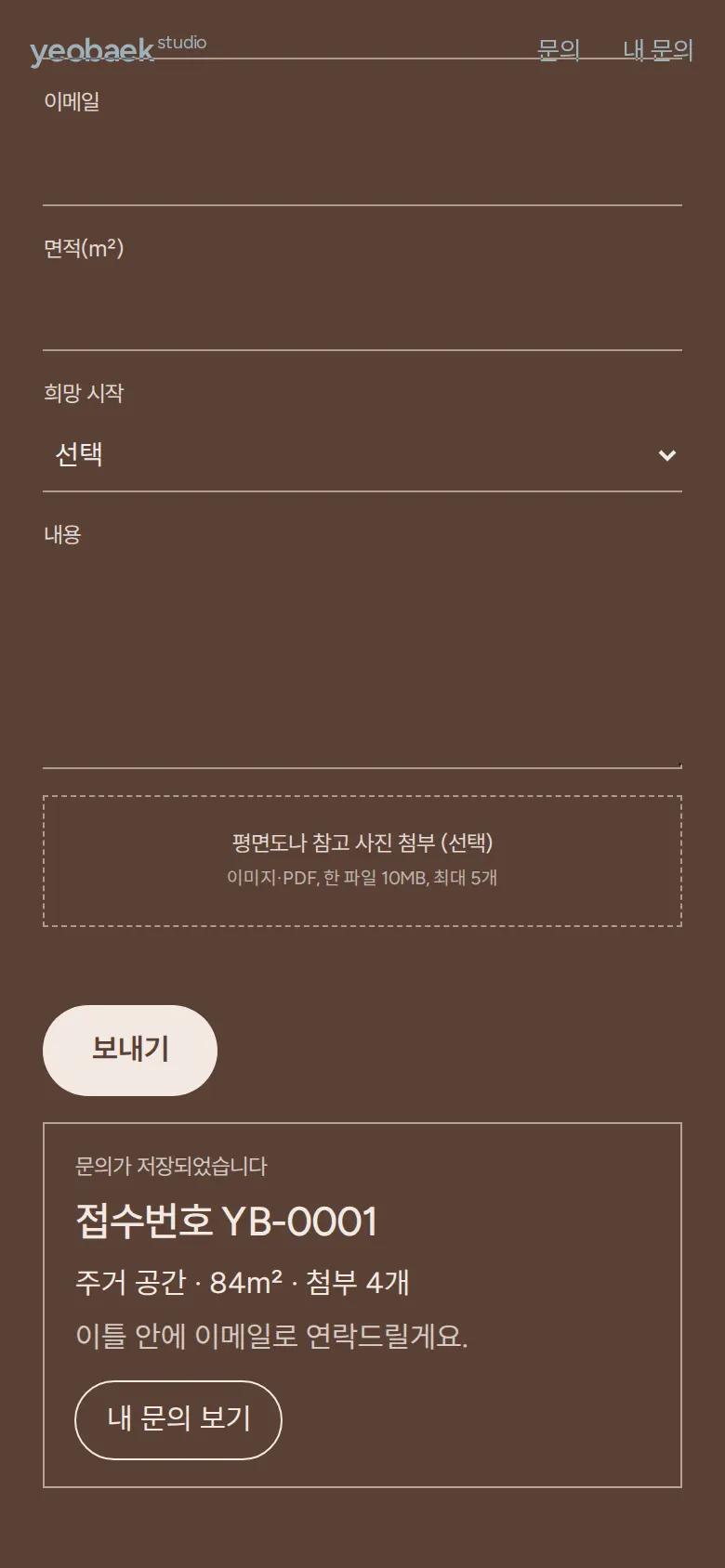
Saving the inquiry and reference number
After checking space type, name, email format, area as a number and message length, saving shows a reference number (IN-sequence) and the number of attachments. The form fields and attachment list are cleared after saving.
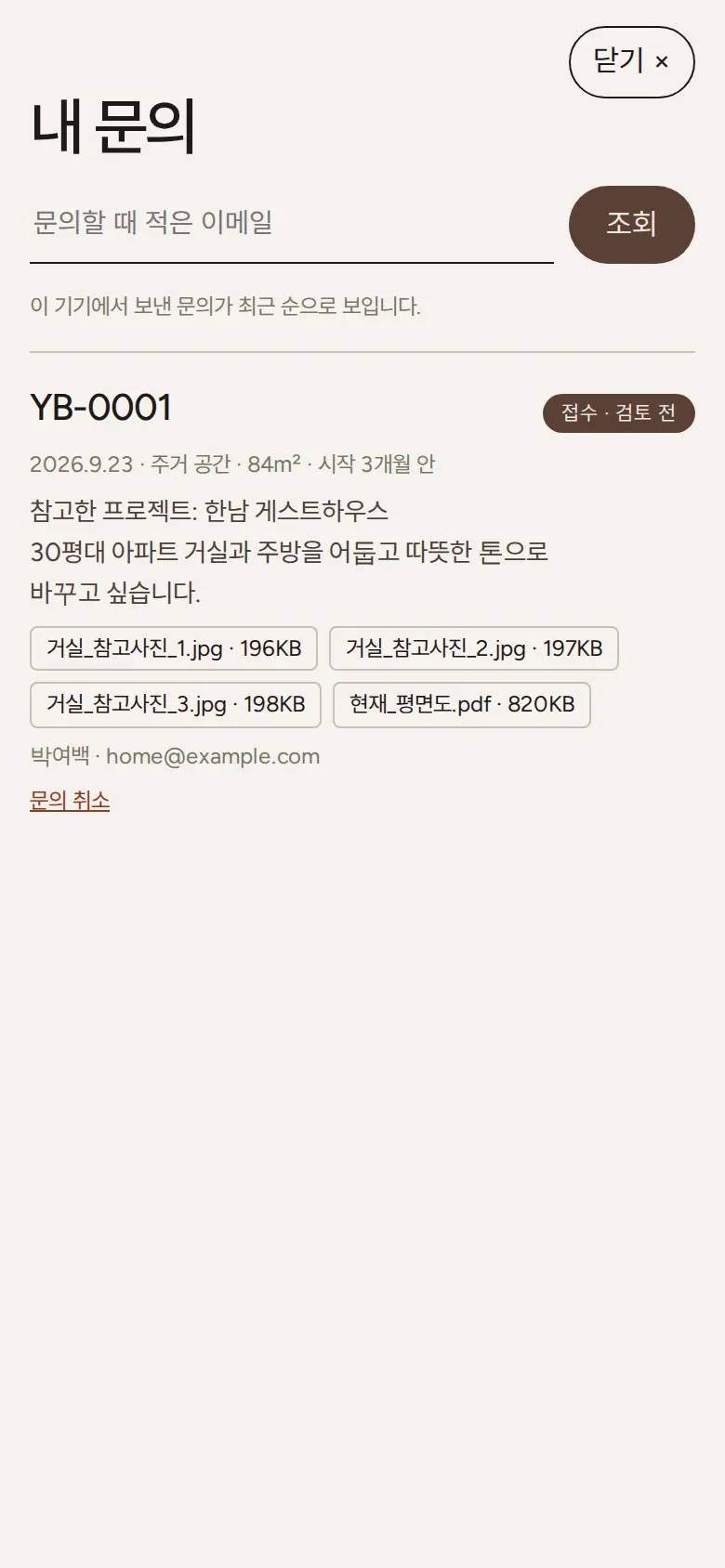
My inquiries — lookup by email, cancellation
"My inquiries" in the header lists sent inquiries newest first. Date, space type, area, preferred start, message, attached file names and sizes, and status are kept together. Looking up with the email used for the inquiry finds only that email's inquiries, and cancelling changes the status to "Cancelled", which stays after a refresh.
- Project categoriesResidential, commercial and office buttons filter the projects.
- Archive previewHovering over the archive list brings up a photo preview that follows the mouse, and it stops at the right edge of the screen so it never goes off screen.
5. Build Notes
Show details
| Responsive | The layout changes at 900px and 520px. On PC, the introduction, studio and inquiry sections use 2 columns, and project details 5. On phones everything folds to 1 column, the header keeps only "Inquire" and "My inquiries", and the archive preview is turned off. |
| Fonts | Body text in Pretendard, English text in Figtree (both free open fonts). They are bundled with the site and load without external requests. The body font keeps only the characters used on this site, cut from about 2,000KB to 79KB. |
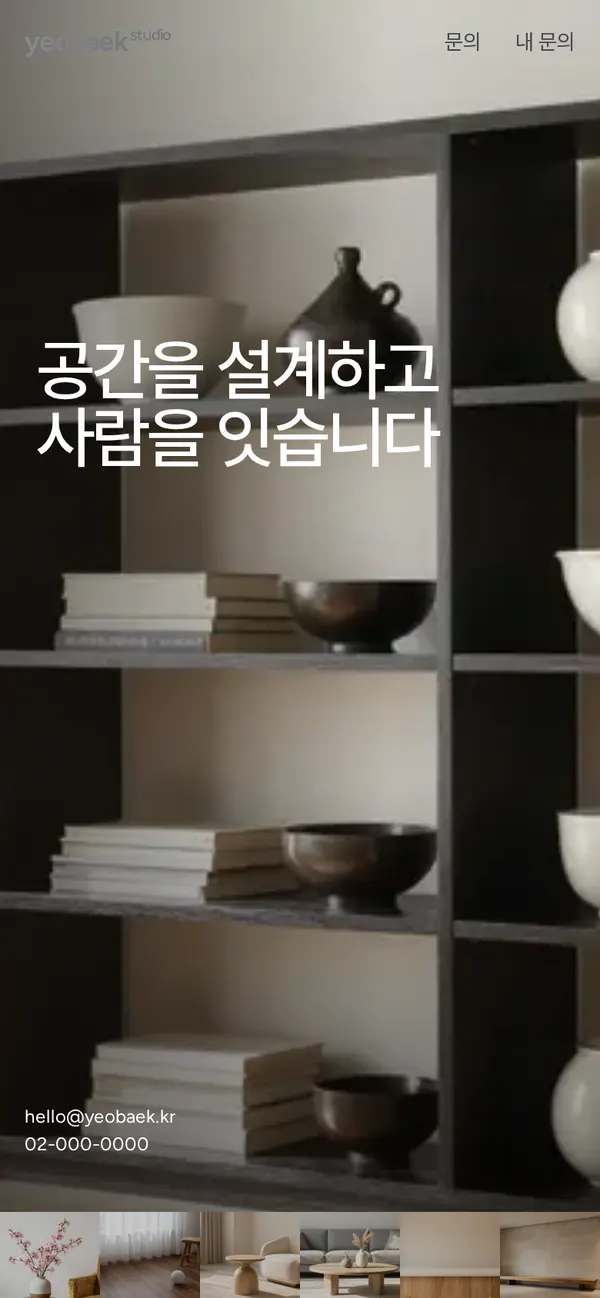
| Images | 8 webp files (including 1 for phones), 277KB in total. Wide project photos are 1344×640. The first-screen photo loads first and the rest load as they come into view; phones get a separate 800px version of the first-screen photo. |
| Motion | Built with CSS transitions and in-view detection, no library. Narrowly cropped project photos widen as visitors scroll, numbers count up, and the inquiry list slides in from the right. Animations stop when the device's reduce-motion setting is on. |
| Accessibility | Thumbnail, arrow and attachment remove buttons have labels. Esc closes windows and left and right keys move between photos. Pale number captions and numbers were adjusted for contrast. Entered text and file names are shown only as plain text, so no tags run. Accessibility score: 100. |
| Stack | HTML, CSS and JavaScript (no external libraries). File selection and drag and drop use built-in browser features, and inquiries with attached file names and sizes are saved to and read from browser storage (localStorage). |
6. QA
These results come from running the site on PC 1440 and phone 390 screens and tapping through in the order a real person would. We also checked that saved data can be looked up again after a refresh. (2026-09-23)
| Item | PC 1440 | Phone 390 |
|---|---|---|
| Screen errors | 0 | 0 |
| Broken files | 0 | 0 |
| Horizontal overflow or clipped text | 0 | 0 |
| Function tests | 10 / 10 passed | 10 / 10 passed |
The 10 function tests: project categories · large photo view and browsing · inquire about a project like this · attachment checks (type, size, count) · remove one attachment and add a PDF · inquiry empty-field check · save an inquiry with attachments · My inquiries list after refresh · look up inquiries by email · cancel an inquiry
Speed and quality scores (out of 100; phone measured on a slow connection)
| Performance | Accessibility | Best Practices | SEO | |
|---|---|---|---|---|
| Phone | 94 | 100 | 100 | 100 |
| PC | 100 | 100 | 100 | 100 |
Phone: first content 0.9s · largest content 3.2s · layout shift 0 · input blocking 0ms PC: first content 0.2s · largest content 0.6s · layout shift 0 · input blocking 0ms
7. Result
Try it live ↗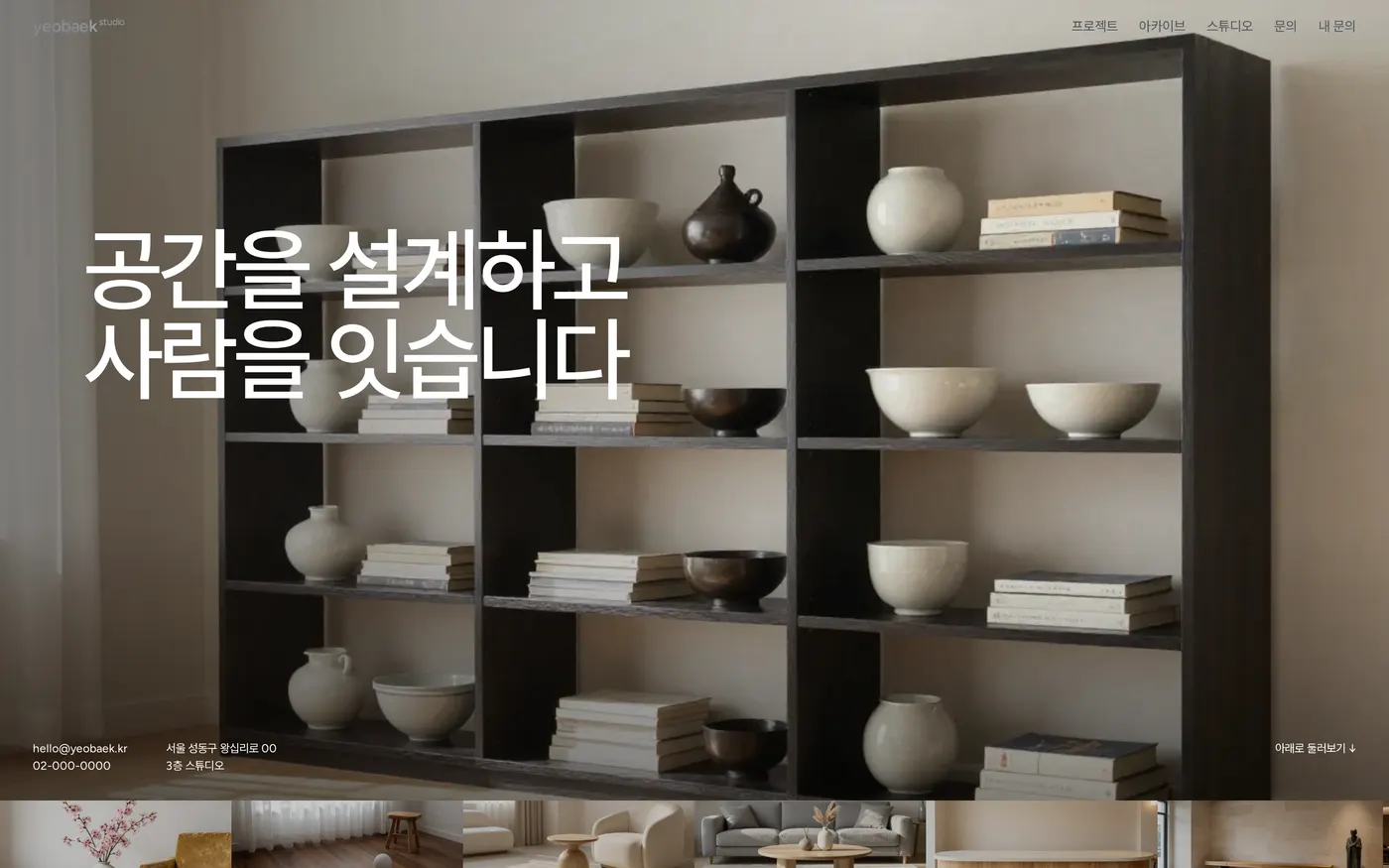
Privacy Policy