1. Overview
| Industry | A kids' clothing brand selling children's clothes, shoes and accessories |
| Site goal | A store that helps parents quickly find clothes that fit their child's height, add them by outfit, and finish the order |
| Scope | One page · 1 window (quick add) · 4 screens with their own address (cart, checkout, order complete, order lookup) · 10 products |
| Main flows | Pick a product → color and size → cart / add a whole outfit → adjust quantity → checkout → order complete / order lookup → cancel or add again |
Wishlist, cart, orders, the last delivery address and newsletter signup are saved in the browser. They stay in place after a refresh or a return visit.
Connected at rollout: payment gateway (currently up to choosing a payment method and saving the order), sign-up and login (currently lookup by order number or mobile), delivery tracking, admin screens, email sending.
2. Challenges
1. With kids' clothes, size is everything.
Parents choose by height (cm), not age, and sold-out sizes must be blocked before adding to cart to cut returns.
2. Parents buy a set, not a single piece.
Showing a raincoat, hat and shoes as one outfit and letting them add it all at once raises the order amount.
3. Parents browse on their phones in spare moments and order later.
If the saved items disappear, they won't look again. The cart and order history must still be there on the next visit.
3. Structure
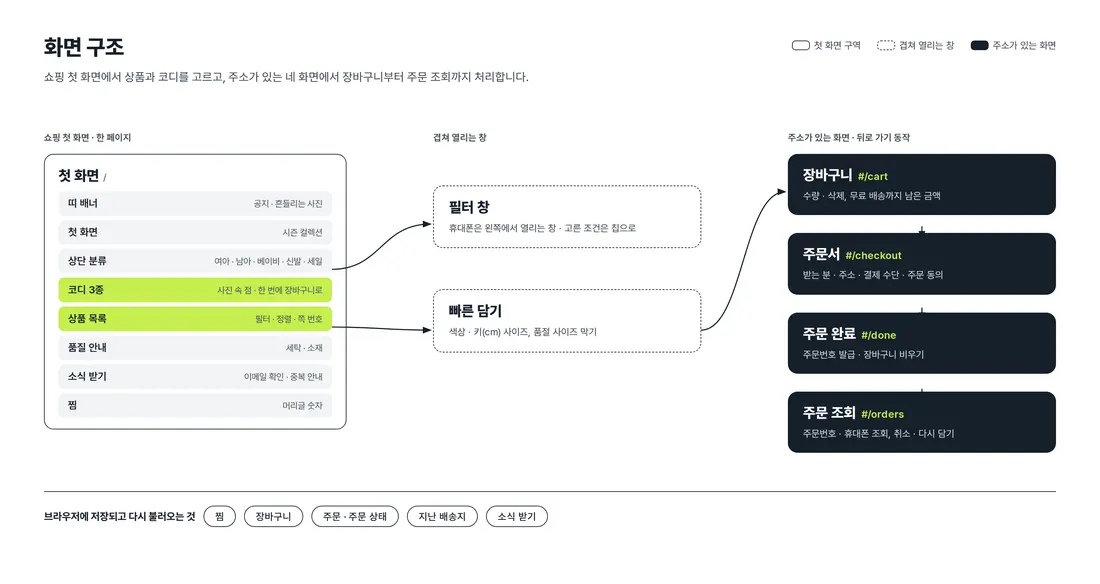
Shopping and browsing happen on one first page. Quick add and the mobile filter open on top without changing pages. Cart, checkout, order complete and order lookup each have their own address, so they stay in place on back navigation and refresh, and the step bar at the top (cart → checkout → order complete) shows where you are.
4. Key Features
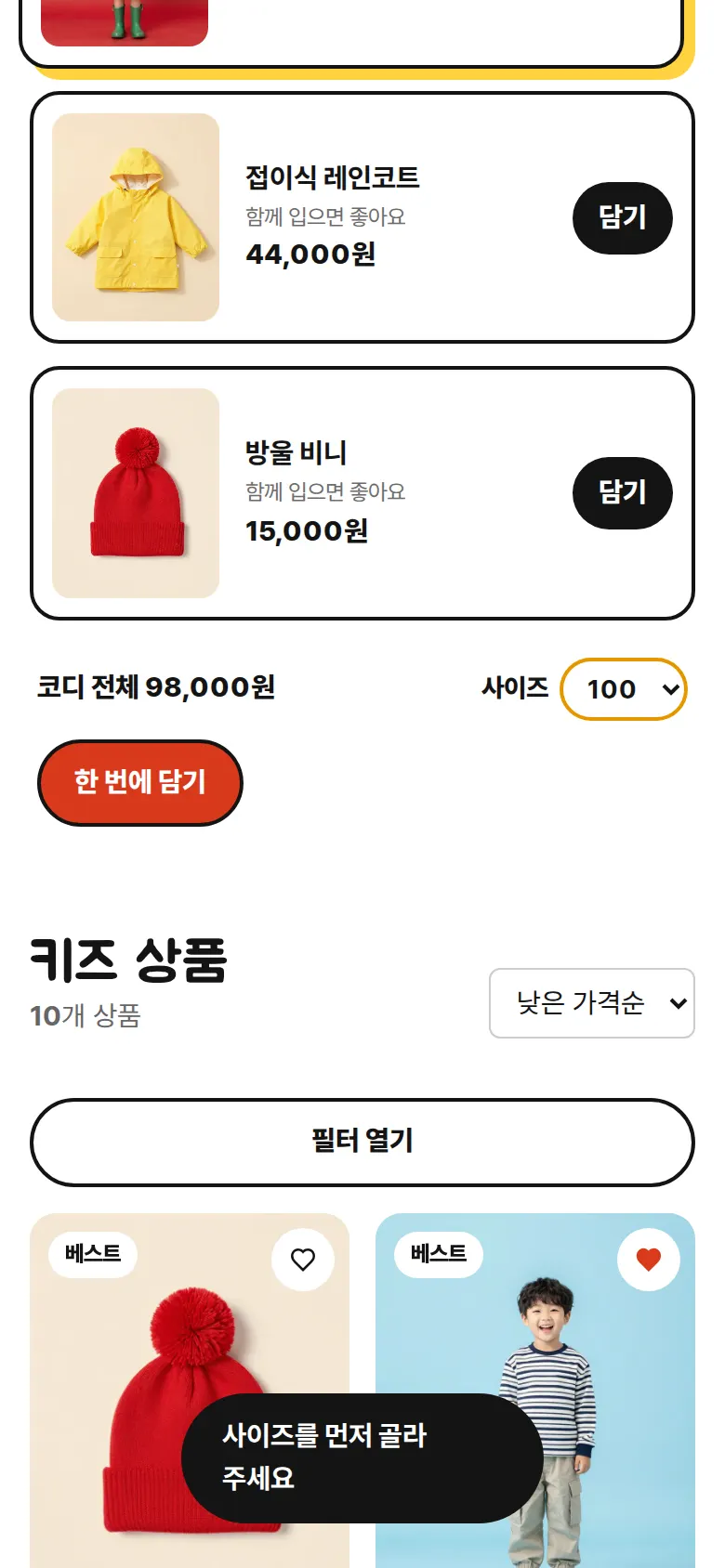
Add a whole outfit at once
Tapping a dot on the outfit photo highlights that product's row, and the outfit's total price shows below. Choosing one size adds every item in the outfit to the cart in that size. Tapping without a size asks you to choose one first.
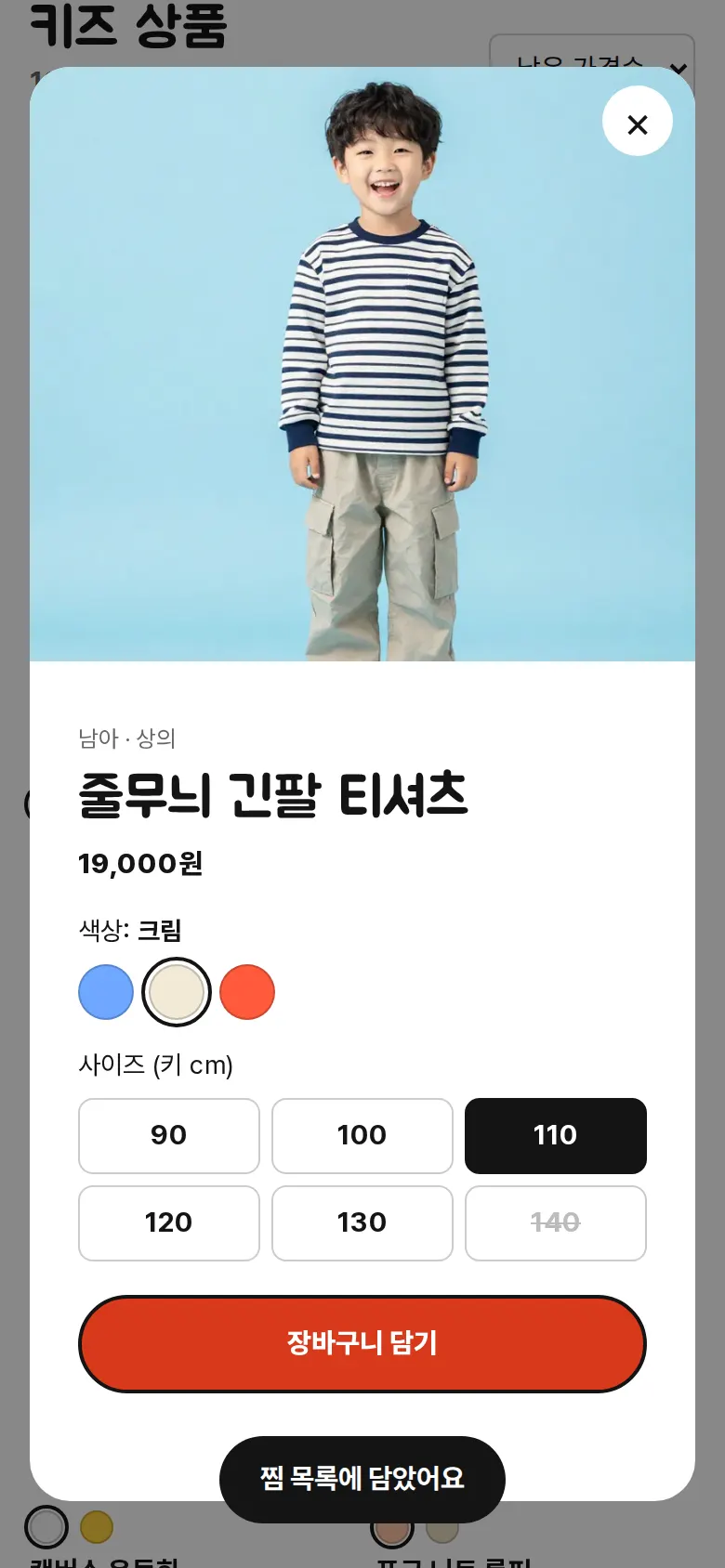
Quick add — choose color and size
A window opens from the product card to choose a color and a height (cm) size. If no size is chosen, a message appears before adding, and sold-out sizes can't be tapped. Adding the same product, color and size again raises the quantity instead of adding a new line.
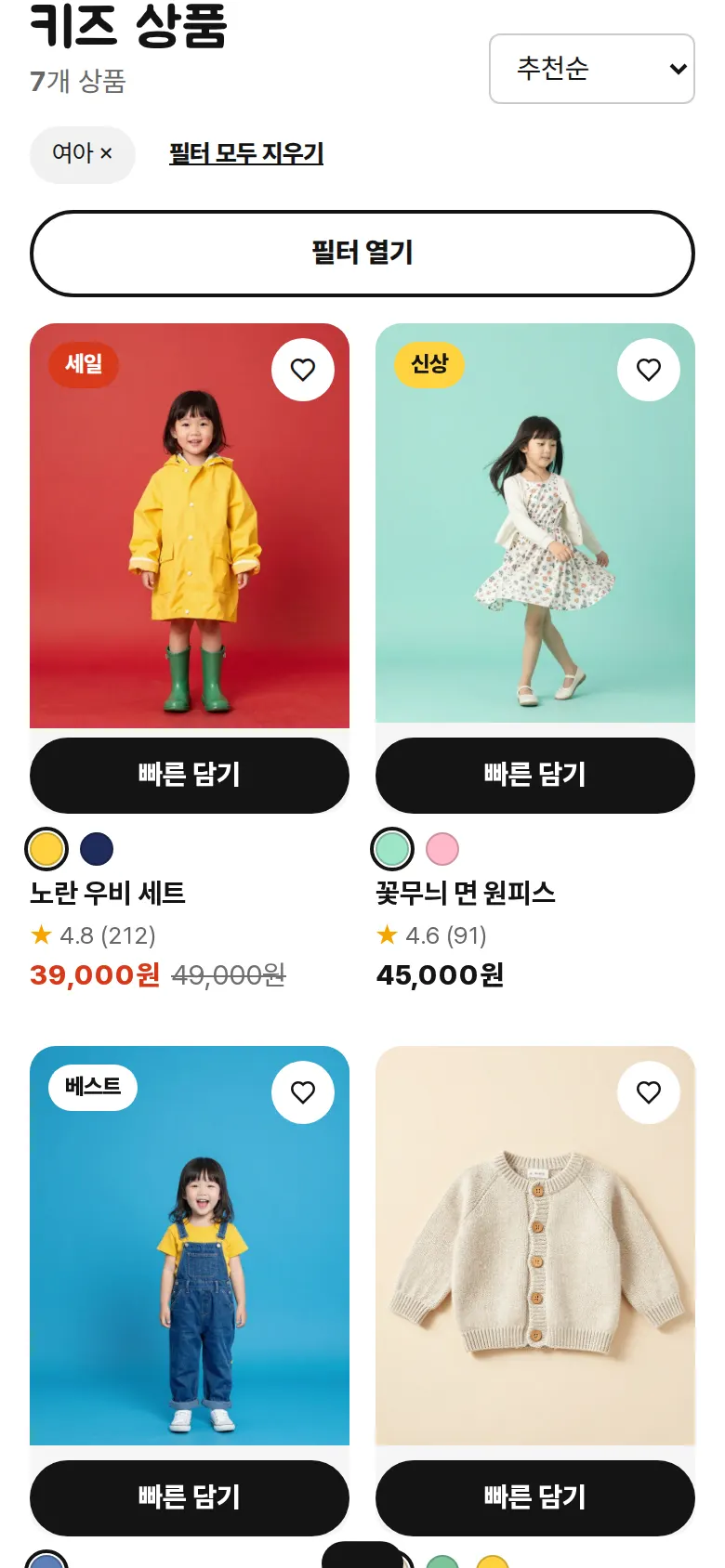
Narrow down with categories and filters
Tapping a top category redraws the list with that condition, and chosen conditions stay as chips that can be removed one by one. Gender, type, size, color, sale and price filters work together with sorting by recommended, newest and price. On mobile, the filters open in a panel from the left.
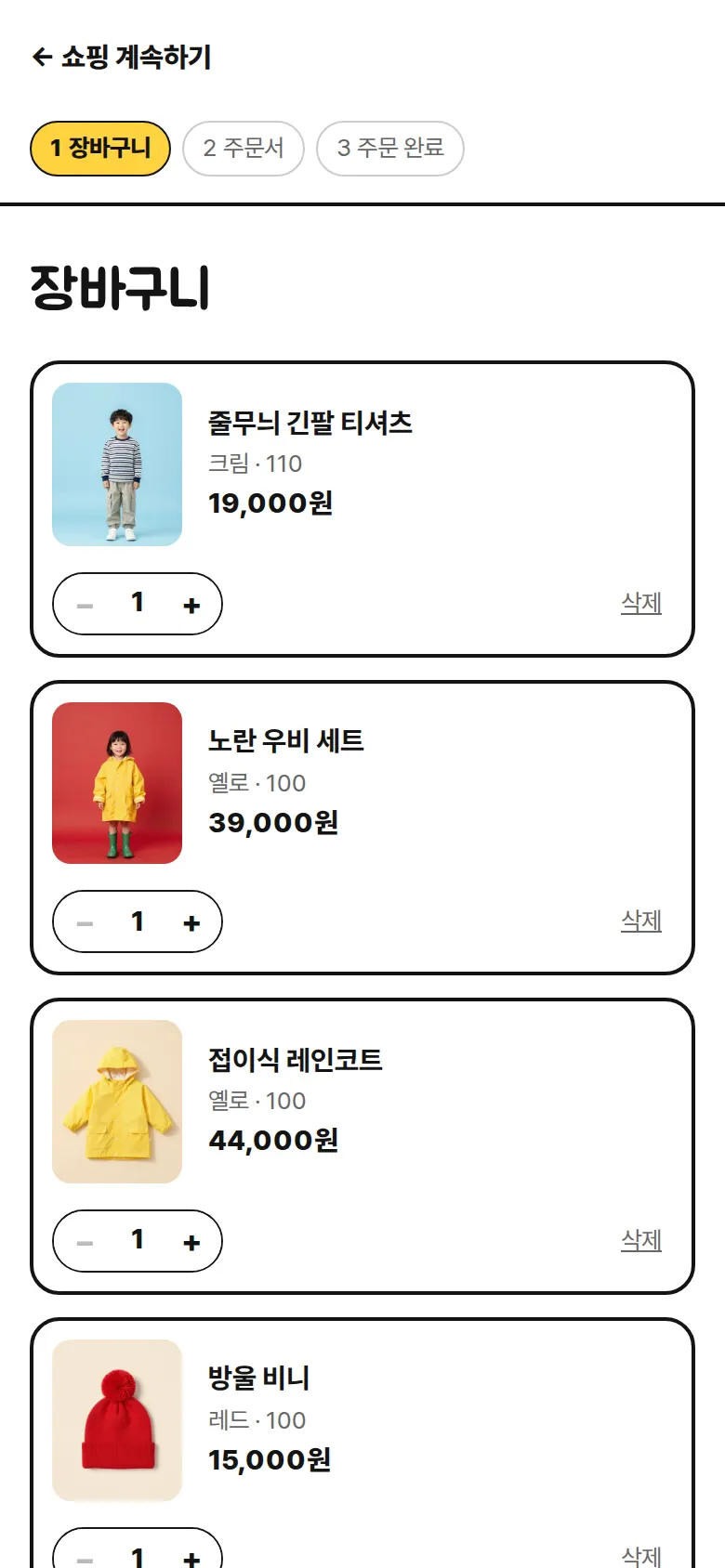
Cart — quantity, remove, free-shipping notice
Quantity can be set from 1 to 9, and each line can be removed. Every change recalculates product total, shipping fee and amount due, and a bar and a sentence show how much is left until free shipping at ₩50,000 (₩ = Korean won).
- CheckoutRecipient, mobile number and address are required, and the mobile number format is checked. You choose a delivery note and payment method (credit card, bank transfer, mobile payment) and must check the order agreement to continue. On the next order, the last delivery address is prefilled.
- Order complete and order numberAn order number (KD-date-sequence) appears, the order is saved and the cart is emptied. The message changes with the payment method (for bank transfer, "once your deposit is confirmed").
- Order lookup — cancel, add againOrders are listed newest first, showing product photo, options, quantity, payment method, amount and status together. They can be found by order number or mobile number; orders still in "received" status can be canceled, and past orders can be added to the cart again with the same options.
- Wishlist and newsletterWishlisted products are saved along with the count in the header and remain on a return visit. Newsletter signup checks the email format and says so if the address is already registered.
5. Build Notes
Show details
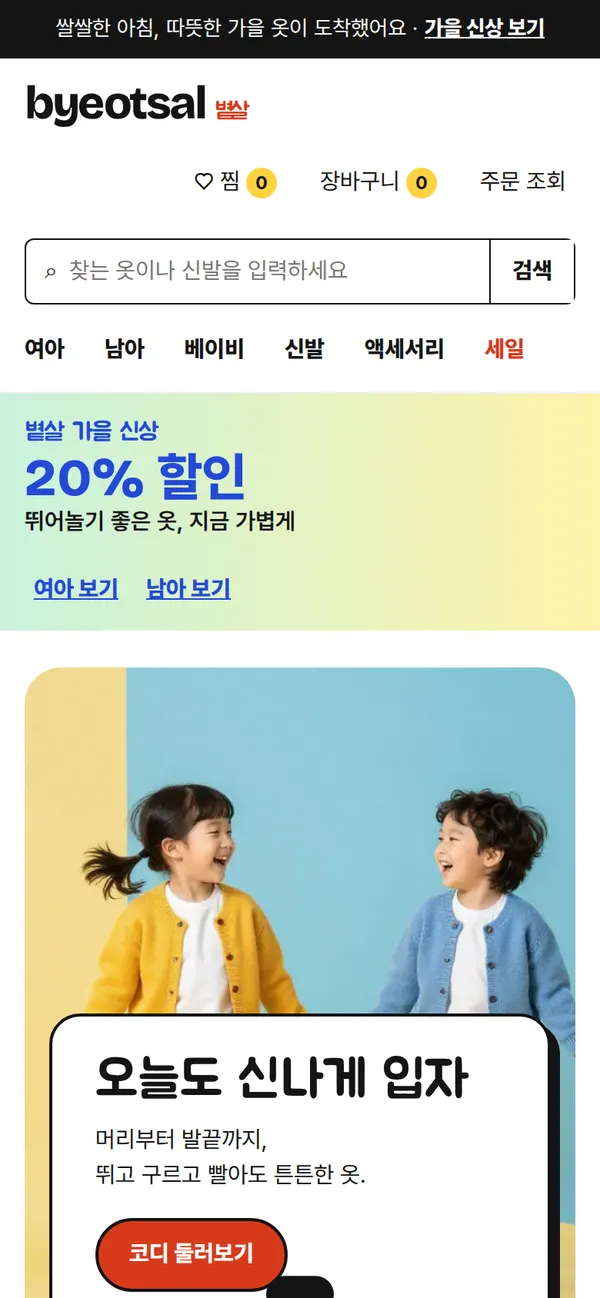
| Responsive | Layout changes at 1000 and 800px. On PC: 4-column products, a fixed left filter, and a 2-column cart (list + summary). Below 1000px: 3-column products. Below 800px: 2-column products, filters in a pop-out panel, and 1-column cart and checkout. |
| Fonts | Body Pretendard, headings Jua, logo Bricolage Grotesque (all free, open fonts). Bundled with the site, so no external requests. The body font keeps only the characters used on this site, cut from 2,010KB to 92KB, and the heading font's pieces were merged into one file (53KB). |
| Images | 12 webp files, about 464KB in total. Widths match their use: 700–800px for products, 1,344px for the first-screen and park photos. The first-screen photo loads first; the rest load as they near the screen. |
| Motion | Built with CSS, no libraries. A swaying photo in the banner strip, pulsing outfit dots, product cards fading in, and an add-to-cart notice bar. With reduced motion turned on in the device, animations stop. |
| Accessibility | Color contrast was raised for sale prices and main buttons, and color dots were made larger and spaced for easy tapping. Payment methods and filters show keyboard focus, and screen readers read out notices and errors. Esc closes windows. Accessibility score 100. |
| Tech | HTML, CSS, JavaScript (no external libraries). Wishlist, cart, orders and newsletter signup are saved to and read from browser storage (localStorage). Cart, checkout and order lookup use separate addresses (#/cart, etc.), so back navigation works. Input is displayed as plain text only, so tags never run. |
6. QA
These are results from running the site on PC 1440 and mobile 390 screens and tapping through in the order a real user would. We also checked that saved data is still found after a refresh. (2026-09-23)
| Item | PC 1440 | Mobile 390 |
|---|---|---|
| Screen errors | 0 | 0 |
| Broken files | 0 | 0 |
| Horizontal overflow · clipped text | 0 | 0 |
| Function tests | 18 / 18 passed | 18 / 18 passed |
The 18 function tests: show girls only via top category · remove filter chips · sort by lowest price · add to wishlist · quick-add size message · choose color and size and add · add a whole outfit · cart screen · increase quantity and remove a line · cart kept after refresh · empty-field messages at checkout · fill checkout and save order · check in order history · orders and wishlist kept after refresh · look up by order number or mobile · cancel order · add again · save newsletter signup and duplicate notice
Speed and quality scores (out of 100; mobile measured three times on a slow connection, same score each time)
| Performance | Accessibility | Best Practices | SEO | |
|---|---|---|---|---|
| Mobile | 91 | 100 | 100 | 100 |
| PC | 100 | 100 | 100 | 100 |
Mobile: First Contentful Paint 2.1s · Largest Contentful Paint 3.2s · Layout shift 0.001 · Blocking time 0ms PC: First Contentful Paint 0.5s · Largest Contentful Paint 0.7s · Layout shift 0 · Blocking time 0ms
7. Result
Try it live ↗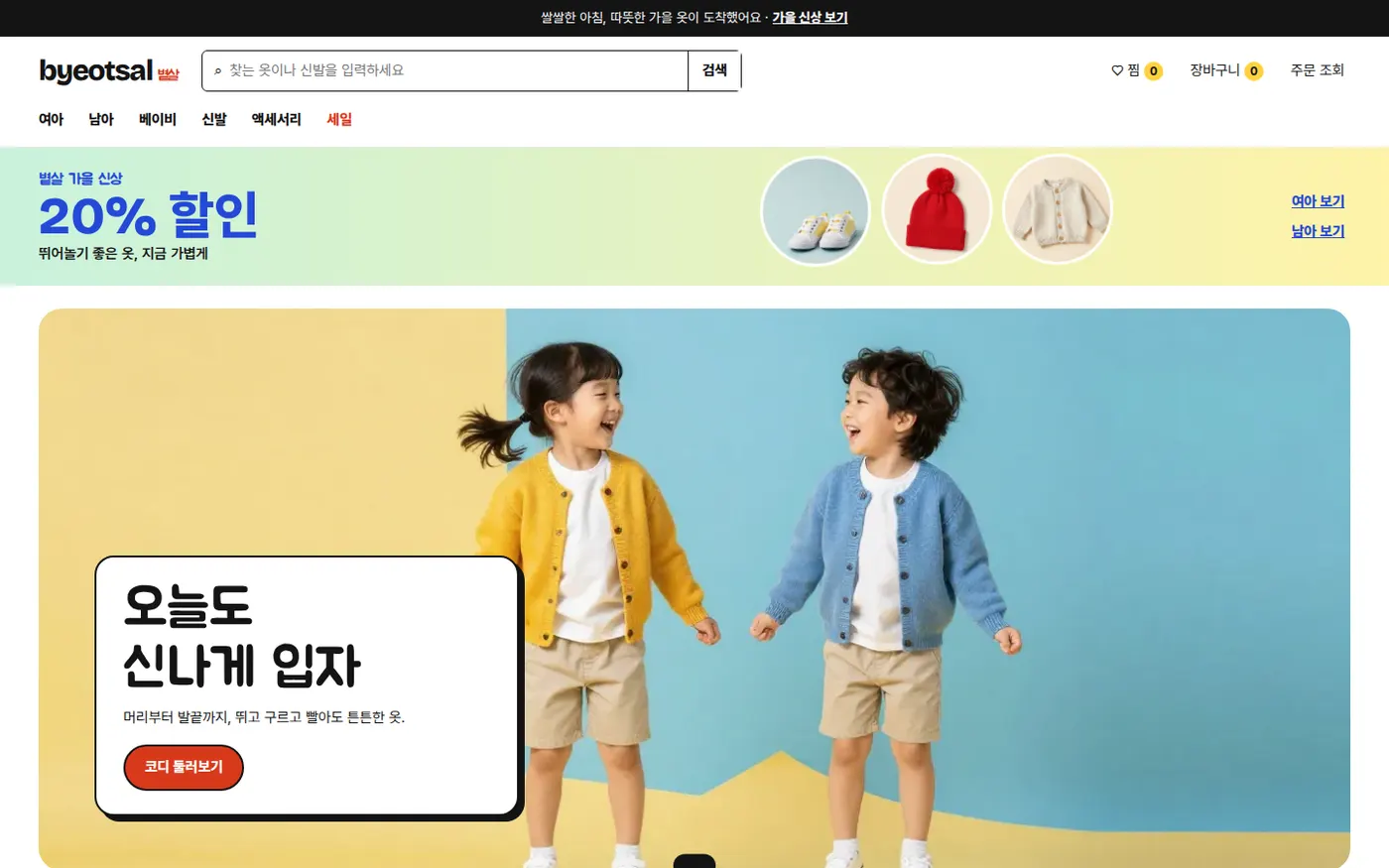
Privacy Policy