1. Overview
| Industry | HR, finance and administration policy guidance at a company of a few dozen employees |
| Purpose | Answer repeated questions like "How many days of annual leave do I get?" with the relevant policy paragraph as the source, instead of a staff member, and collect questions the documents could not answer so the documents can be filled in |
| Scope | 3 screens (ask, documents, question log) + document viewer · 6 default policy documents · 6 answers prepared by the responsible departments |
| Main flow | Question → Prepared answer + source paragraph → View in document / Not found → Hand over to department / Upload new policy → Searchable right away / Question log totals → CSV |
Matching paragraphs are found by rules that compare the words in the question with the words in the documents. For frequent questions, answers prepared in advance by the responsible department are shown too, each with the policy paragraph it is based on. Documents, question log, ratings and handover status are saved in the browser and stay after a refresh or a return visit.
Connected at rollout: a real AI connection (understanding the meaning of a question and writing a new answer) is connected to the AI service the company uses at rollout. This screen shows the flow with rule-based paragraph search and pre-written answers. Also outside this screen: reading PDF and Hangul (HWP) files, company account login and per-document access rights, server storage shared by many users, and department notifications (email, messenger).
2. Challenges
1. The same questions keep reaching staff.
Annual leave days, hotel limits, how to request equipment. It is all in the policies, yet people ask on messenger. Employees should find answers themselves, and staff should only need to answer new questions.
2. An answer without a source is hard to trust.
"Section 1 of the leave policy" shown next to "15 days" is what makes people follow it with confidence. The policy paragraph should sit next to the answer, and clicking it should open that spot in the document.
3. Questions not covered by the documents leave no trace.
When unanswered questions disappear, the gaps in the policies stay as they are. Unanswered questions and "not helpful" ratings should be gathered to show which documents need more content.
3. Structure
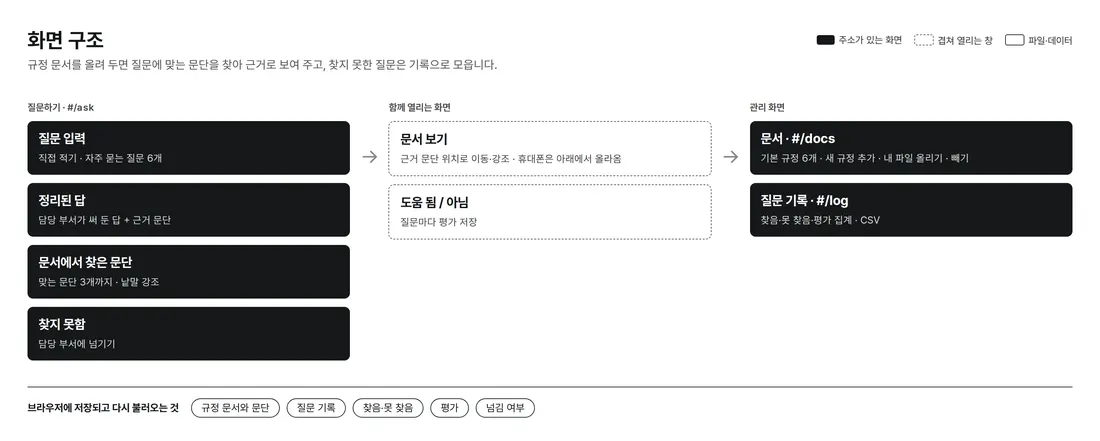
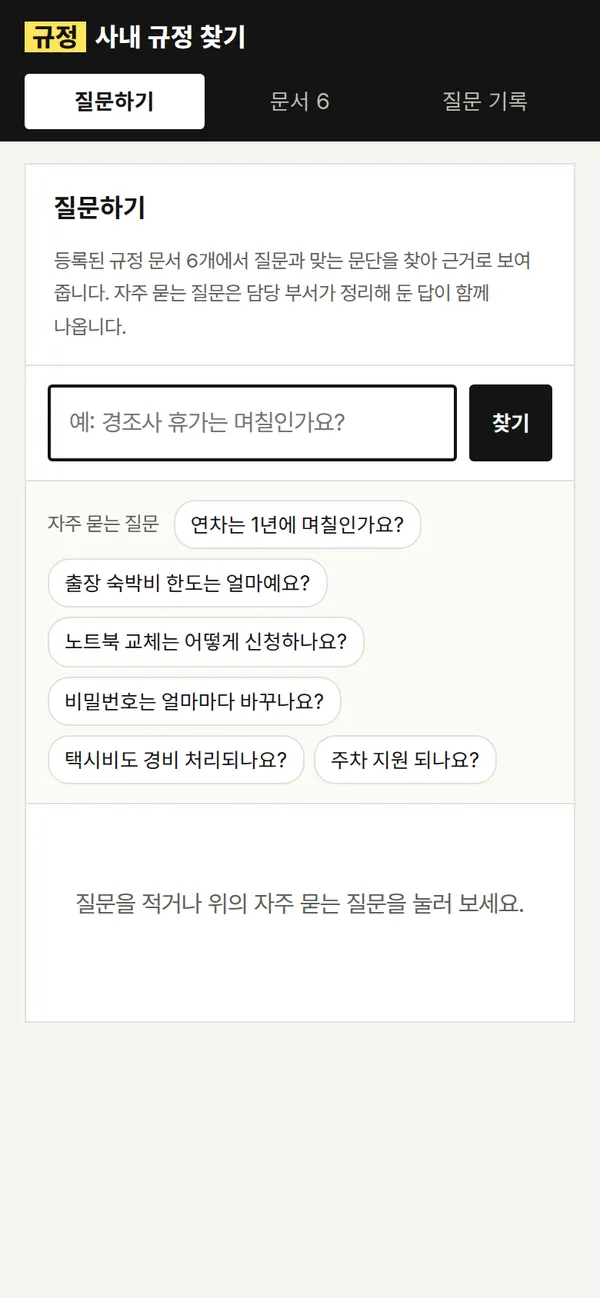
Ask, documents and question log are reached from the top menu. Each has its own URL (#/ask etc.), so the back button works. The document viewer opens side by side with the question on PC, and as a panel rising from the bottom on mobile.
4. Key Features
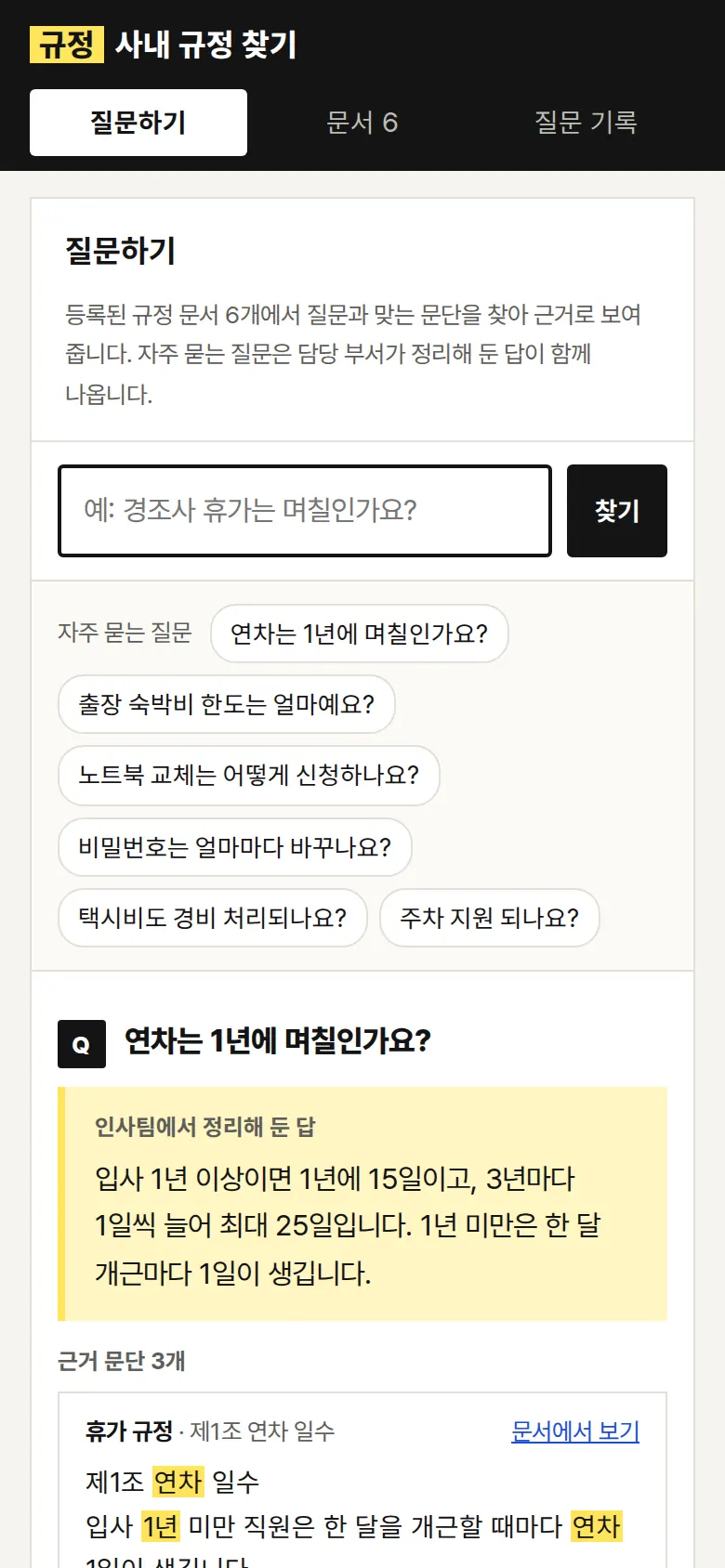
Prepared Answers and Source Paragraphs
For frequent questions, the answer prepared by the responsible department appears first, with the source policy paragraph below it. Words from the question are highlighted in gold inside the paragraph.
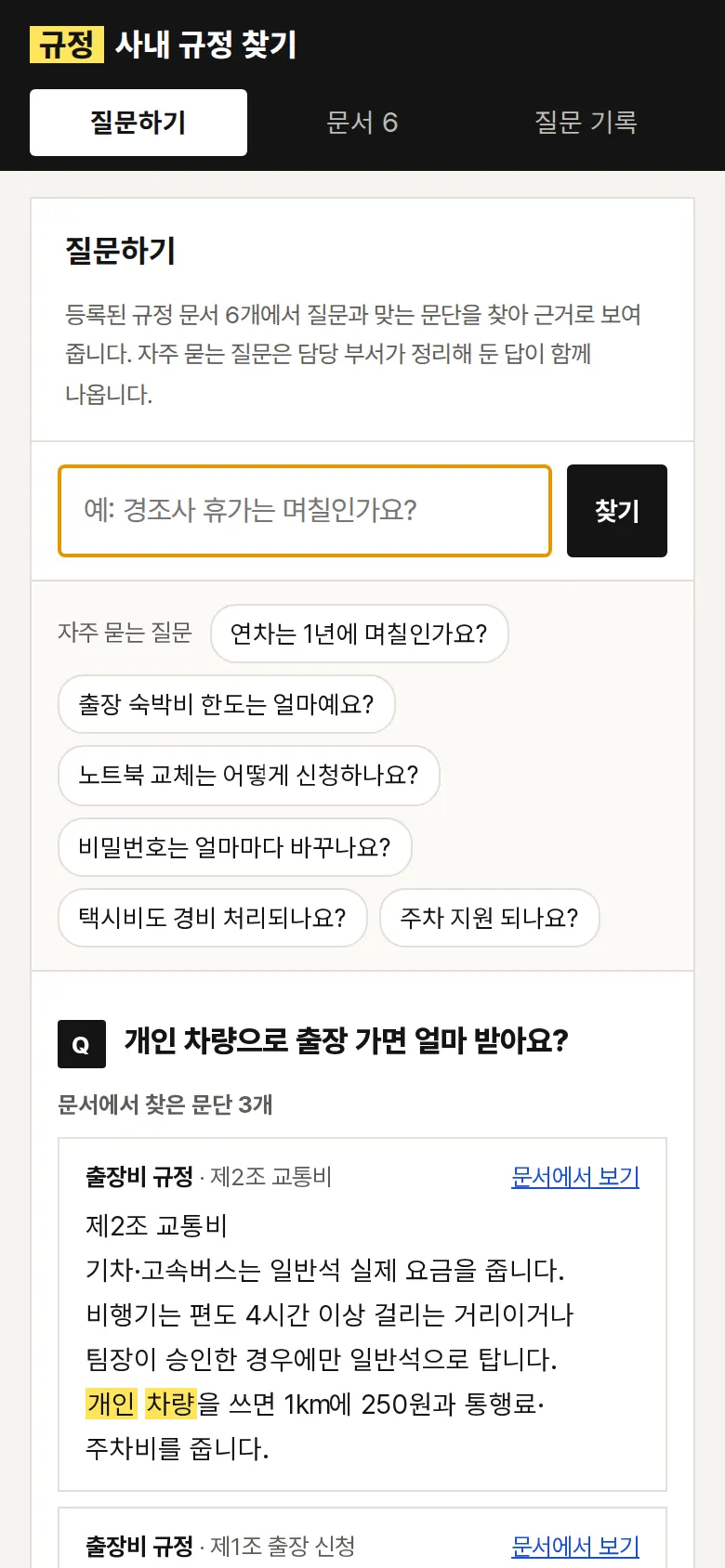
Finding Paragraphs in Documents
For questions without a prepared answer, up to three matching paragraphs are found across all registered policy documents. Words with the same meaning, such as "annual leave / vacation" and "laptop / equipment," are searched together, and Korean particles are stripped before comparing.
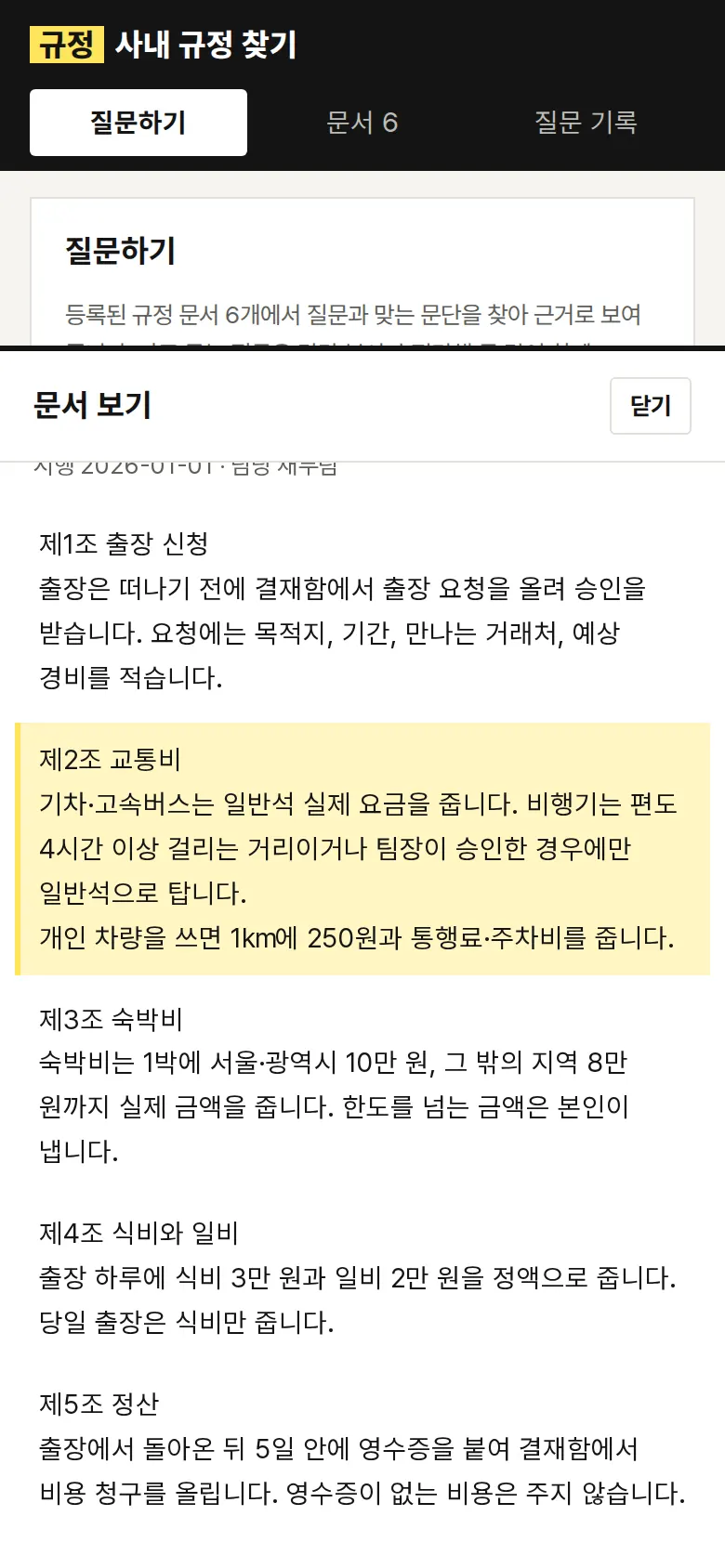
Viewing the Source Paragraph in the Document
Clicking "View in document" opens the policy document containing that paragraph, scrolls to it and highlights it. The surrounding sections can be read too, so the context of the answer can be checked.
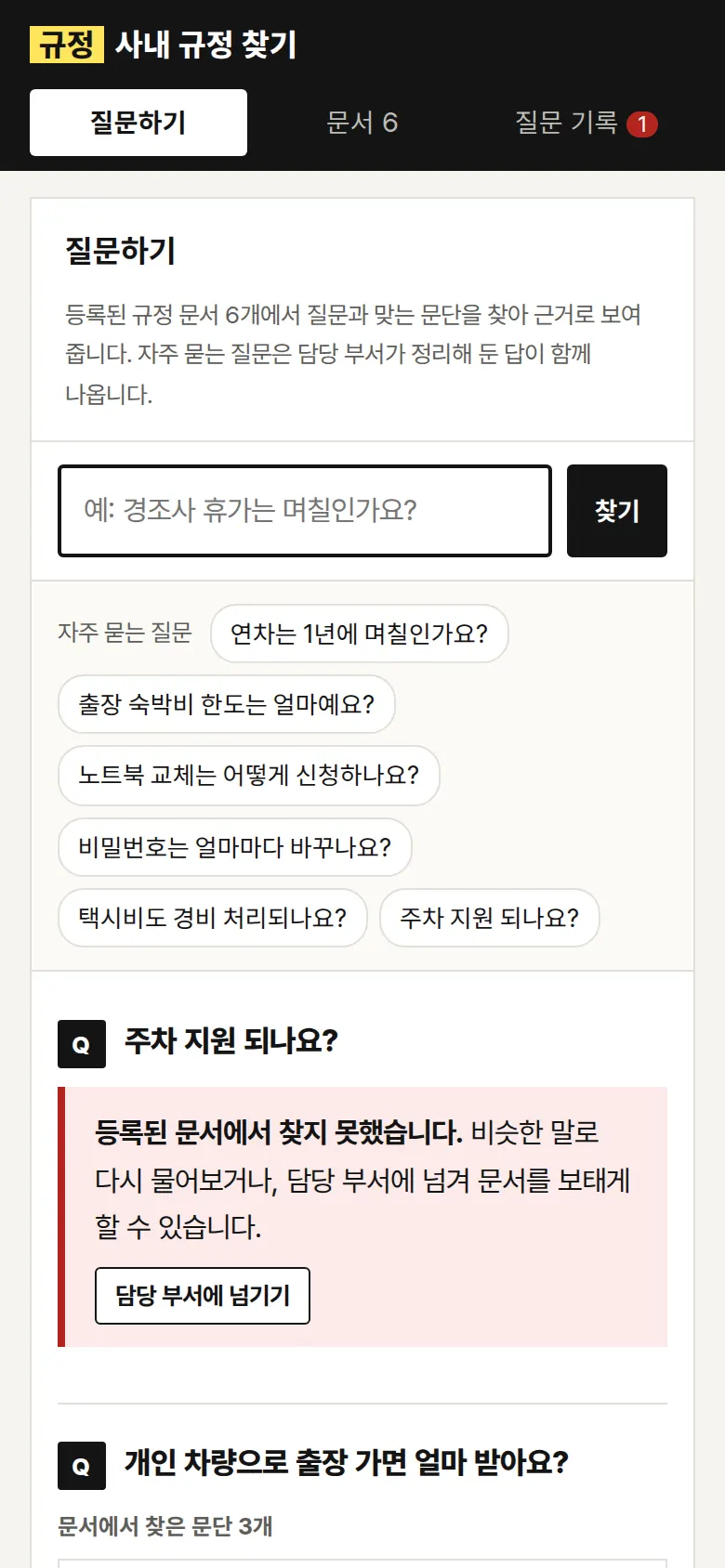
Unanswered Questions — Hand Over to the Department
If no paragraph matches, it does not force an answer and says "not found." Handing the question to the department marks it in the question log, and the pending count in the menu goes down.
- Uploading Policy DocumentsUpload a text file, and the first line is read as the title and blocks separated by blank lines as paragraphs, searchable right away. Empty files, files with no paragraphs and names that match a default document are blocked, and uploaded documents can be removed.
- Question Log and CSVTotals are kept for all questions, found in documents, not found, and helpful / not helpful, with the result and source document for each question. Download as a CSV to pick the questions that need document updates and those that need a new prepared answer.
5. Build Notes
Show details
| Responsive | Layout changes at 1100px and 860px. On PC there is a large search box and question area with a book-page style document viewer (460px) beside it; below 1100px the viewer is 370px; below 860px the index-tab menu widens to three tiles, the viewer becomes a panel rising from the bottom, and the question log table turns into one block per question. |
| Fonts | Headings in Song Myung, body and quotes in Nanum Myeongjo, buttons and tables in Pretendard (all free, open fonts). Hosted with the site, so no external requests, and subset to only the characters used: Song Myung 69KB · Nanum Myeongjo 79KB · Pretendard 100KB. |
| Images | No photos. Index tabs, list cards (red top line and punch holes), quotation marks and highlights are drawn in CSS. Total transfer is about 280KB including fonts. |
| Motion | Only the mobile document viewer rises from the bottom. Transitions stop when the device's reduce-motion setting is on, and Esc closes the panel. |
| Accessibility | The question field and file picker have labels, and rating buttons convey their pressed state to screen readers. Result notices and upload results appear in an area that is read aloud. Accessibility score 100. |
| Technology | HTML, CSS and JavaScript (no external libraries). Paragraph search compares text in two-character chunks and ranks results by a score adjusted for document length. If fewer than half of the question's key words appear, the result is treated as not found. Documents and the question log are saved in browser storage (localStorage). |
6. QA
Results from opening the site on PC 1440 and mobile 390 screens and clicking through in the order a real user would. We also checked that saved data is still there after a refresh. (2026-09-23) The same tests were also run on the Safari engine (WebKit) at PC and mobile sizes: 0 screen errors, all functions passed.
| Item | PC 1440 | Mobile 390 |
|---|---|---|
| Screen errors | 0 | 0 |
| Broken files | 0 | 0 |
| Horizontal overflow / clipped text | 0 | 0 |
| Function tests | 11 / 11 passed | 11 / 11 passed |
The 11 function tests: loading the 6 default policy documents · frequent questions (prepared answer, source paragraph, word highlights) · finding paragraphs from typed questions (half-day leave hours, travel expenses for a personal car) · viewing the source paragraph in the document (including closing the mobile panel) · handing an unanswered question to the department · saving a "helpful" rating · answering right after adding a new policy · uploading your own file (empty file blocked, search in the uploaded document, removal) · documents, questions and ratings kept after refresh · question log totals and CSV download · back button
Speed & quality scores (out of 100; mobile measured three times on a slow connection)
| Performance | Accessibility | Best Practices | SEO | |
|---|---|---|---|---|
| Mobile | 95–96 | 100 | 100 | 100 |
| PC | 100 | 100 | 100 | 100 |
Mobile: First Contentful Paint 2.0s · Largest Contentful Paint 2.6s · Layout shift 0–0.002 · Blocking time 0ms PC: First Contentful Paint 0.4s · Largest Contentful Paint 0.6s · Layout shift 0 · Blocking time 0ms
7. Result
Try it live ↗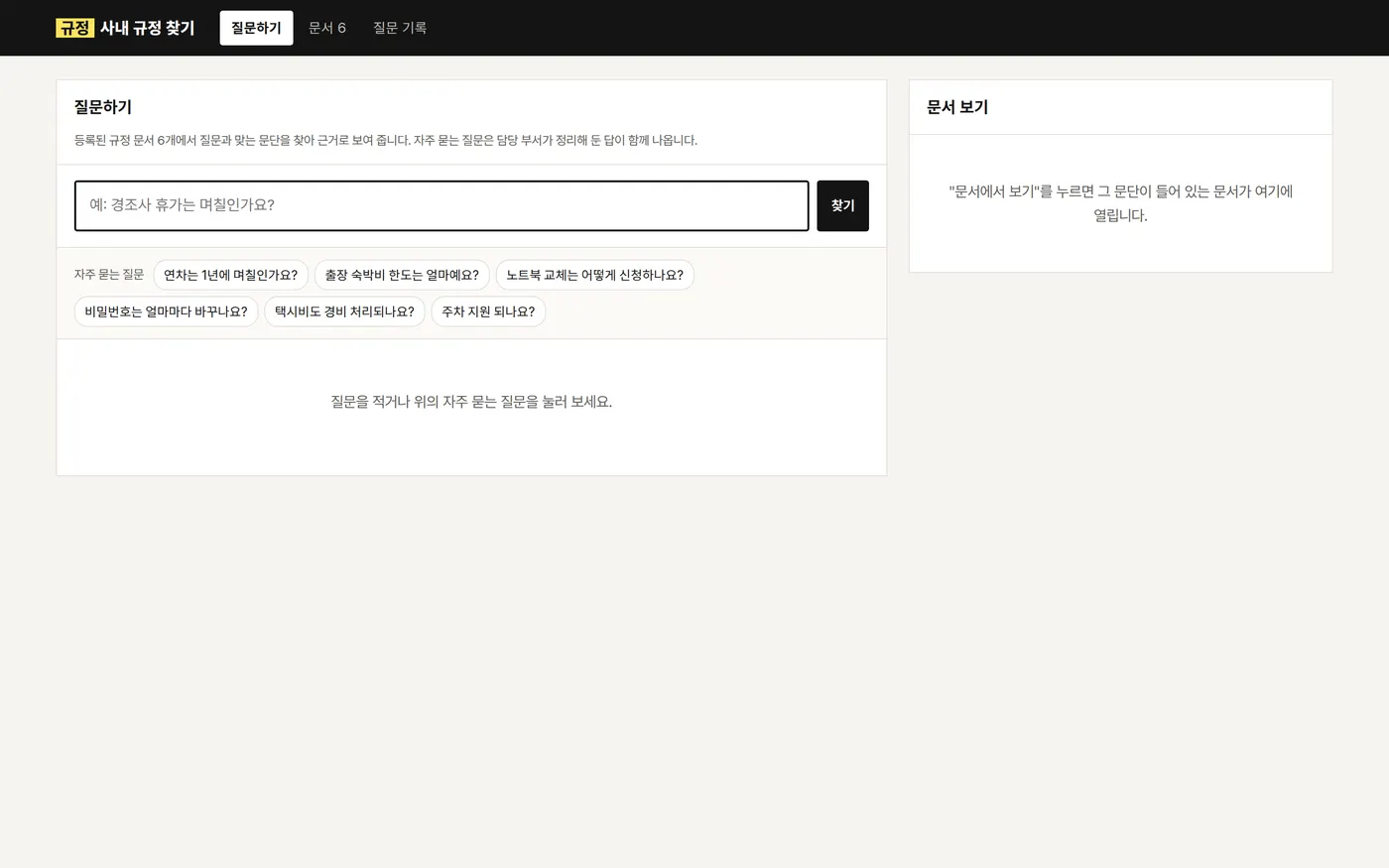
Privacy Policy