1. Overview
| Industry | A B2B system that automates gate, yard and dock operations at distribution centers, factories and ports |
| Site goal | An introduction site where site operations managers see the effect in money and request a rollout quote for their own site's conditions |
| Scope | One page with 10 sections · 1 screen with its own address (quote lookup) · 3 rollout-stage cards |
| Main flows | Enter site details → calculate savings → request a quote with these conditions / choose cargo and features → estimated monthly fee → quote number issued / quote lookup → cancel or change conditions and re-request |
Quote requests and analysis report requests are saved in the browser. They stay in quote lookup after a refresh or a return visit.
Connected at rollout: emailing the quote, a sales admin screen (changing request status, replying), the yard system's own monitoring and gate recognition (this build covers the introduction site only).
2. Challenges
1. B2B buyers first ask "how much for our site?"
Average figures aren't enough for an internal report. The site has to take their own conditions and show the result in money.
2. A thin request form turns the first call into a conditions check.
Number of sites, number of gates, daily inbound trucks, cargo types and needed features should be collected at the request stage.
3. Several people review a rollout over several weeks.
They need to find a sent request and its calculation again by number and share it internally.
3. Structure
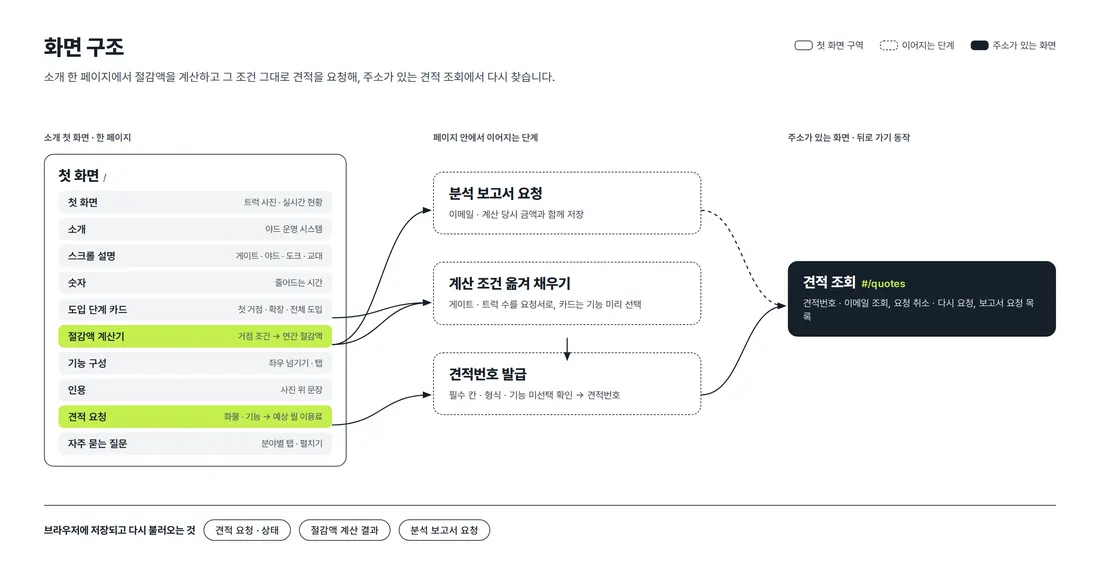
Introduction, calculation and quote request flow on one first page. Calculator results carry straight over to the analysis report request and the quote request form. Quote lookup has its own address (#/quotes), so back navigation closes it and a refresh keeps it in place.
4. Key Features
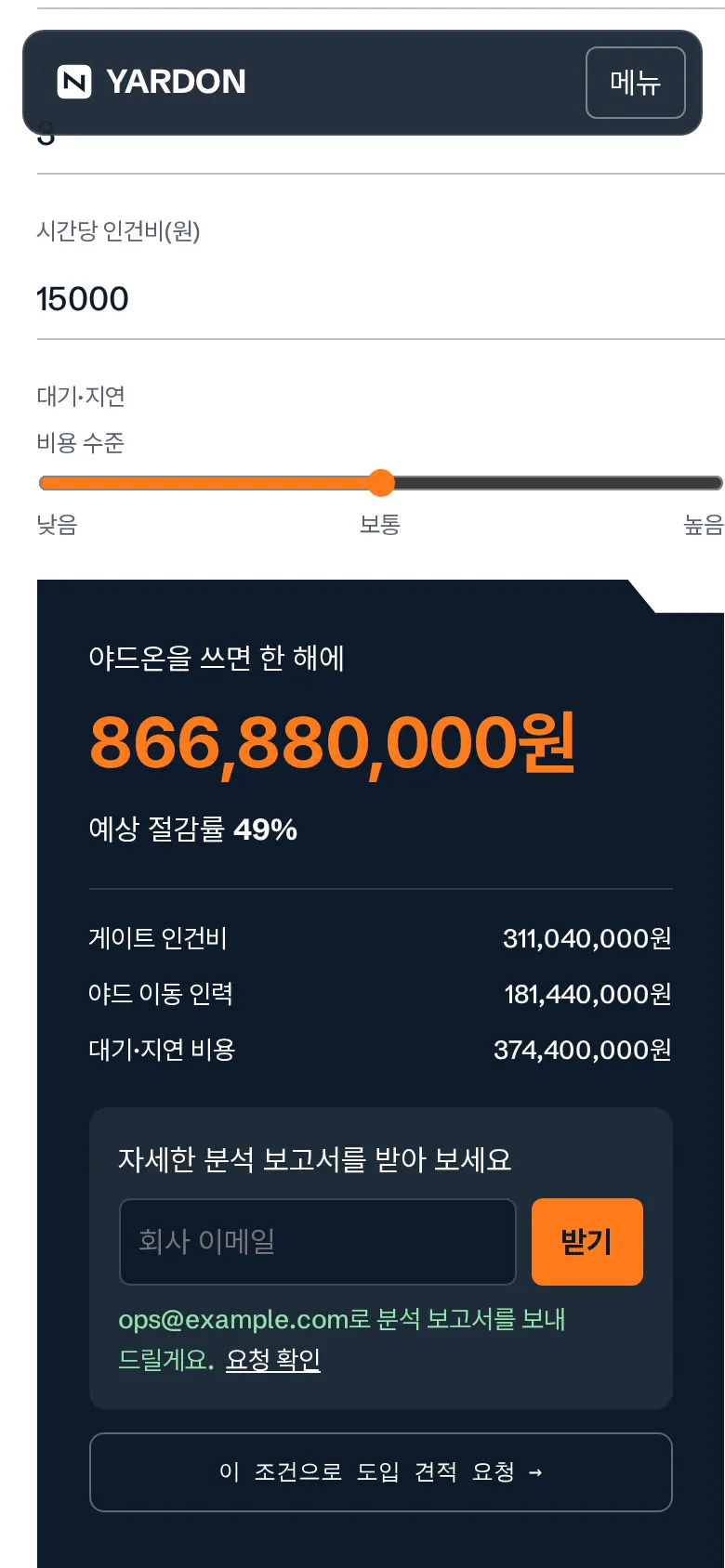
Savings calculator
Changing number of gates, shifts, daily inbound trucks, staff per shift, hourly labor cost and waiting-cost level instantly recalculates annual savings, savings rate and the amount per item. Requesting the analysis report by email below the result saves it with the amounts at that moment.
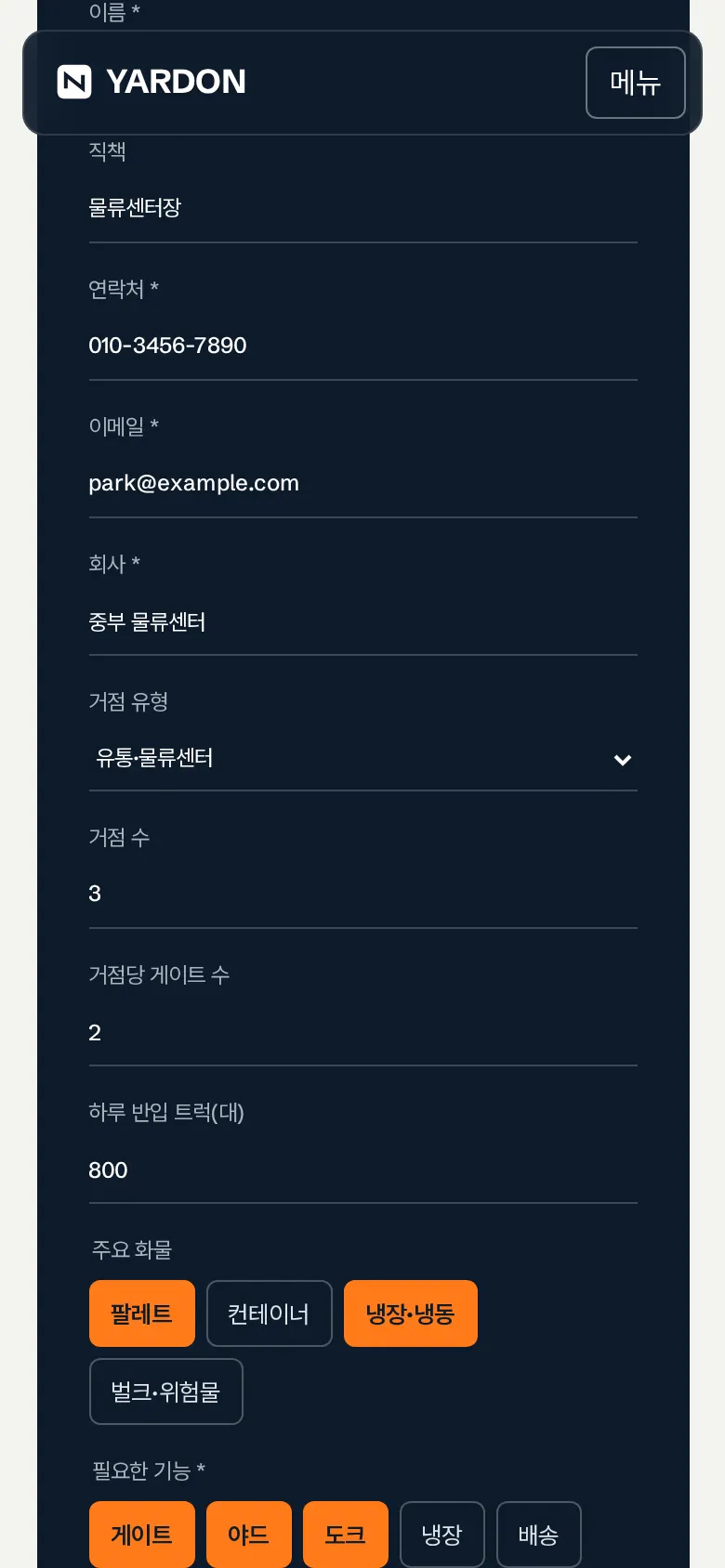
Request a quote with the same conditions
"Request a rollout quote with these conditions" carries the calculator's gate and truck numbers into the request form. Tapping a rollout-stage card (first site, expansion, full rollout) preselects the needed features. Changing cargo, features or rollout timing instantly recalculates the estimated monthly fee.
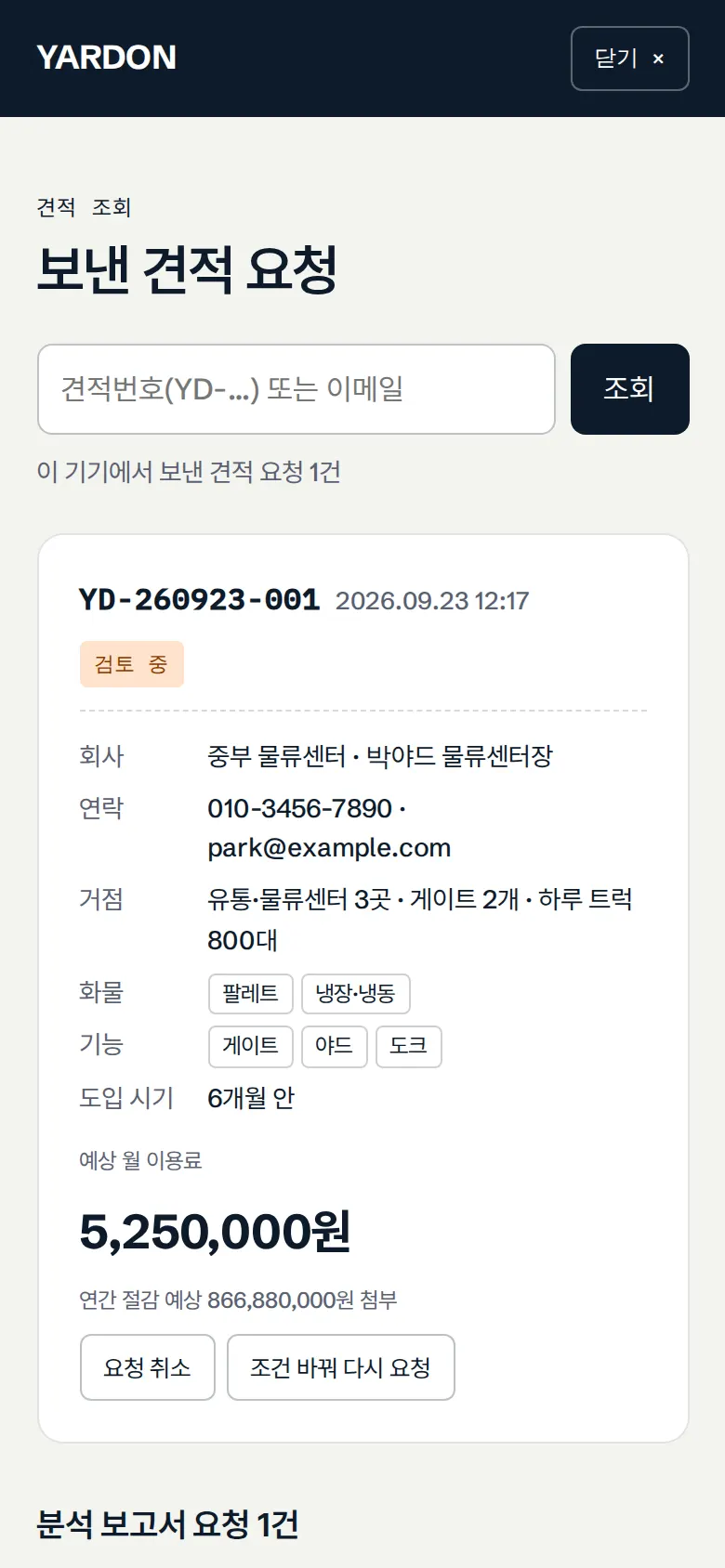
Quote lookup — cancel, change conditions and re-request
Sent requests are listed newest first, with company, site conditions, cargo, features, estimated monthly fee, attached savings and status. They can be found by quote number or email, and can be canceled or re-sent with "change conditions and re-request". Analysis report requests are gathered at the bottom of the same screen.

Explanations that change with scrolling
As you scroll, the photo changes to match the four steps (gate, yard, dock, shift) and the step number (01/04) follows along. Feature cards move with the left/right buttons, tabs or a finger swipe.
- Input checks and quote numberName, phone, email and company are required, and phone and email formats are checked. If no feature is selected, a message appears before sending. Sending issues a quote number (QT-date-sequence), and you can choose whether to include the savings calculation.
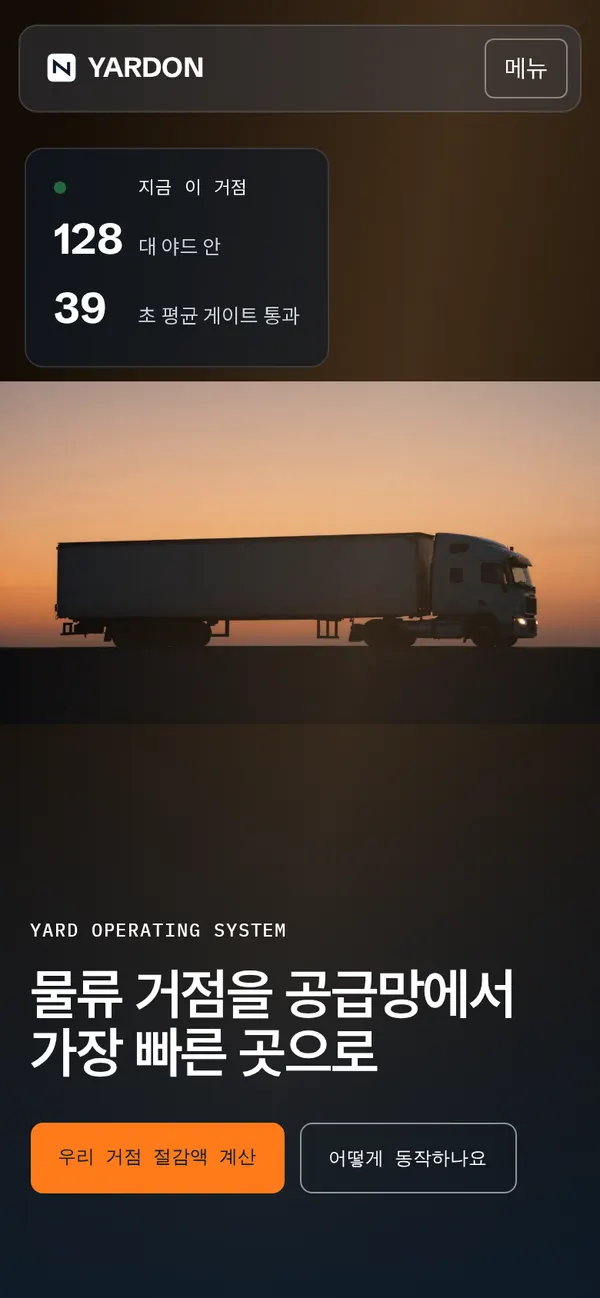
- Menu and submenusOn PC, submenus open from a floating menu bar; on mobile, the menu is collapsed and opens with its submenus on one screen.
5. Build Notes
Show details
| Responsive | Layout changes at 980, 860, 700 and 600px. On PC: a floating menu bar with submenus, 2-column text and photo, 2-column calculator, 2-column quote request. Below 980px: collapsed menu. Below 860px: 1-column layout with the photo fixed on top. Below 600px: 1-column input fields. |
| Fonts | Body Pretendard, English Schibsted Grotesk, numbers and labels IBM Plex Mono (all free, open fonts). Bundled with the site, so no external requests. The body font keeps only the characters used on this site, cut from 2,010KB to 95KB. |
| Images | 9 webp files, about 492KB in total. The first-screen photo loads first; card photos load as they near the screen. |
| Motion | Built with CSS animation and viewport intersection detection, no libraries. The first-screen photo moves slowly with a passing light, status numbers blink, and calculation results count up. With reduced motion turned on in the device, animations stop. |
| Accessibility | Cargo and feature choices show keyboard focus, and screen readers read out the submission result. Secondary text contrast was raised, and Esc closes quote lookup. Accessibility score 100. |
| Tech | HTML, CSS, JavaScript (no external libraries). Quote and report requests are saved to and read from browser storage (localStorage). Quote lookup uses its own address (#/quotes), so back navigation works. Input is displayed as plain text only, so tags never run. |
6. QA
These are results from running the site on PC 1440 and mobile 390 screens and tapping through in the order a real user would. We also checked that saved data is still found after a refresh. (2026-09-23)
| Item | PC 1440 | Mobile 390 |
|---|---|---|
| Screen errors | 0 | 0 |
| Broken files | 0 | 0 |
| Horizontal overflow · clipped text | 0 | 0 |
| Function tests | 15 / 15 passed | 15 / 15 passed |
The 15 function tests: open menu · savings calculator reflects input · save analysis report request · fill quote request from calculator conditions · select features via rollout-stage card and recalculate fee · empty-field messages · no-feature message · save quote request and issue quote number · check in quote lookup · quote and report requests kept after refresh · look up by quote number or email · cancel quote request · change conditions and re-request · swipe feature cards · FAQ tabs and expand
Speed and quality scores (out of 100; mobile measured three times on a slow connection, same result each time)
| Performance | Accessibility | Best Practices | SEO | |
|---|---|---|---|---|
| Mobile | 91 | 100 | 100 | 100 |
| PC | 100 | 100 | 100 | 100 |
Mobile: First Contentful Paint 2.3s · Largest Contentful Paint 3.2s · Layout shift 0 · Blocking time 0ms PC: First Contentful Paint 0.5s · Largest Contentful Paint 0.6s · Layout shift 0 · Blocking time 0ms
7. Result
Try it live ↗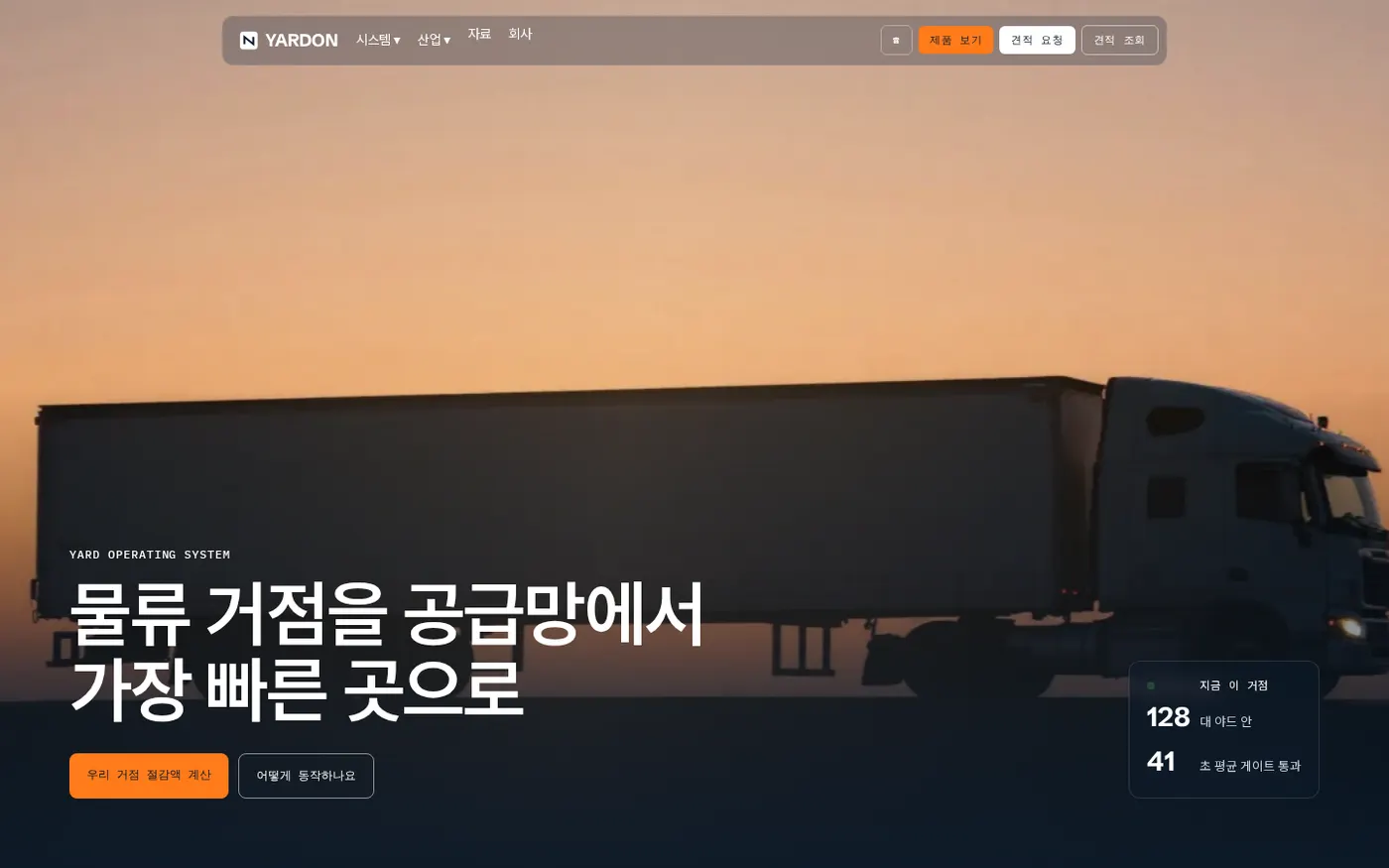
Privacy Policy