1. Overview
| Industry | Video drawing lessons: watercolor, pen sketching, botanical illustration and colored-pencil still life |
| Purpose | An online class where students enroll and learn in the classroom, and the operator confirms payment to open access, tracks progress and manages the course structure |
| Scope | 8 screens with their own URLs · 4 classes · 19 lesson videos · 4 learning materials · 7 sample students |
| Main flow | Browse → Preview → Sign up → Enroll → Payment confirmed → Resume and complete lessons in the classroom / Admin: confirm payment → check progress → edit course |
Members, enrollments and their status, playback position and completion per video, lesson notes, material downloads and course structure are saved in the browser. Video files uploaded in the admin screen are also stored in the browser, so they stay after a refresh or a return visit.
Connected at rollout: card payment and automatic payment matching, email and text notifications, certificates, admin login and role-based permissions, video copy protection, and server storage for using one account across devices.
2. Challenges
1. Only enrolled students can watch, and only for a set period.
Videos must stay locked until payment is confirmed, and close when the period ends. Still, preview videos should play without login, because that is what brings in enrollments.
2. People do not watch a drawing lesson in one sitting.
They pick up a brush, follow along, stop, and come back days later. To finish the course, they need to resume where they stopped and see at a glance how far they have come.
3. The operator needs to know who is where.
When payment checks, extensions and progress checks are split across spreadsheets and messengers, people slip through. Everything from enrollment to progress should be on one screen, and the operator should be able to change lesson order and videos directly.
3. Structure
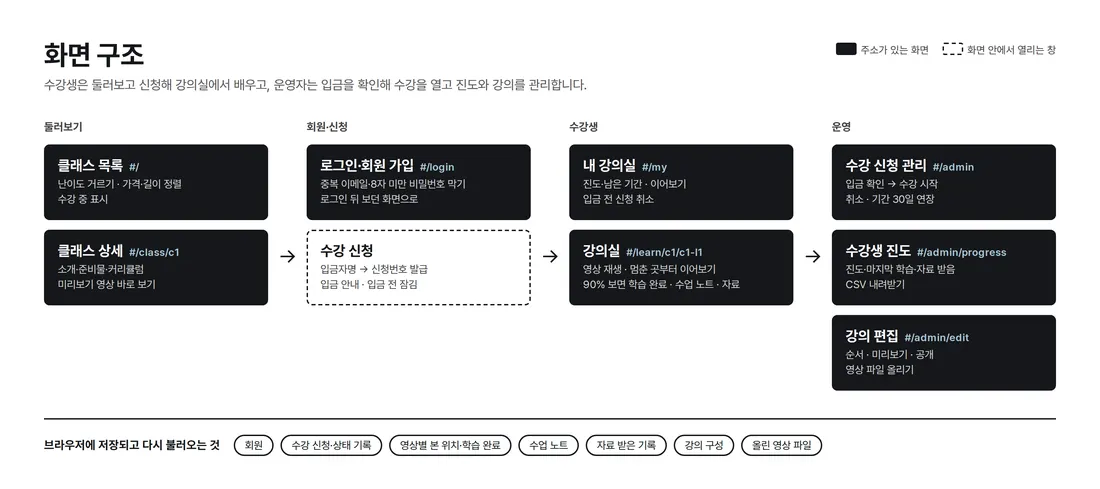
Student screens (classes, my classroom, classroom) and admin screens (enrollments, progress, course editing) are separated by URL. Enrollment opens inside the class detail page, and the same enrollment record moves through enroll → payment confirmed → classroom. The back button and refresh keep you on the screen you were viewing.
4. Key Features
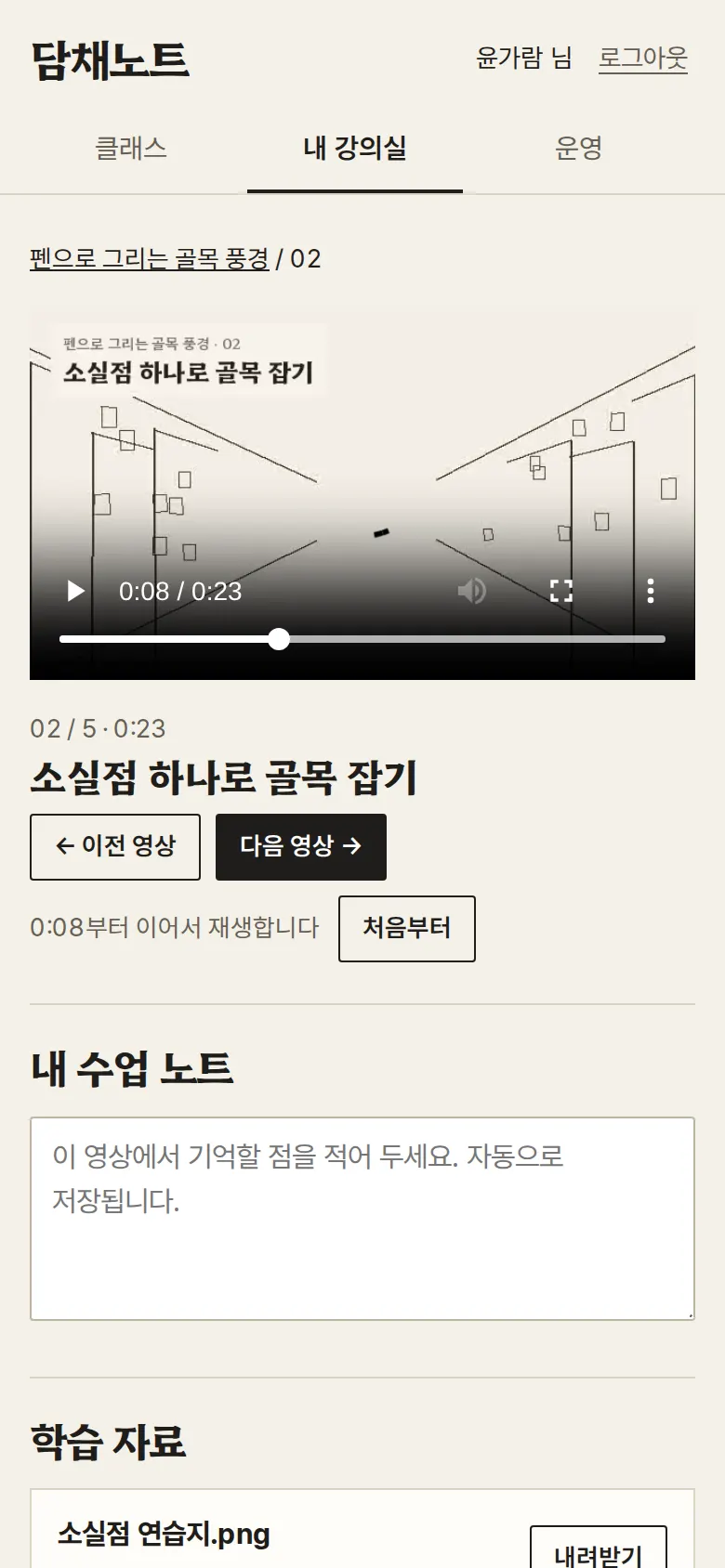
Classroom — Resume and Completion
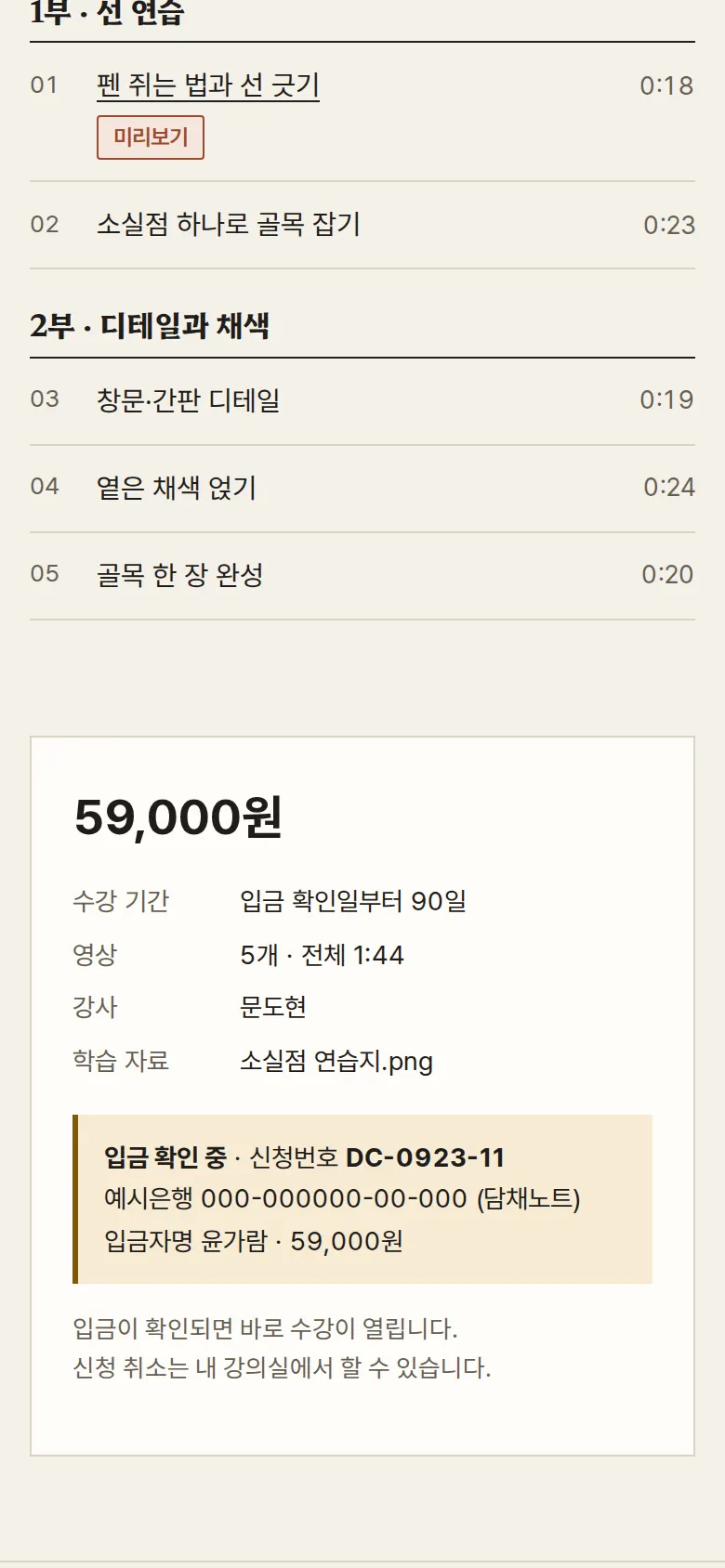
Enrollment and Payment Check
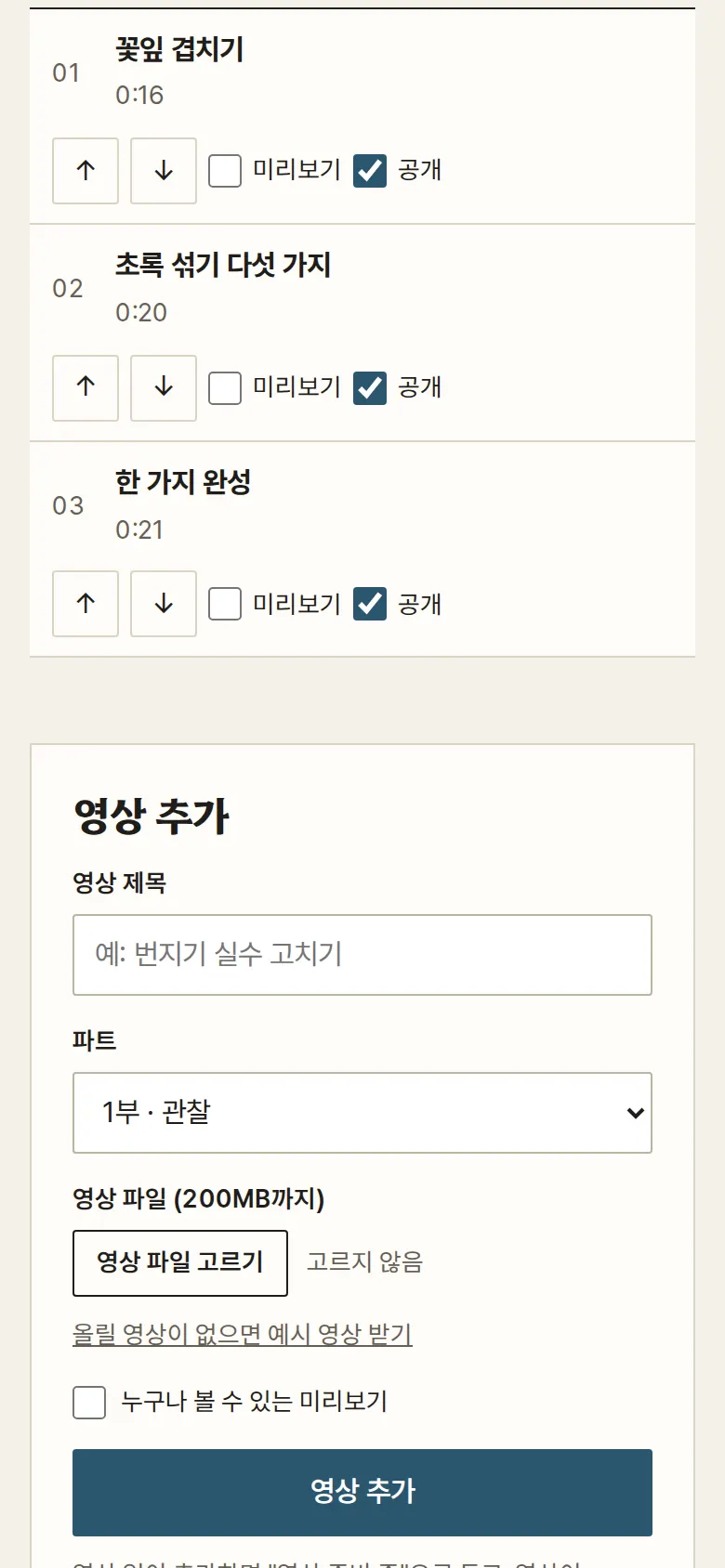
Course Editing — Order, Visibility, Video Upload
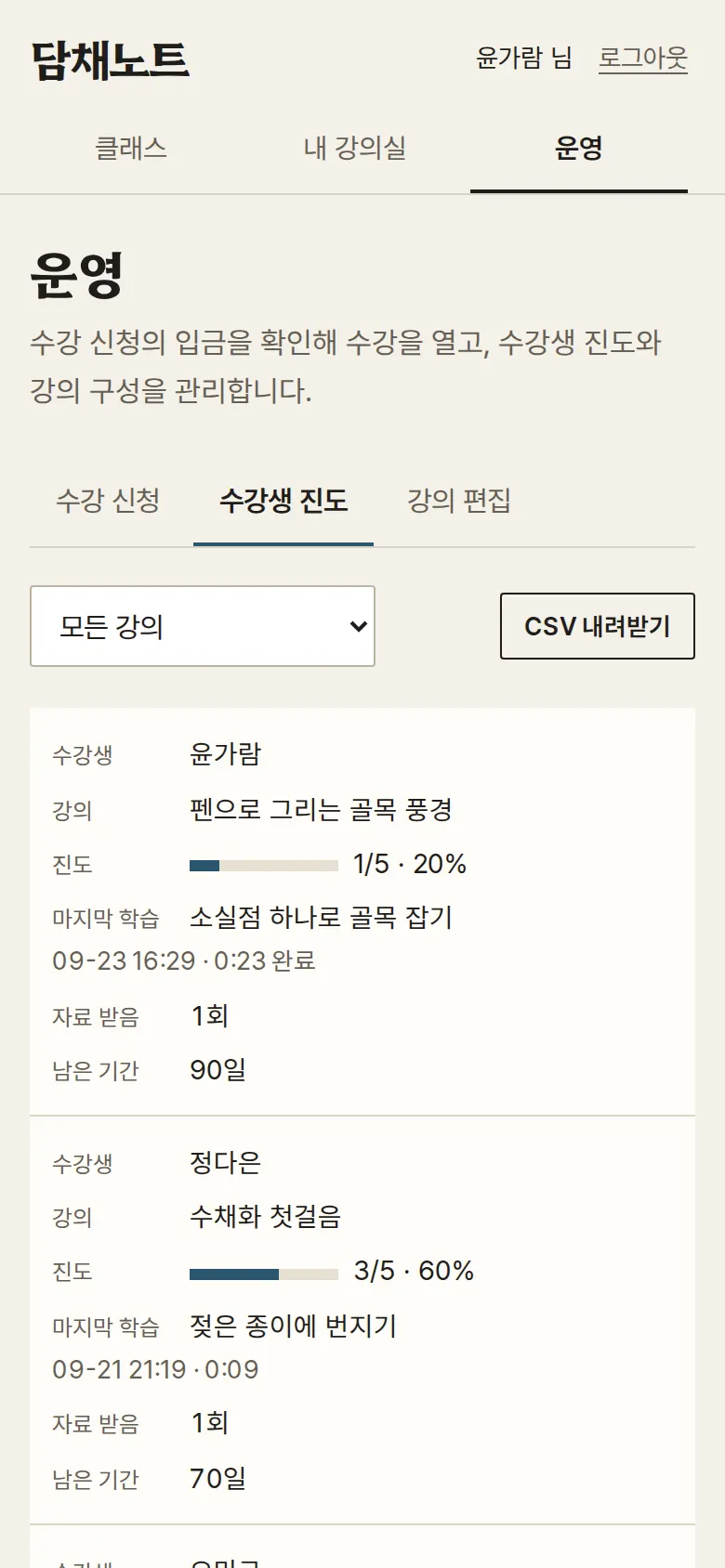
Student Progress and CSV Download
Each student is one row: completed videos and percentage, last video watched and when, material downloads, and remaining days. Filter by class and download the current list as a CSV file. The CSV is saved so Korean text does not break in Excel.
- My ClassroomShows status, progress, end date and days left for each enrolled class. "Resume" takes you straight to the last video you watched. Enrollments not yet paid can be canceled here.
- Preview and Locked VideosThe first video of each class plays without login. The other videos stay locked with a different message depending on whether the viewer is logged out, unpaid or expired, and the video file is not loaded.
- Sign Up and LoginSign up with name, email and password. Empty fields, invalid email format, an already registered email, a password under 8 characters and unchecked terms each get their own message. After login you return to the screen you were on. Passwords are not stored as typed.
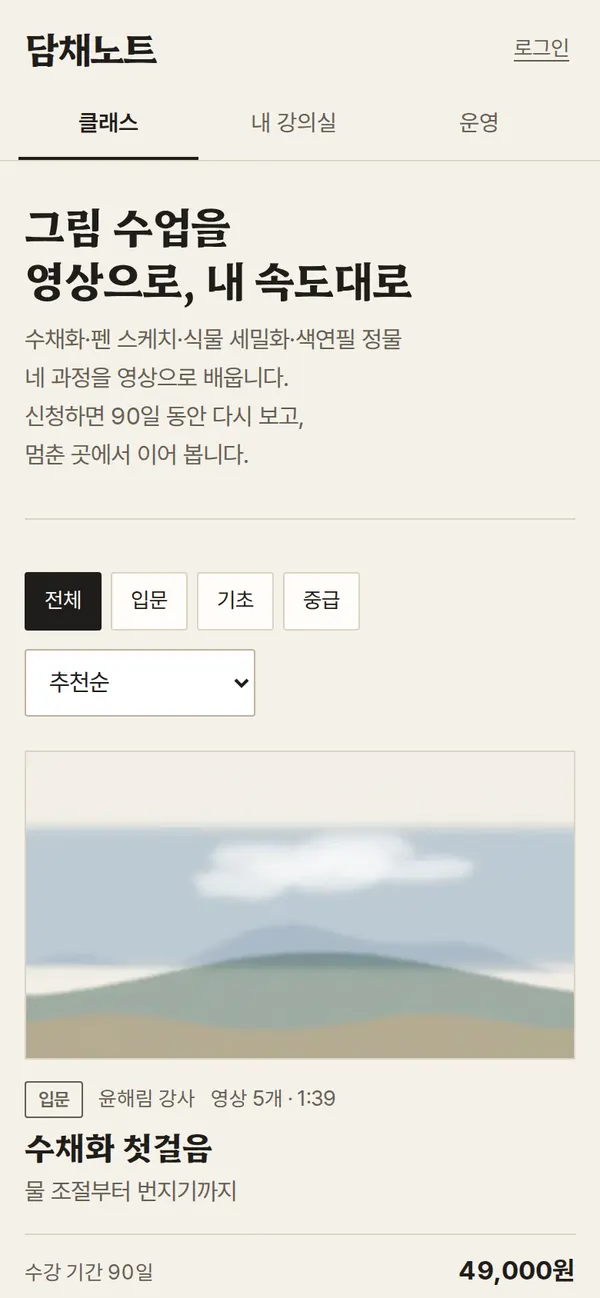
- Class List and DetailFilter by level and sort by recommended, lowest price or shortest video. Classes you are taking are marked. The detail page lists the introduction, supplies, curriculum by part and video lengths. The side box changes its button based on enrollment status.
5. Build Notes
Show details
| Responsive | Layout changes at 1000px and 760px. On PC, video and curriculum, and detail and enrollment box, sit side by side; below 1000px they stack in one column. Below 760px the menu moves to one line under the logo, classes show one per row, and admin tables turn into cards with field labels. |
| Fonts | Headings in Nanum Brush Script, body in Gowun Batang (both free, open fonts). Subset to only the characters used on these screens: 202KB for all three files. |
| Images & video | 19 lesson videos, 17–24 seconds each, showing a drawing painted layer by layer. Each video has WebM (588KB total) and MP4 (724KB total) so the browser picks the right one, and only length information loads at first. Class covers: 4 webp images, 52KB. |
| Paper feel | The paper grain, paint bleed and brush-stroke underlines are made with SVG filters in CSS, with no image files. Cover edges are cut like torn paper. |
| Motion | The only motion is a slight zoom on cover photos and notices that fade in and out. It stops when the device's reduce-motion setting is on. |
| Accessibility | Every input has a label. Errors are shown with both a border and a sentence, and focus moves to the first wrong field. Progress and status are written as text as well as bars and colors. Videos use the native player, so they work with the keyboard. |
| Technology | HTML, CSS and JavaScript (no external libraries). Members, enrollments, progress and notes are stored in browser storage (localStorage); uploaded video files in the browser's file store (IndexedDB). Passwords are stored as SHA-256 hashes. Screens are split by URL (#/learn/c1/c1-l2 etc.) so the back button works, and user input is rendered as plain text so tags never run. |
6. QA
Results from opening the site on PC 1440 and mobile 390 screens and clicking through in the order a real user would. We also checked that saved data is still there after a refresh. (2026-09-23)
| Item | PC 1440 | Mobile 390 |
|---|---|---|
| Screen errors | 0 | 0 |
| Broken files | 0 | 0 |
| Horizontal overflow / clipped text | 0 | 0 |
| Function tests | 19 / 19 passed | 19 / 19 passed |
The 19 function tests: level filter and price sort · preview playback without login, other videos locked · sign-up input checks and duplicate email blocked · my classroom after sign-up · enrollment and application number · videos locked before payment · access starts when admin confirms payment · my classroom after refresh · position saved and resume · lesson complete and progress updated after watching to the end · lesson notes saved and kept · learning material download · progress table and CSV download · reorder lessons and block publishing of videos in preparation · upload a video file, publish it, play after refresh · wrong password blocked and login · cancel unpaid enrollment and status kept · 30-day extension · resume and back button
Speed & quality scores (out of 100; mobile measured three times on a slow connection, median shown · runs: 97, 94, 97)
| Performance | Accessibility | Best Practices | SEO | |
|---|---|---|---|---|
| Mobile | 97 | 100 | 100 | 100 |
| PC | 100 | 100 | 100 | 100 |
Mobile: First Contentful Paint 1.2s · Largest Contentful Paint 2.6s · Layout shift 0 · Blocking time 0ms PC: First Contentful Paint 0.3s · Largest Contentful Paint 0.6s · Layout shift 0 · Blocking time 0ms
7. Result
Try it live ↗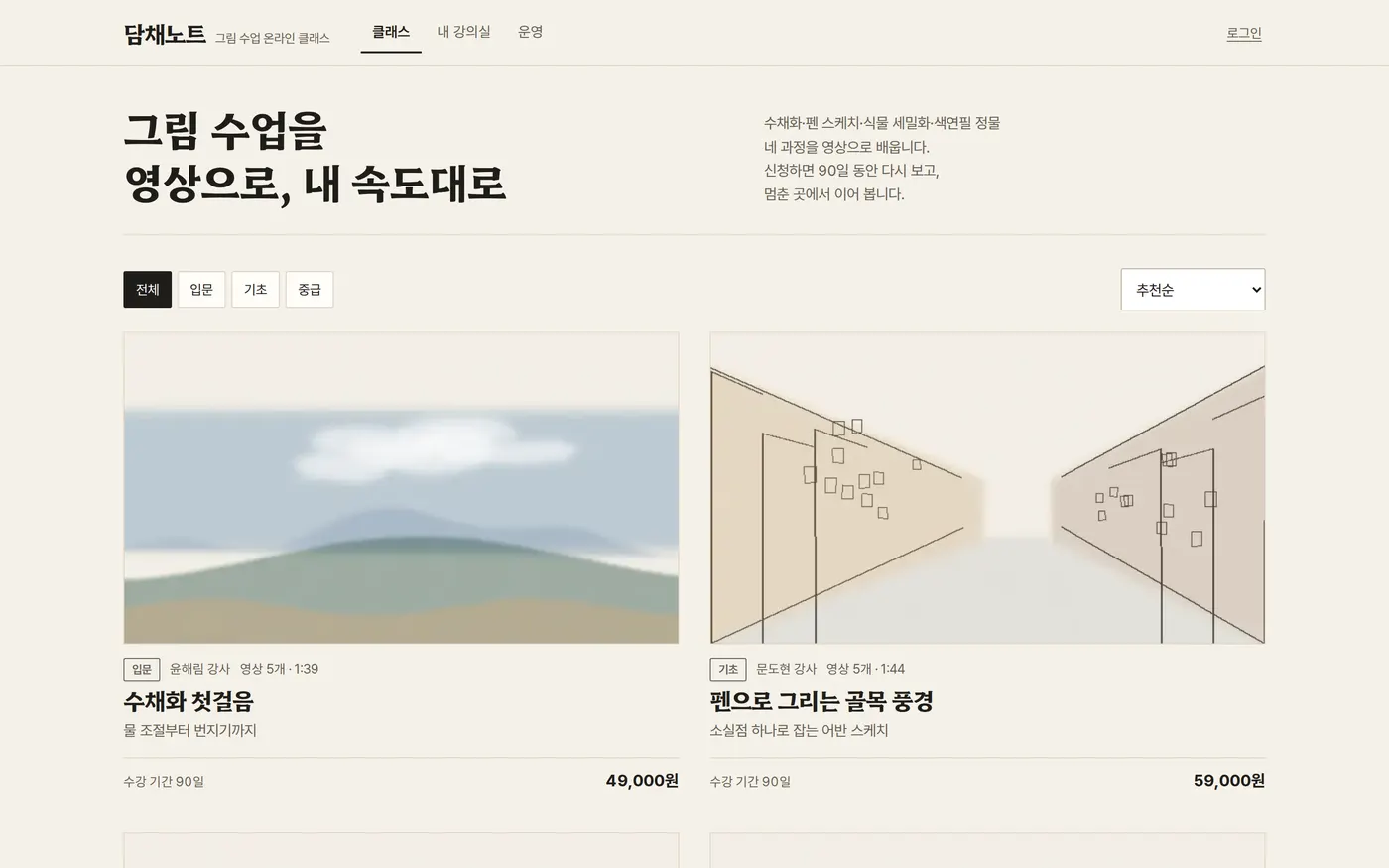
Privacy Policy