1. Overview
| Industry | A precision CNC machining company that cuts aerospace, medical and semiconductor parts to drawing |
| Site goal | A company website that shows machining capability in numbers and lets purchasing managers attach drawings and request a consultation right away |
| Scope | One page with 9 sections · 2 windows (part details, consultation request) · 1 screen with its own address (inquiry history) · 4 featured parts |
| Main flows | View a part → request a consultation for this part / attach drawings, enter quantity → receipt number issued / look up by receipt number or phone in inquiry history → cancel or re-send |
Sent inquiries are saved in the browser. They stay in the inquiry history after a refresh or after closing and reopening the window.
Connected at rollout: transfer and storage of the original drawing files (only file name and size are recorded), email and text messages, a staff admin screen (changing inquiry status, replying), linking trace-number lookup to real production records.
2. Challenges
1. Purchasing managers first check "can they hold this tolerance?"
Materials, tolerances and equipment need to be near the top, in numbers, before they move to the next step.
2. A quote starts with a drawing.
Making them explain over the phone drives them away. Taking the drawing file, quantity, material and due date in one go speeds up the reply.
3. If people don't know what happened to their inquiry, they send it again and again.
They need a receipt number right away, and a way to look it up later by number or phone.
3. Structure
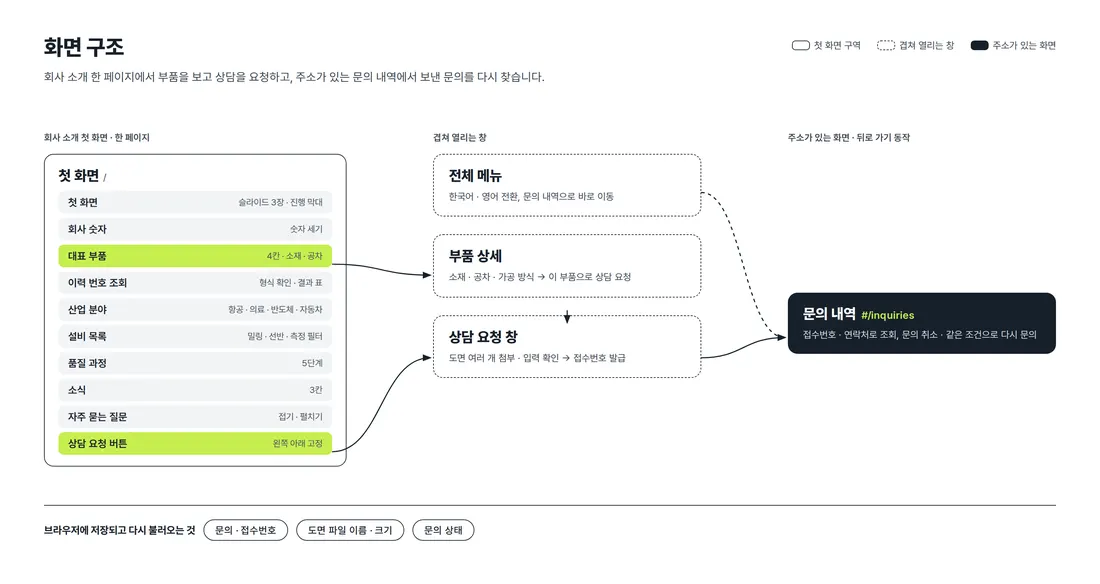
The company introduction is gathered on one first page. Part details and the consultation request open on top without changing pages. Inquiry history has its own address (#/inquiries), so back navigation closes it and a refresh keeps it in place.
4. Key Features
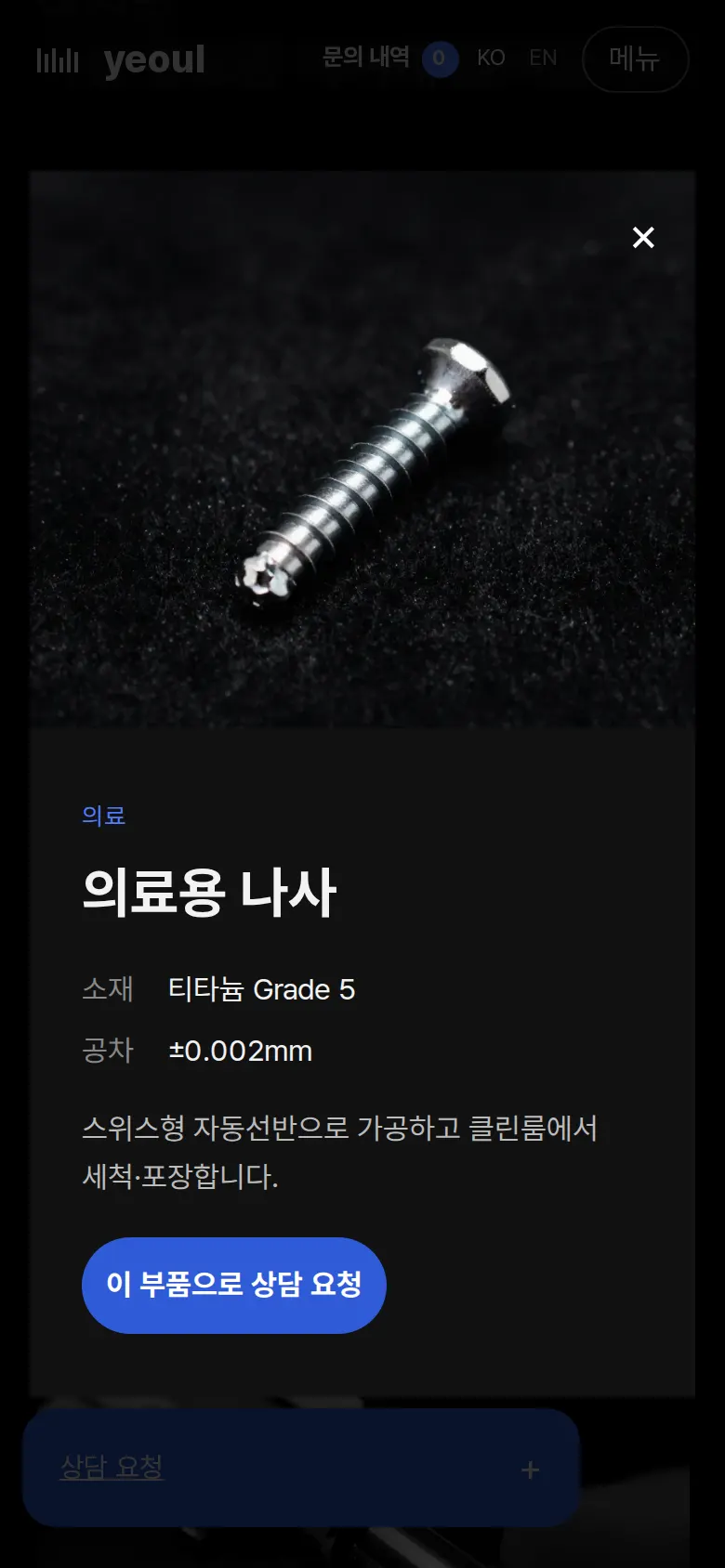
Request a consultation straight from part details
Tapping one of the 4 featured parts opens a window with material, tolerance and machining method. "Request a consultation for this part" opens the request window with part name, material and tolerance already filled in.
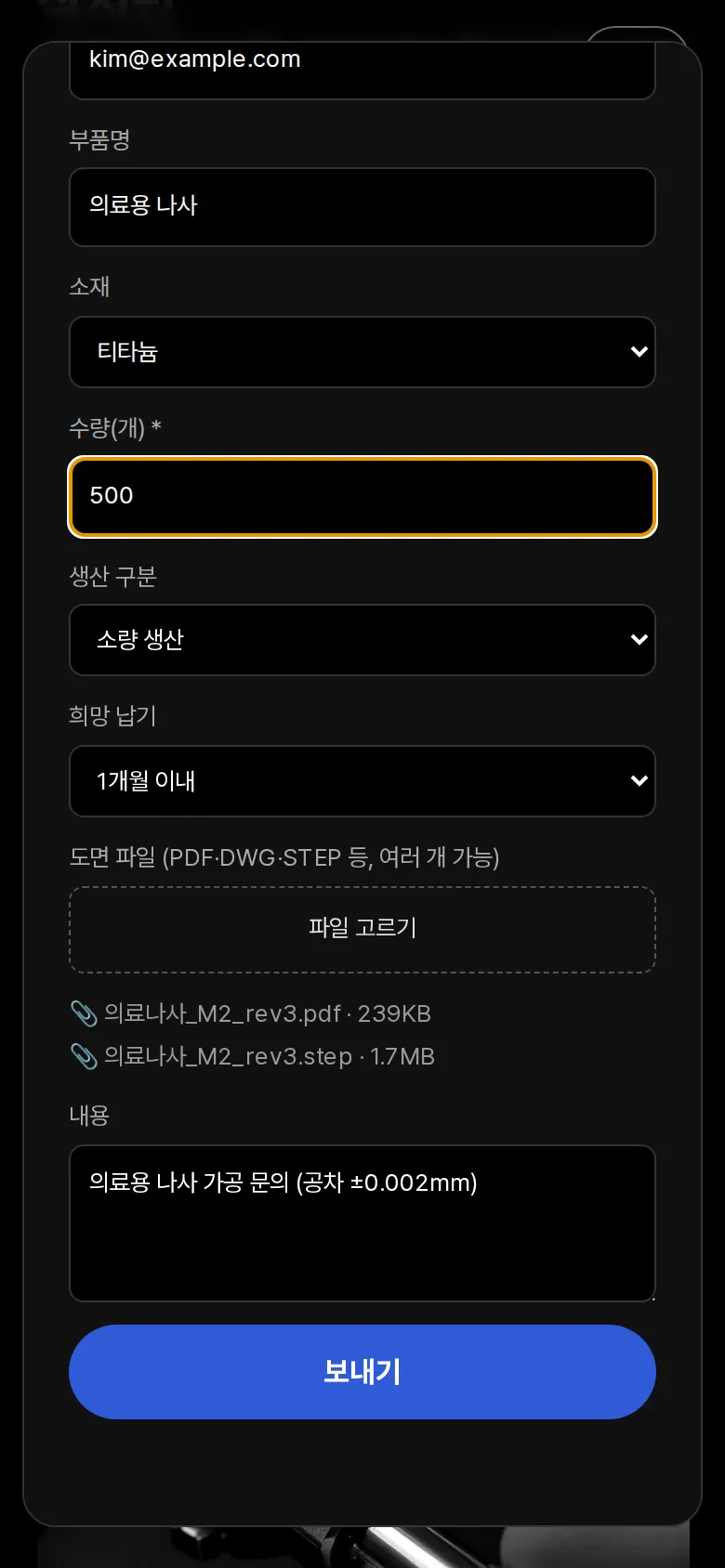
Consultation request with drawing attachments
Name, phone and quantity are required; phone and email formats are checked and wrong fields turn red. Several drawing files (PDF, DWG, STEP, etc.) can be selected, and the chosen file names and sizes show as a list right away.
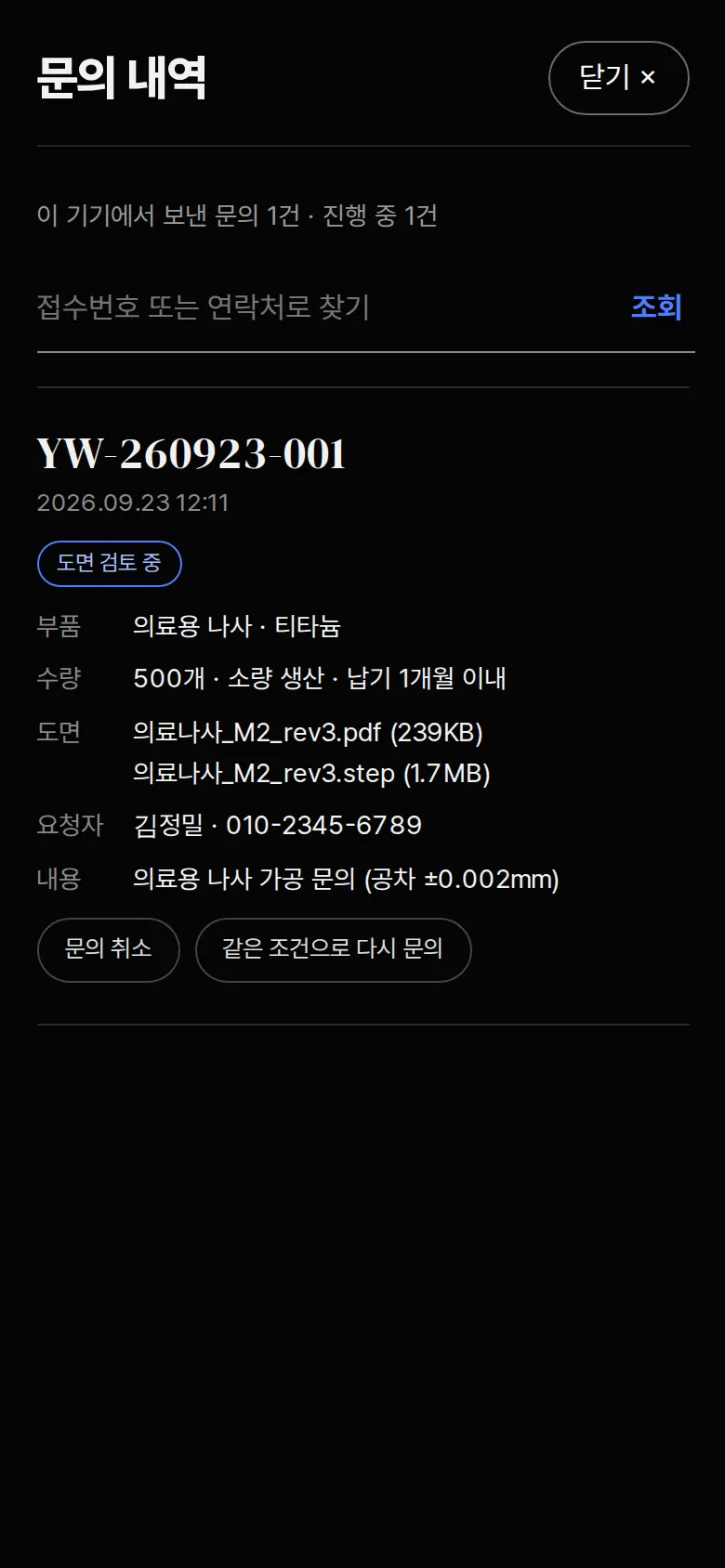
Inquiry history — look up, cancel, re-send
Sent inquiries are listed newest first, with part, quantity, due date, drawing files, requester and status on one line. They can be found by receipt number or phone (with or without hyphens), and can be canceled, cleared, or re-sent with the same details. Status changes remain after a refresh.
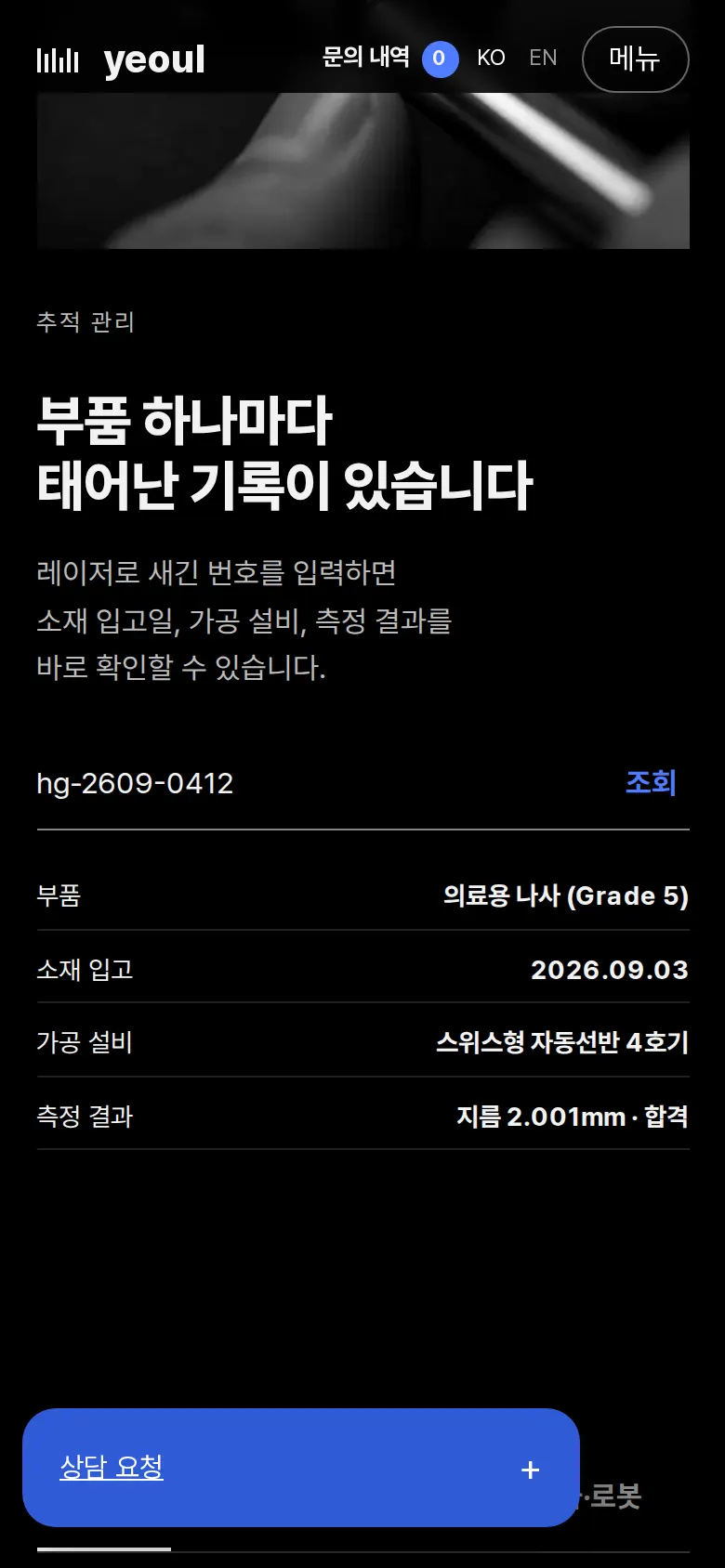
Trace number lookup
Entering the trace number engraved on a part checks its format and shows material receipt date, machining equipment and measurement results in a table. If the format is wrong, it explains again with an example.
- Receipt number issuedPressing send issues a dated receipt number (RQ-date-sequence) and saves the inquiry. "View inquiry history" next to the notice goes there directly, and the number in the top menu changes to the count of open inquiries.
- Equipment filter and industry tabsThe equipment table can be narrowed to milling, turning, or measuring/engraving. Industry tabs (aerospace, medical, semiconductor, automotive/robotics) switch the photo and description together.
5. Build Notes
Show details
| Responsive | Layout changes at 900, 700 and 600px. On PC: 4-column parts and the 5 quality steps on one line. Below 900px: 2-column parts and a collapsed menu. Below 700px: 1-column inquiry history. Below 600px: 1-column request fields and the equipment table's description column hidden. |
| Fonts | Body Pretendard, large English headings DM Serif Display (both free, open fonts). Bundled with the site, so no external requests. The body font keeps only the characters used on this site, cut from 2,010KB to 98KB. |
| Images | 11 webp files, about 496KB in total. Widths match their use, 832–1,344px. The first-screen photo loads first; the rest load as they near the screen. Photos share a black-and-white tone. |
| Motion | Built with CSS transitions, no libraries. First-screen slides with a progress bar, counting numbers, and collapsible questions. With reduced motion turned on in the device, animations stop. |
| Accessibility | Every close and menu button has a name, and question buttons announce whether they are expanded. Screen readers read out the submission result, and Esc closes windows. The file picker button shows keyboard focus. Accessibility score 100. |
| Tech | HTML, CSS, JavaScript (no external libraries). Inquiries are saved to and read from browser storage (localStorage). Inquiry history uses its own address (#/inquiries), so back navigation works. Input is displayed as plain text only, so tags never run. |
6. QA
These are results from running the site on PC 1440 and mobile 390 screens and tapping through in the order a real user would. We also checked that saved data is still found after a refresh. (2026-09-23)
| Item | PC 1440 | Mobile 390 |
|---|---|---|
| Screen errors | 0 | 0 |
| Broken files | 0 | 0 |
| Horizontal overflow · clipped text | 0 | 0 |
| Function tests | 13 / 13 passed | 13 / 13 passed |
The 13 function tests: open request window · empty-field messages · request straight from part details · enter details and attach 2 drawings · save inquiry and issue receipt number · check in inquiry history · inquiry history kept after refresh · look up by receipt number or phone · cancel inquiry and keep status · close inquiry history · trace number lookup · equipment filter · switch to English menu
Speed and quality scores (out of 100; mobile measured three times on a slow connection, lowest shown; the three runs were 92, 94, 93)
| Performance | Accessibility | Best Practices | SEO | |
|---|---|---|---|---|
| Mobile | 92 | 100 | 100 | 100 |
| PC | 100 | 100 | 100 | 100 |
Mobile: First Contentful Paint 1.8s · Largest Contentful Paint 3.2s · Layout shift 0.001 · Blocking time 0ms PC: First Contentful Paint 0.4s · Largest Contentful Paint 0.6s · Layout shift 0.001 · Blocking time 0ms
7. Result
Try it live ↗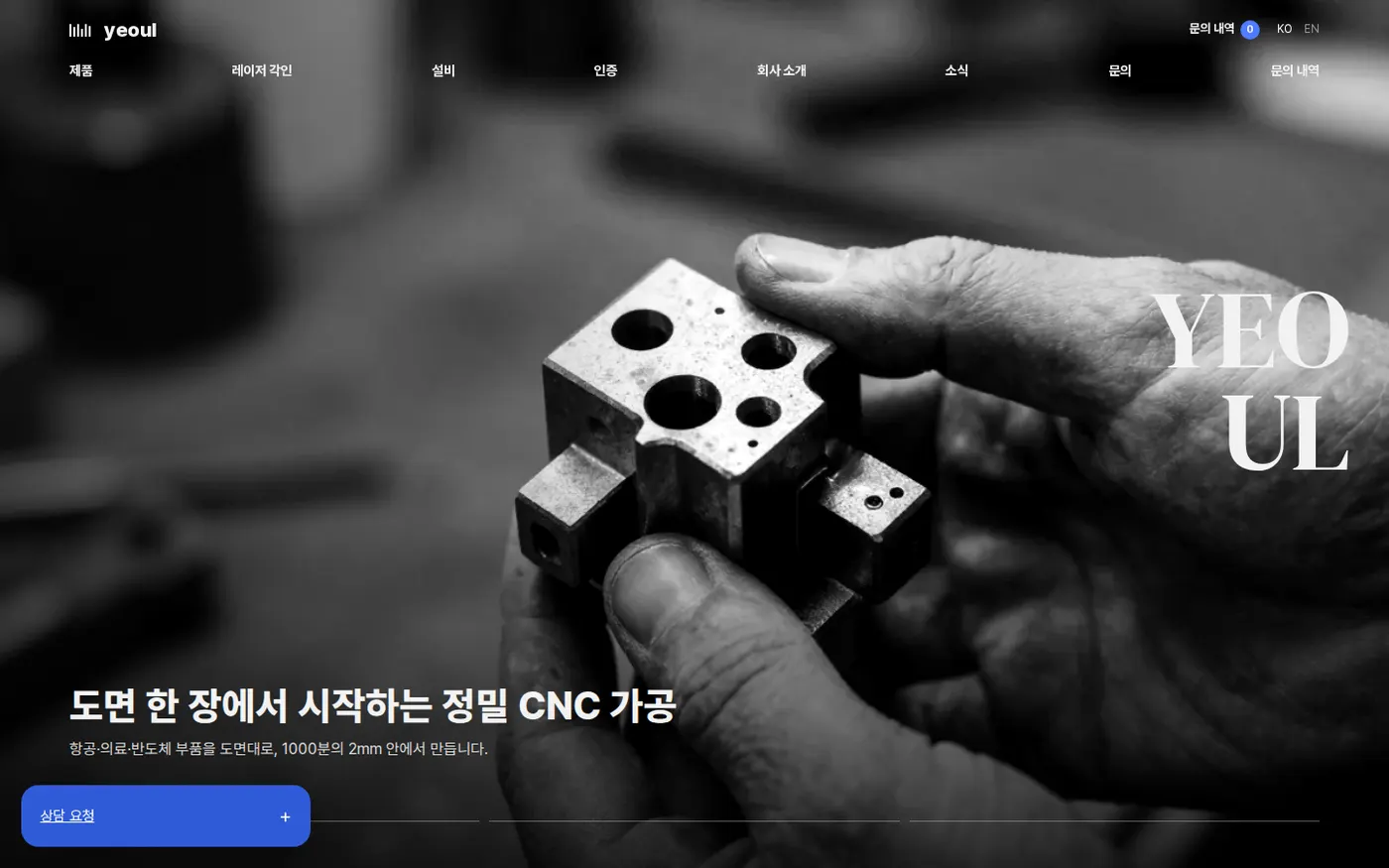
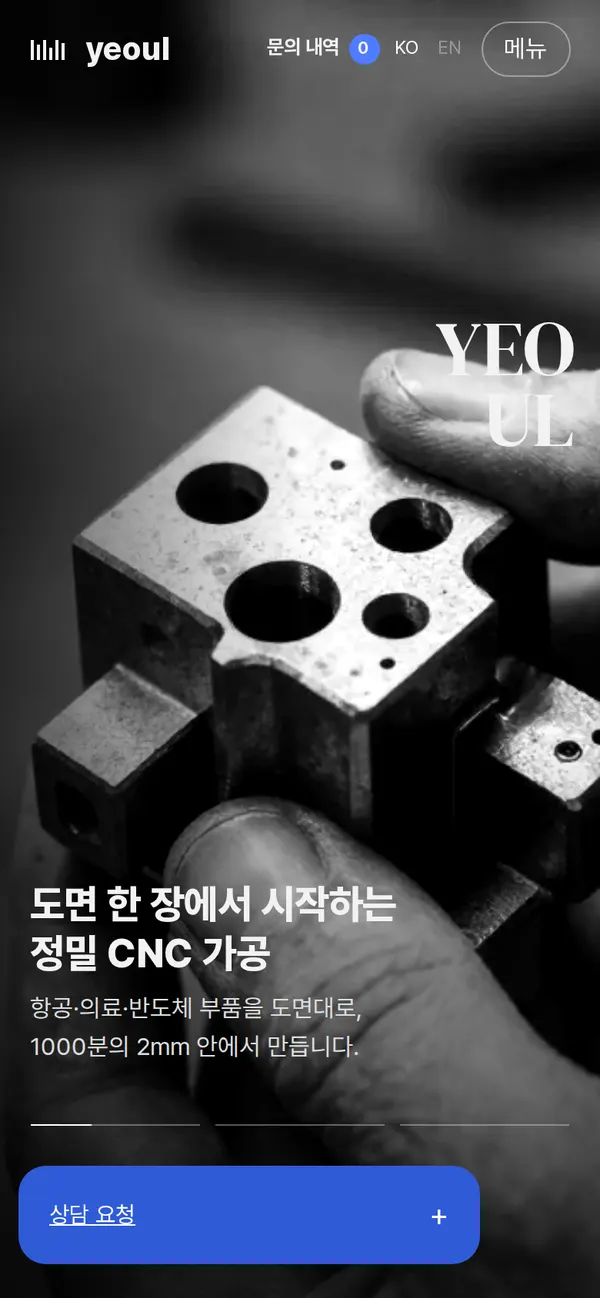
Privacy Policy