1. Overview
| Industry | Sales of 68 terrace houses by the sea in Namhae, on Korea's south coast |
| Purpose | Show the location and unit mix, let buyers compare units they like, then book a show home visit or a video consultation |
| Scope | One page · 6 screens · 3 unit types (ground floor + basement · mid-floor flat · penthouse) |
| Main flow | Choose units → add to compare → side-by-side comparison / choose date and time → save booking → booking number / look up by name and phone → cancel booking |
Units added to compare and consultation bookings are saved in the browser. They stay in the comparison table and booking lookup after a refresh or a return visit.
Connected at rollout: confirmation texts and calls, subscription and contract applications, loan calculation, an admin screen for sales staff, and server storage to see the same booking on several devices.
2. Challenges
1. The site must answer "Which unit suits our family?"
Area, bedrooms, price and terrace are hard to compare when scattered. Putting two or three units side by side in one table speeds up the decision.
2. Consultation bookings are the result that counts.
If buyers get stuck choosing a date and time, they leave instead of calling. Full time slots must be blocked from the start so no one comes for nothing.
3. Buyers need a place to check their booking afterwards.
So nobody has to call to ask "What time was it?", they should find their booking with just a name and phone number and cancel it themselves.
3. Structure
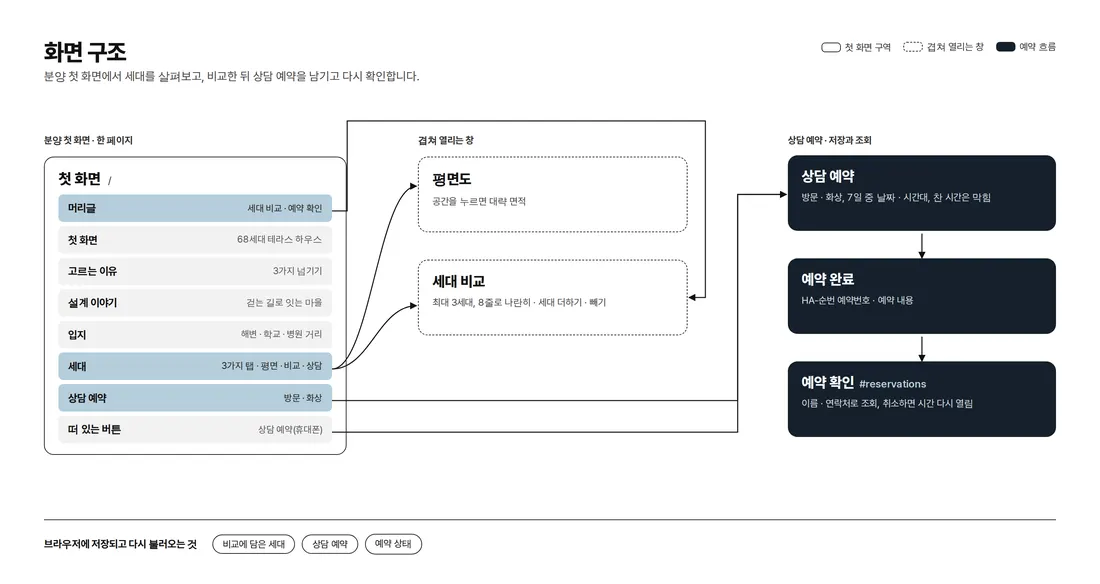
Sales information runs on one page from the first screen. Floor plans, unit comparison and booking lookup open over the page without leaving it. "Consult on this unit" in the unit tabs and the floating button on phones both lead to consultation booking, and adding `#reservations` to the end of the address opens booking lookup directly.
4. Key Features
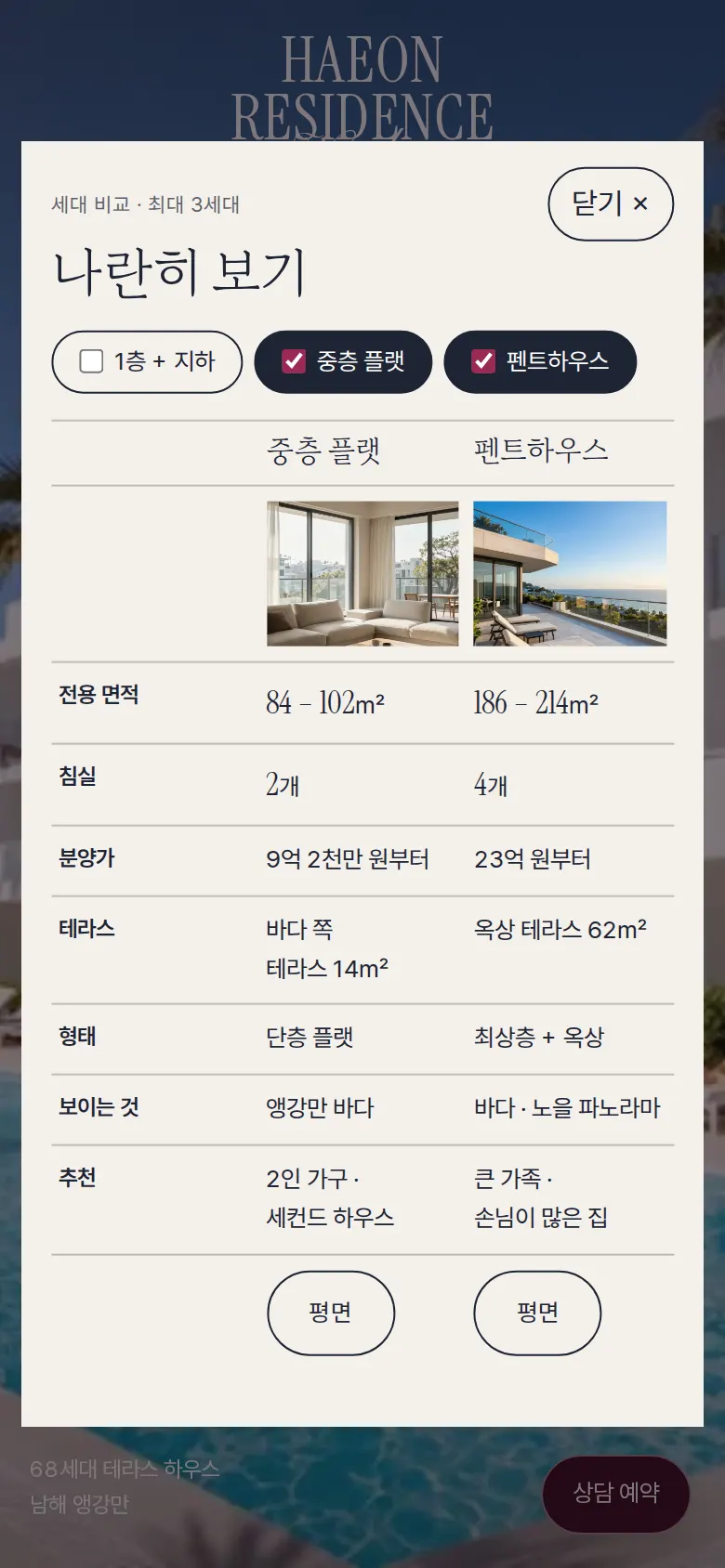
Unit comparison
Tapping "Add to compare" on a unit tab raises the number next to "Compare units" in the header. The comparison table sets the chosen units side by side in 8 rows: photo, private floor area, bedrooms, sale price, terrace, type, view and who it suits. Buttons above the table add or remove units directly (up to 3), and the list stays for the next visit.
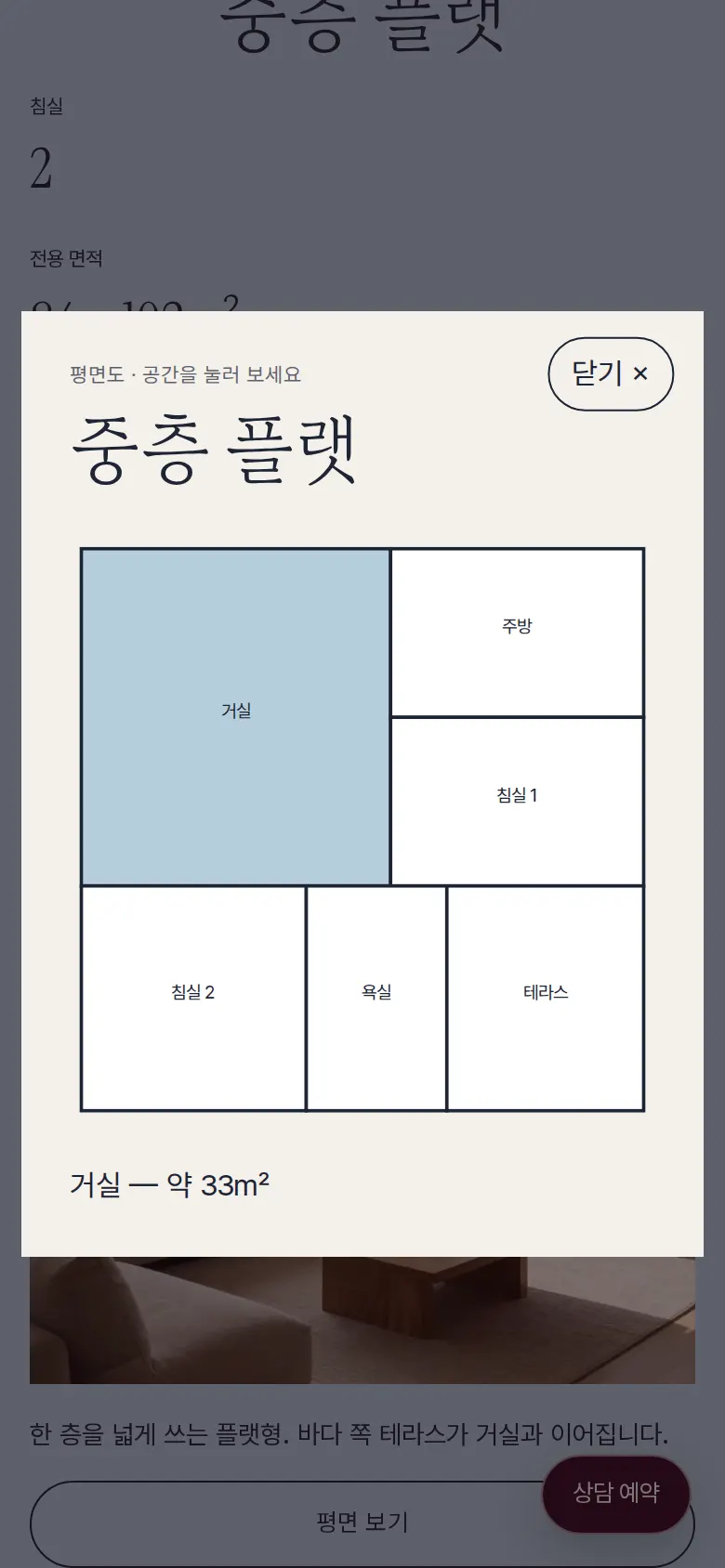
Floor plan — tap a room to see its area
"View floor plan" draws the unit plan, and tapping a space such as the living room, kitchen or bedroom highlights it and shows its approximate area.
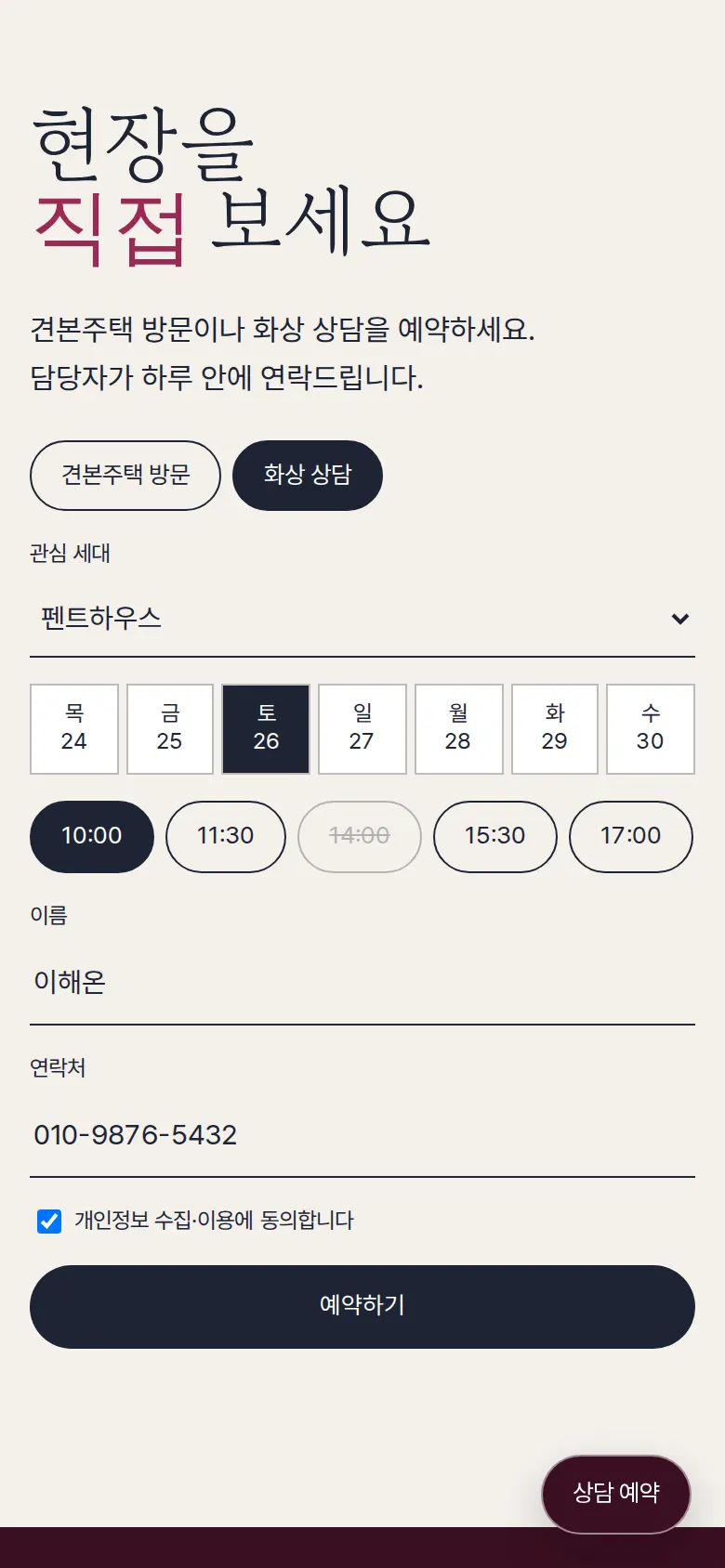
Consultation booking and booking number
Buyers choose a show home visit or a video consultation, then a date within the next 7 days and a time slot. Time slots already booked are crossed out and cannot be tapped. After checking the name, phone format and privacy consent, saving issues a booking number (TR-sequence). Coming in through "Consult on this unit" fills in the unit of interest first.
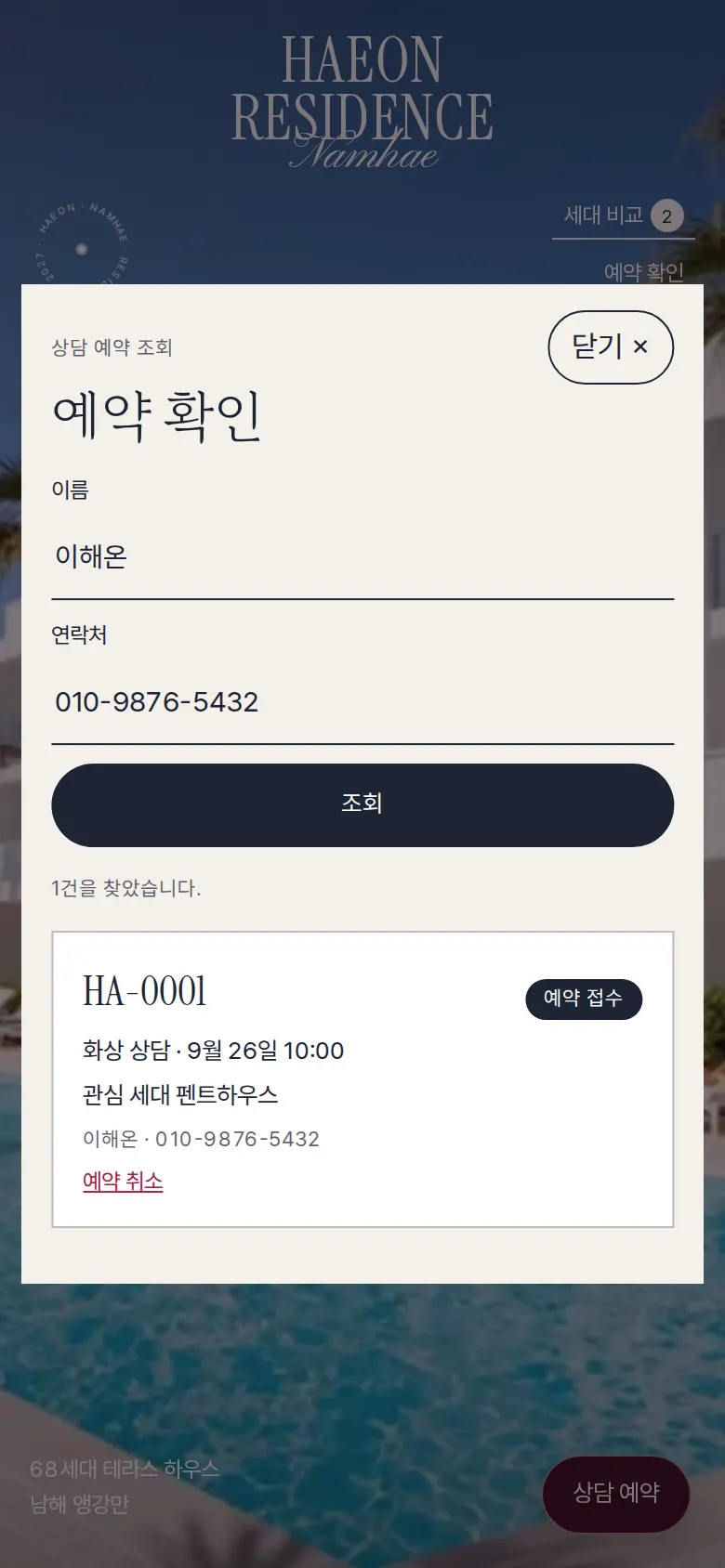
Booking lookup and cancellation
"Check booking" in the header lists bookings newest first, and entering a name and phone number finds only bookings that match both. Cancelling a booking changes its status to "Cancelled", and that time slot opens again for other bookings.
- Reasons to choose, in slidesInside an arch-shaped panel, three reasons are browsed with numbers and arrows.
- Location distance listDistances to the beach, schools, hospitals and the airport are shown in one list.
5. Build Notes
Show details
| Responsive | The layout changes at 900px and 520px. On PC, unit information uses 3 columns (figures, photo, description), location 2 columns and booking 2 columns. On phones everything folds to 1 column, the header keeps only "Compare units" and "Check booking", and consultation booking moves to a floating button. |
| Fonts | Body text in Pretendard, English headings in Instrument Serif, script in Pinyon Script, Korean headings in Gowun Batang (all free open fonts). They are bundled with the site and load without external requests. The Korean fonts keep only the characters used on this site: body text from about 2,000KB to 78KB, and Korean headings from 3,500KB (190 pieces) to a single 41KB file. |
| Images | 11 webp files (including 3 for phones), 1,199KB in total. First screen and overview at 1344px, units at 800px. The first-screen photo loads first, and phones get separate 800px versions of the first-screen, overview and terrace photos. |
| Motion | Built with CSS, no library: a rotating round emblem, a first-screen photo that slowly settles from a zoom, reason panel transitions, unit information rising into place, and the comparison table and booking lookup opening from the center. Animations stop when the device's reduce-motion setting is on. |
| Accessibility | Arrow and logo links have labels, and Esc closes windows. Pale number buttons were adjusted for contrast, and text over bright photos has a shadow. Accessibility score: 100. |
| Stack | HTML, CSS and JavaScript (no external libraries). Floor plans are drawn in SVG. The comparison list and consultation bookings are saved to and read from browser storage (localStorage). |
6. QA
These results come from running the site on PC 1440 and phone 390 screens and tapping through in the order a real person would. We also checked that saved data can be looked up again after a refresh. (2026-09-23)
| Item | PC 1440 | Phone 390 |
|---|---|---|
| Screen errors | 0 | 0 |
| Broken files | 0 | 0 |
| Horizontal overflow or clipped text | 0 | 0 |
| Function tests | 13 / 13 passed | 13 / 13 passed |
The 13 function tests: browse reasons to choose · switch unit tabs · view floor plan and tap a room · add two units to compare · unit comparison table · add a unit from the table · keep the comparison after refresh · booking empty-field check · save a consultation booking · block the same time slot again · look up a booking by name and phone after refresh · lookup with a wrong phone number · cancel a booking and reopen the slot
Speed and quality scores (out of 100; phone measured on a slow connection)
| Performance | Accessibility | Best Practices | SEO | |
|---|---|---|---|---|
| Phone | 89 | 100 | 100 | 100 |
| PC | 99 | 100 | 100 | 100 |
Phone: first content 1.5s · largest content 3.8s · layout shift 0 · input blocking 0ms PC: first content 0.4s · largest content 0.9s · layout shift 0 · input blocking 0ms
7. Result
Try it live ↗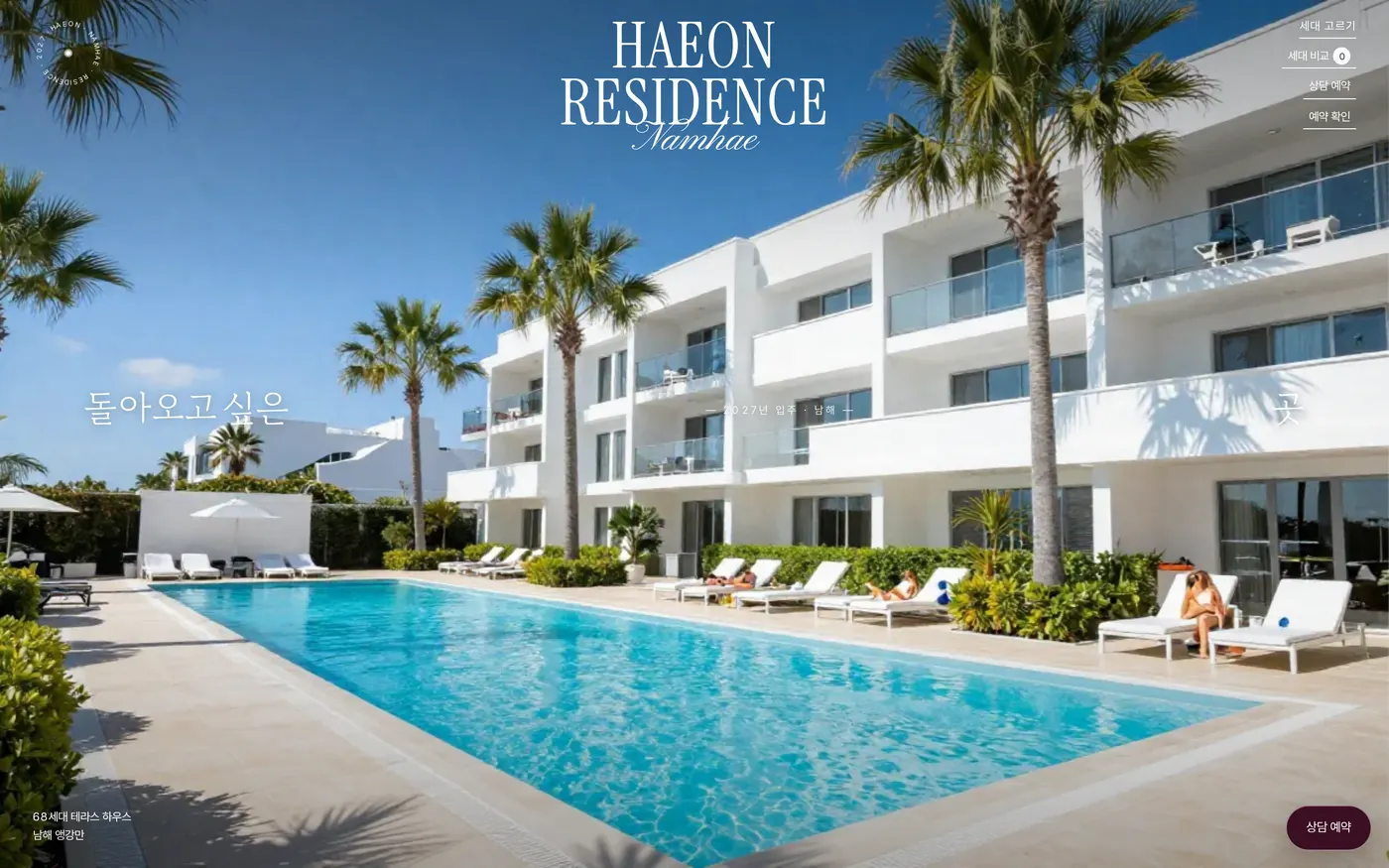
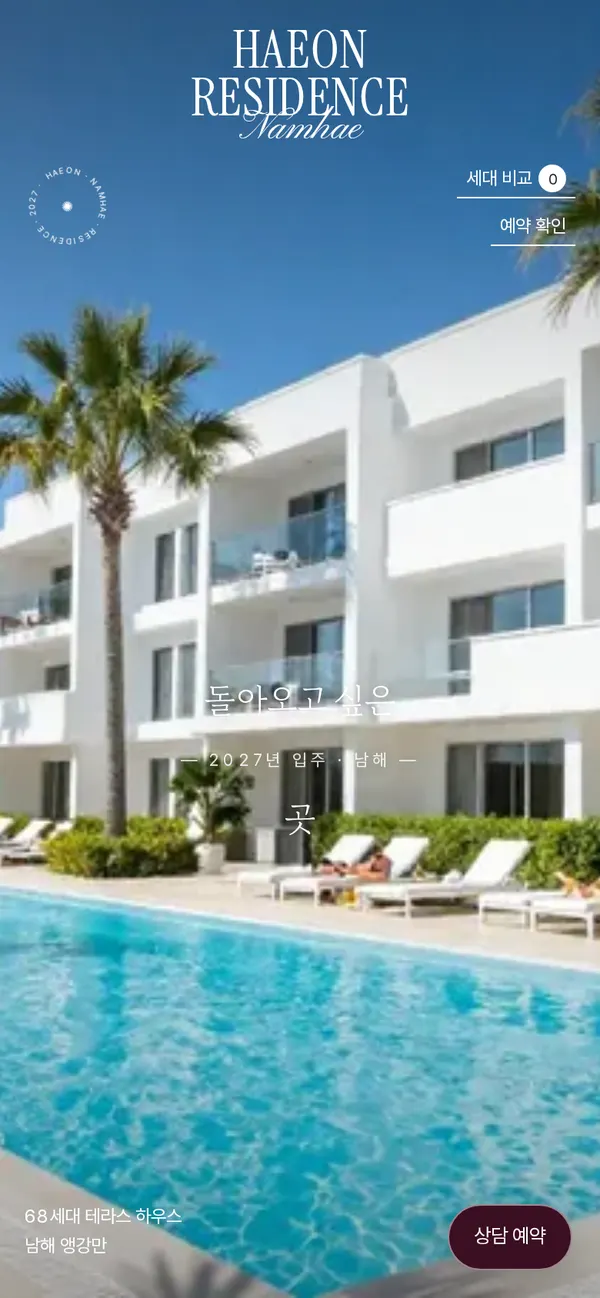
Privacy Policy