1. Overview
| Industry | A running specialty store selling running shoes, apparel and gear |
| Purpose | Show new arrivals, picks and sales, and let customers choose a size, add to cart and fill out an order form |
| Scope | One page · 8 screens · 6 products (12 brands listed) |
| Main flow | Choose → select size → add to cart → save order / order history → look up by order number or phone → cancel order / tap a brand → search results |
The cart and orders are saved in the browser. They stay in place after a refresh, or after closing and reopening the window.
Connected at rollout: payment gateway (orders are saved as "Awaiting payment"), member accounts and login, delivery tracking, inventory sync, an admin screen, and server storage to see the same order on several devices.
2. Challenges
1. With running shoes, size is everything.
Adding to cart must be impossible without choosing a size, and sold-out sizes must be blocked from the start. A wrong order means exchange and return costs.
2. Customers leave while comparing several pairs.
Items in the cart must still be there on the next visit to turn into an order. Showing how much is left until free shipping encourages one more pair.
3. "Where is my order?" is the most common question after ordering.
Customers should find an order with just the order number or phone number, and cancel it themselves before payment, so fewer calls reach the store.
3. Structure
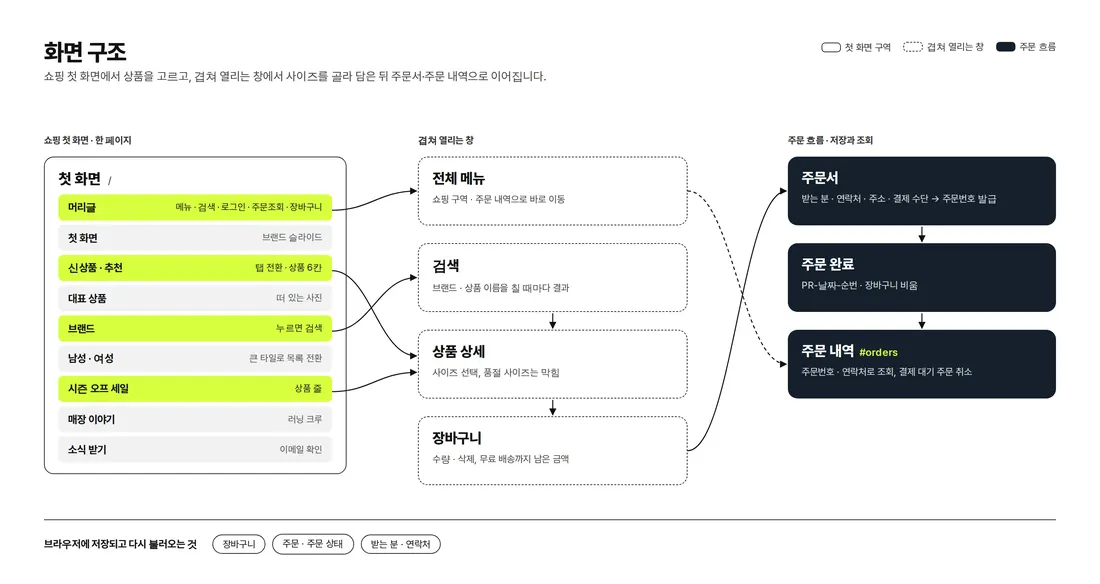
Shopping continues on one page from the first screen. The full menu, search, product details and cart open over the page without leaving it, and orders saved from the order form can be found again in order history. Adding `#orders` to the end of the address opens order history directly.
4. Key Features
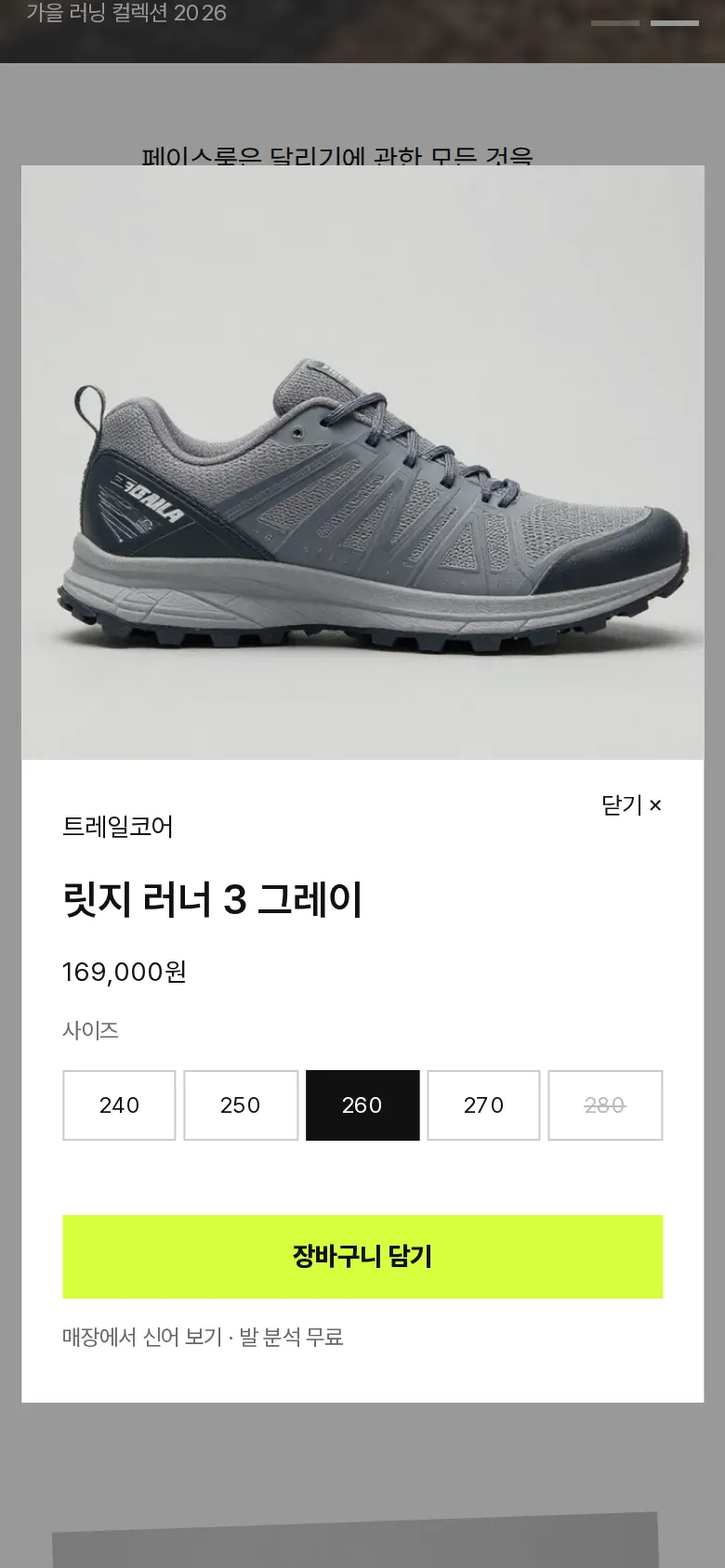
Size selection — blocking sold-out sizes
Tapping a product opens its details with size buttons from 240 to 280 (S to XXL for apparel). Sold-out sizes are crossed out and cannot be tapped. Tapping add to cart without a size is blocked with "Please choose a size".
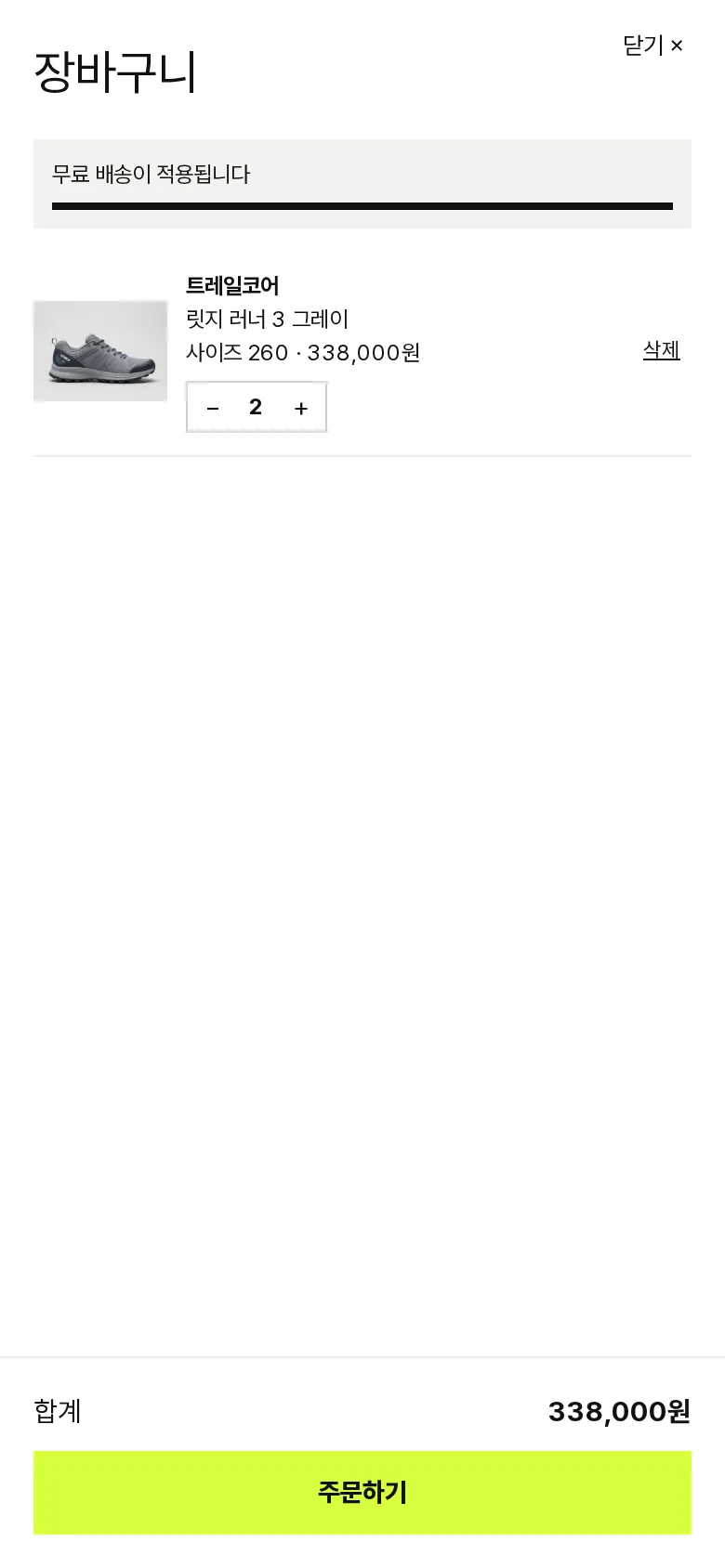
Cart — quantity, removal and amount left for free shipping
Adding the same product in the same size again raises the quantity instead of adding a new line. Each line has −/+ buttons for quantity and can be removed, and a bar fills with the total to show how much is left until free shipping. The cart is saved and stays the same after a refresh.
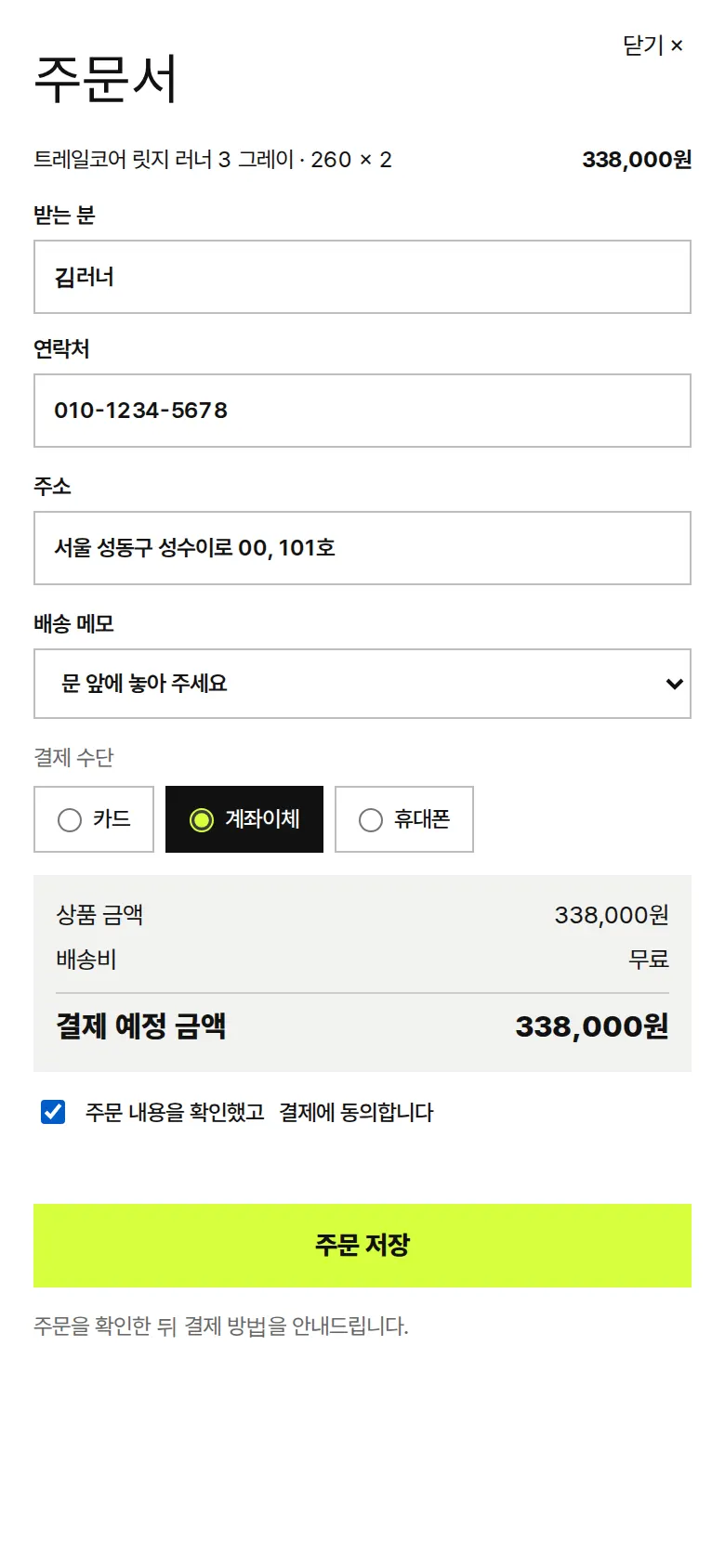
Order form and order number
"Place order" in the cart leads to the order form, which shows the items, sizes and quantities along with item total, shipping and amount due. An empty name, a wrong phone format, a too-short address and missing consent are each blocked with a different sentence. Saving issues an order number (RN-date-sequence) and empties the cart, and on the next order the recipient and phone number are filled in first.

Order history — lookup by order number or phone, cancellation
Opens from "Order lookup" in the header or "Order history" in the menu. Orders are listed newest first, and entering an order number or phone number finds just those orders. Orders awaiting payment can be cancelled directly, and the changed status stays after a refresh.
- Find by brand and searchTapping a name in the brand list opens search showing only that brand's products. Typing in the search box updates results with every keystroke.
- Men / women, new arrivals / picks tabsTapping the men or women tile switches the product row above to those products, and the new arrivals and picks tabs switch the list.
- Runner club sign-up and newsletterThe sign-up window and newsletter form check the email format and return a result message.
5. Build Notes
Show details
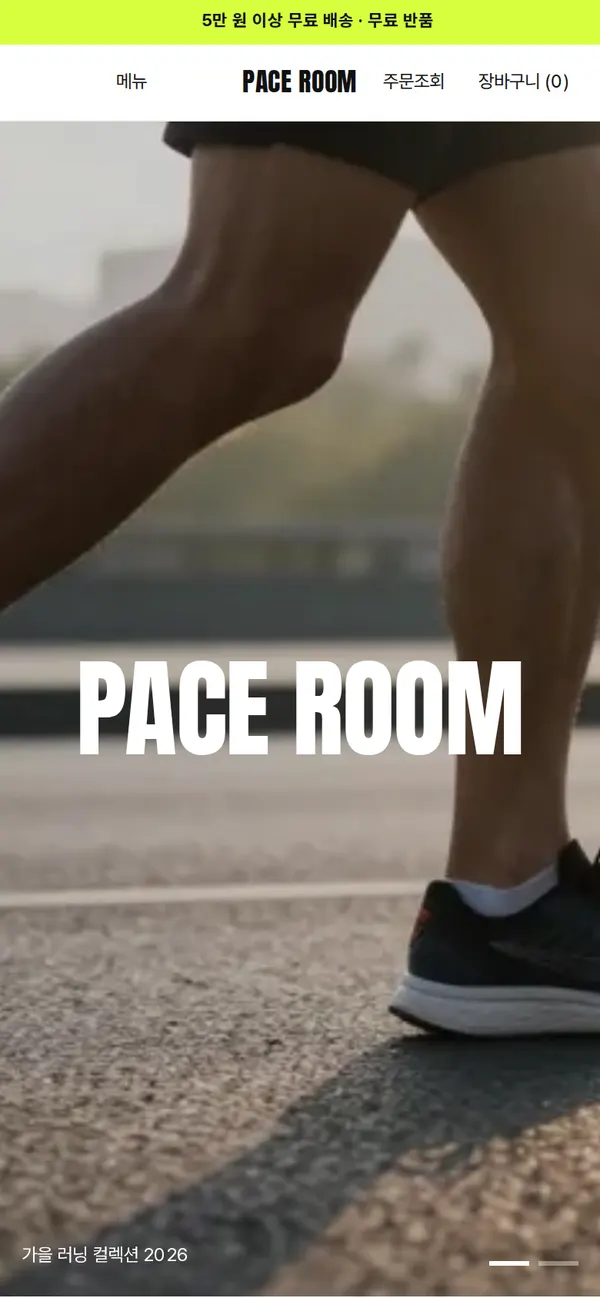
| Responsive | The layout changes at 1100px, 900px and 520px. Products show in 6 columns on PC, 3 at tablet width and 2 on phones. The brand and store story sections fold from 2 columns to 1, and order form fields from 2 columns to 1. |
| Fonts | Body text in Pretendard, English headings in Anton (both free open fonts). They are bundled with the site and load without external requests. The body font keeps only the characters used on this site, cut from about 2,000KB to 81KB, and the fonts and main photo needed for the first screen load first. |
| Images | 13 webp files (including 2 for phones), 524KB in total. Widths are set by use: 1344px for the first screen, 800px for products, 1000px for men and women. Phones get separate 800px versions of the first-screen and running crew photos, and images outside the first screen load as they come into view. |
| Motion | Built with CSS transitions, no library: a flowing notice band, crossfading first-screen photos, a floating featured product, and the cart, order form and order history sliding in from the side. Animations stop when the device's reduce-motion setting is on. |
| Accessibility | Every icon and quantity button has a label, and Esc closes windows. Pale gray text was darkened to meet contrast. Accessibility score: 100. |
| Stack | HTML, CSS and JavaScript (no external libraries). Cart, orders and recipient details are saved to and read from browser storage (localStorage). |
6. QA
These results come from running the site on PC 1440 and phone 390 screens and tapping through in the order a real person would. We also checked that saved data can be looked up again after a refresh. (2026-09-23)
| Item | PC 1440 | Phone 390 |
|---|---|---|
| Screen errors | 0 | 0 |
| Broken files | 0 | 0 |
| Horizontal overflow or clipped text | 0 | 0 |
| Function tests | 13 / 13 passed | 13 / 13 passed |
The 13 function tests: open the full menu · switch new arrivals and picks tabs · tap a brand to search · message when no size is chosen · choose a size, add to cart and free shipping notice · increase quantity and remove · keep the cart after refresh · order form empty-field check · fill out and save an order · view order history after refresh · look up an order by phone · cancel an order and keep the status · newsletter sign-up
Speed and quality scores (out of 100; phone measured on a slow connection, three runs with the same performance score)
| Performance | Accessibility | Best Practices | SEO | |
|---|---|---|---|---|
| Phone | 96 | 100 | 100 | 100 |
| PC | 100 | 100 | 100 | 100 |
Phone: first content 0.9s · largest content 2.9s · layout shift 0.027–0.028 · input blocking 0ms PC: first content 0.2s · largest content 0.6s · layout shift 0.026 · input blocking 0ms
7. Result
Try it live ↗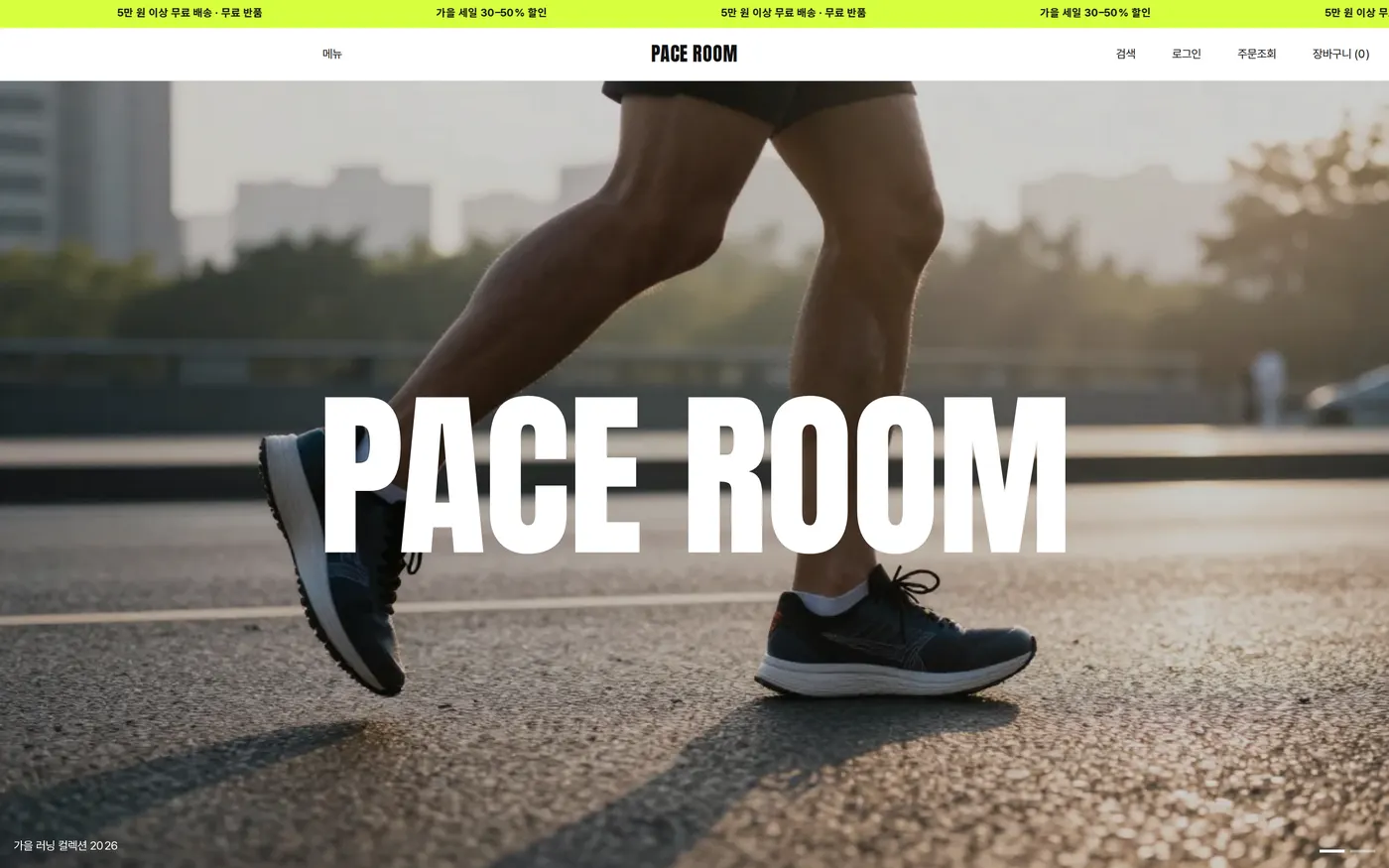
Privacy Policy